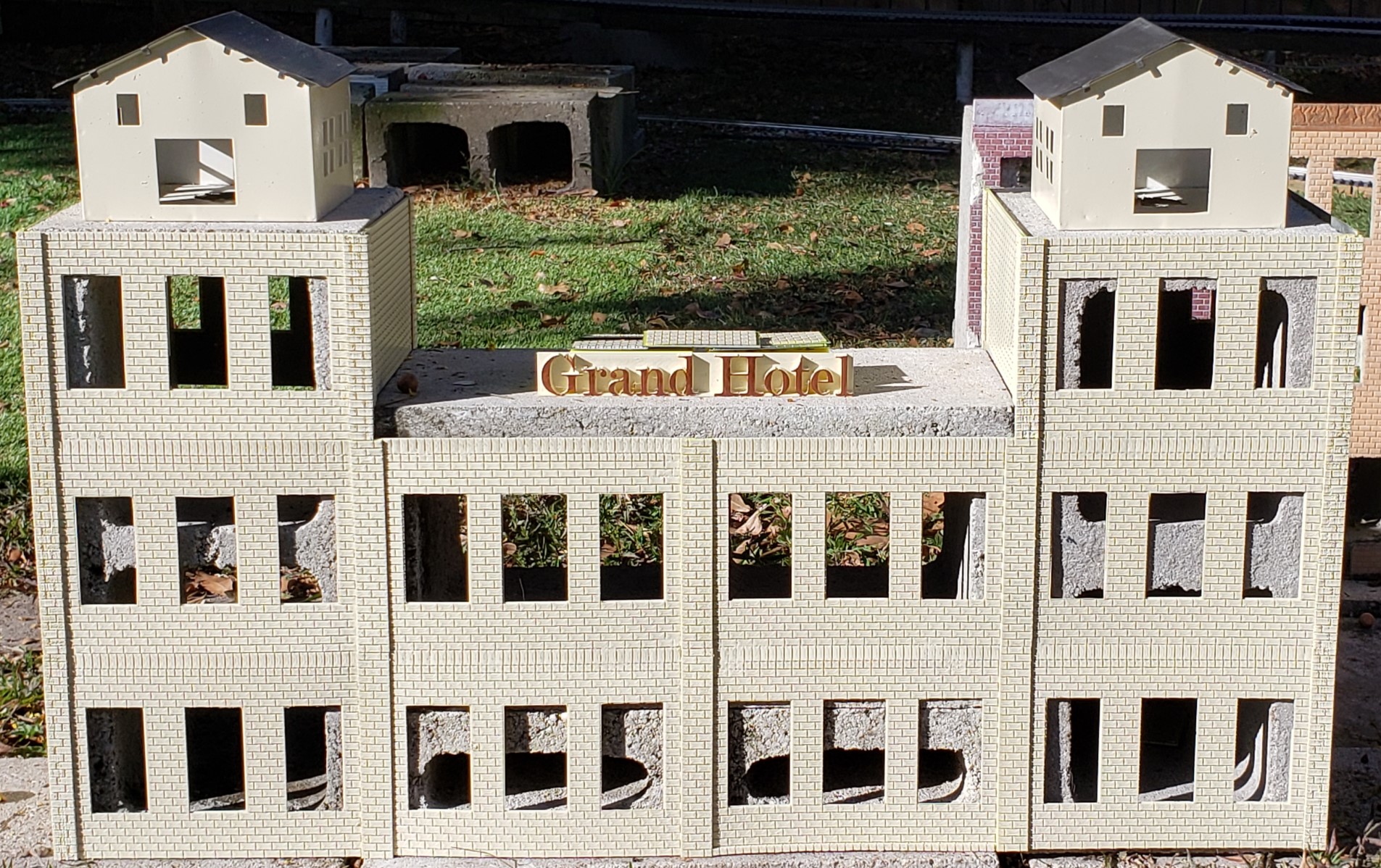
Happy Halloween!

We got the Halloween decorations down from the attic the last weekend of September, before we even knew about the offer on the other house. Ann decorated the house and I decorated the office. I had a couple of glow in the dark skulls that had been sitting over there in the corner room for more than a decade. With the CFL black light bulbs in place of the standard lamp bulbs on either end of my desk, both those skulls glow brightly!

But that was just the beginning. Having to replace the burned out bulb in the skull candelabra, I decided to buy more of those neon “flicker flame” bulbs. Good choice. Now the eyes flicker too! Then I ordered more and replaced all the incandescent bulbs in a twenty light string with them and strung them around the book cases in the office. And while I was sitting in a meeting, I modified the closet lighting test jig to add Halloween lights.

And no, this isn’t yet another lighting post. Well, it is, sort of… I merely modified the configuration and HTML enough to make a string of orange, eerie green, and purple colored lights that flicker together. Kind of spooky, but Ann wasn’t impressed. Her only comment was they looked pink, not purple. Thankfully a quick and easy adjustment to configuration values to add a bunch more blue and now they definitely look purple.
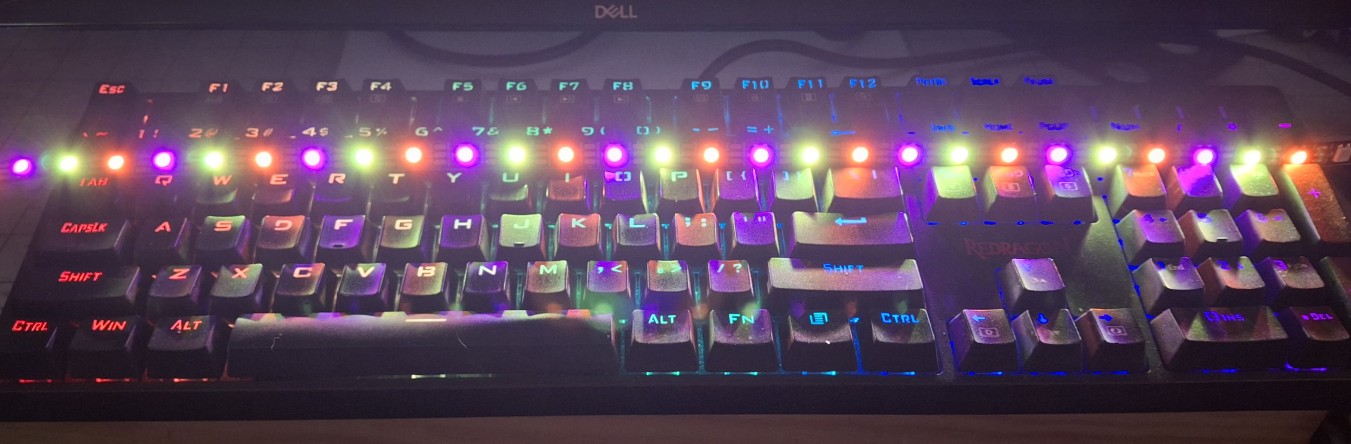
Spooky Colors Adorn My RGB Keyboard

For My Next Trick…

Having those glowing skulls sitting on top of the speakers on either side of my desk got me thinking about what else I could do with the glow in the dark 3D printer filament and some UV LEDs. Nick and I were chatting on Slack one night and he sent me a picture of a plastic ghost flipping me the bird, from an ad, that said it was supposedly holding candles. If I try hard enough, I can convince myself those might be candles, but always saw it flipping me the bird first.

It’s funny, because the very next day I saw the very same ghost in one of those Chinesium store ads I get in my email daily. Ann had seen another skull candelabra at the Antique store down the street from us, but didn’t buy it. I asked her why not, but it doesn’t matter, she didn’t. I was telling Nick I’m thinking if they still have it, I’d go buy it. With an old white sheet and a couple of 3D printed “candles”, presto, bird flipping ghost.

We were out to eat the other night at the restaurant just next door to it, so I asked if we could walk over there afterward and see if they still had it. They close at six o’clock, so I figured we had plenty of time. Ann went to pull the door open, but it was already locked? And it’s just now quarter ’til six! A girl came to the door and said they lock up 15 minutes before. Ann told her in that case they should change their sign to 5:45 instead of 6:00.
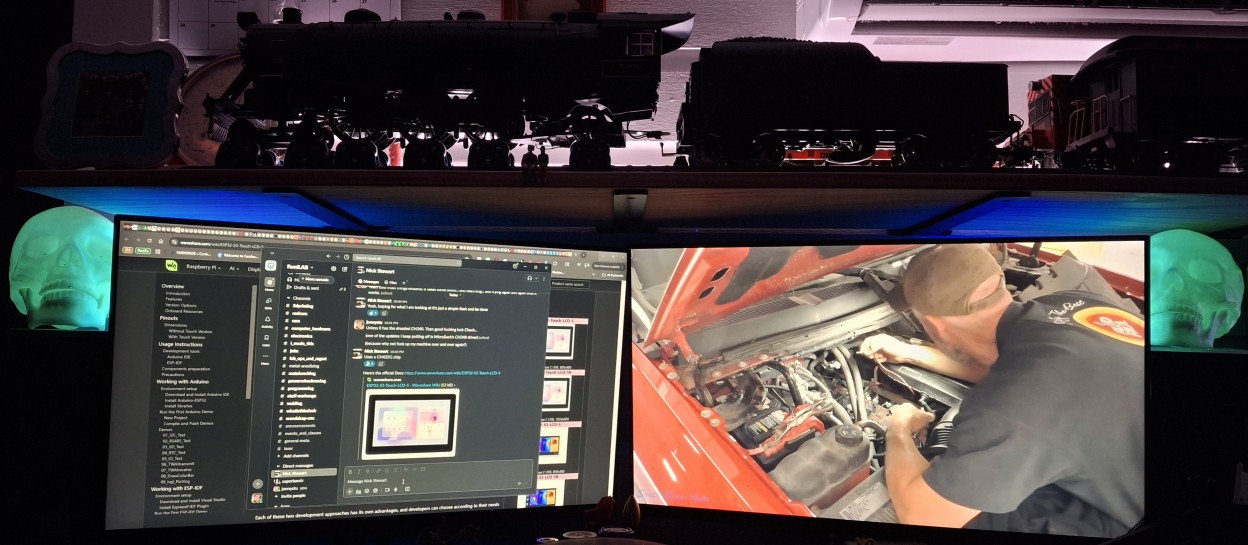
Glowing Skulls Bracket My Workspace

The “Flip Off” Ghost

The antique store could have made a quick sale, but their loss. F… ’em! And the broom they rode in on! That’s alright, Nick found someone had actually created an STL file to 3D print a ghost flipping the bird with both hands and sent it to me. Both 3D printers had been sitting idle for a couple weeks with all the higher priority things that came first to be able to list the other house for sale. Time to wake them from their slumber.

I pulled the STL file into the slicer, Cura. It said 2 days 11 hours to print it! I about fell out of my chair! Then I realized it was still set for 100% infill. Dropping it back to the standard 20% infill says more than seven hours. Still too long. Scaled down to 50% of original size and now it says a bit over two hours. That’s better. I already had what’s left of a spool of white loaded in the old printer and kicked off a print.

The first print came out great, so I printed another one. Now we have two half sized “Flip Off” ghosts sitting on the tea table beneath the skull candelabra. I grabbed the mini spool of glow in the dark blue filament off the shelf, ready to make some more prints. Before long I had two more ghosts, but this time in glow in the dark blue!
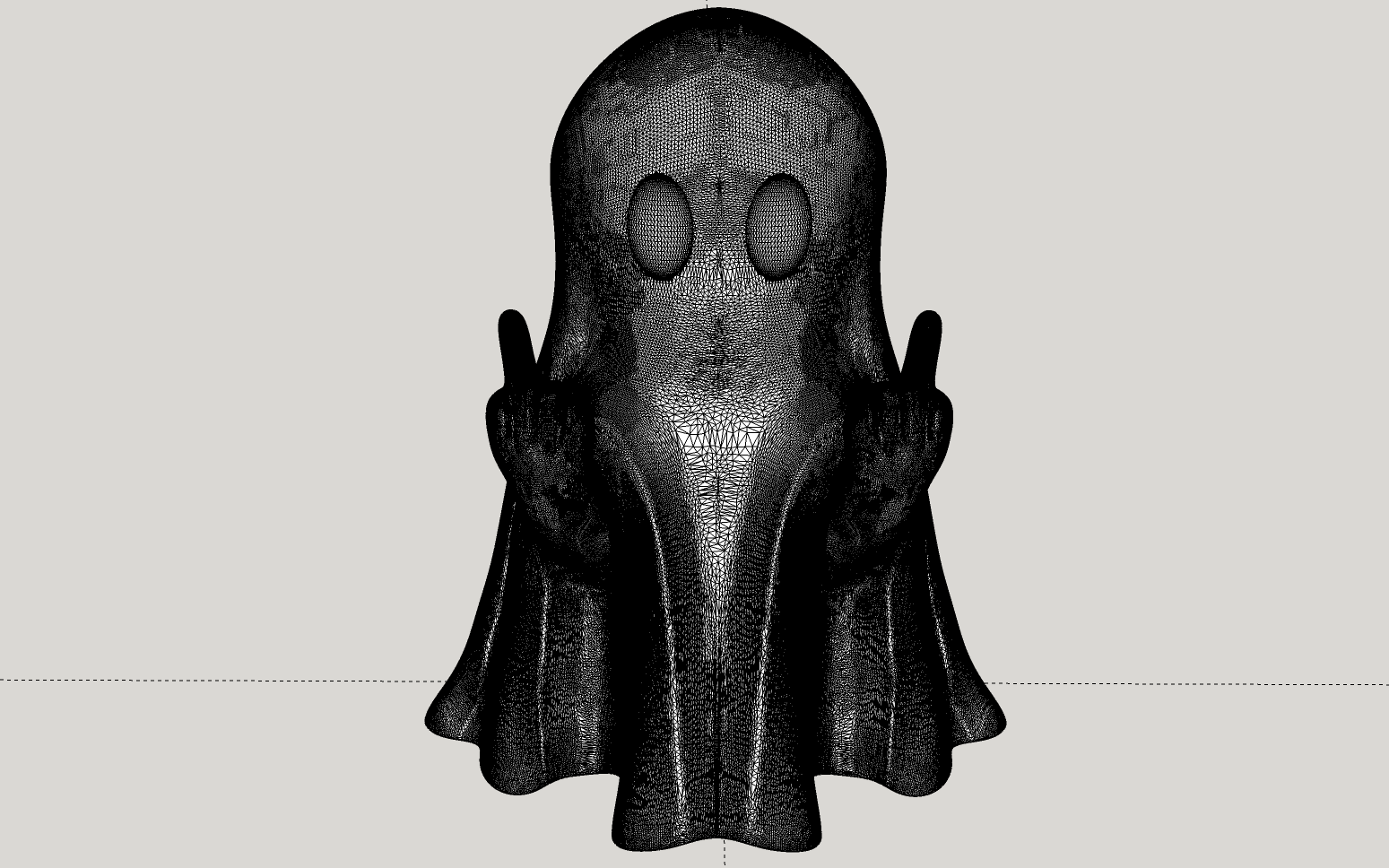
Is That Ghost Flipping Me Off Or Holding Candles?

All Things Must Glow – In The Dark!

Back when I bought my first 3D printer, my first venture into ultraviolet (UV) light emitting diodes (LEDs) was my “Glow In The Day” clock project. I’ll save the details for later in the post, but like any prototype, mistakes were made. One was printing it way too thin, the plastic face splitting into a flap where the clock movement is mounted. More pertinent to this discussion was the selection of outdoor, 12 volt UV LED strips.

The decision to use 12 volt LED strips rather than 5 volt ones adds an extra part to boost the USB supplied 5 volt power to 12 volts. These “half pint” ghosts are barely 3″ (76mm) tall. Where would I hide that part? With lessons learned, I searched for 5 volt UV LED strips and found a large assortment. Some with battery boxes for three AA batteries. Some with an additional USB pigtail adapt ed to the battery box. Some with just a USB pigtail and an inline switch.

I ordered all three to see which works best. The latter fits the bill nicely. Initially I left the strip wound on the spool. I quickly found out that was a big mistake after the LEDs became too hot to touch and the spool began to deform. Oopsie! Time to unwind. The LED strip from the spool that is. That turned into a win when I realized I could use the drill to clear out an internal passage and just insert the end of the LED strip, now free from the spool.
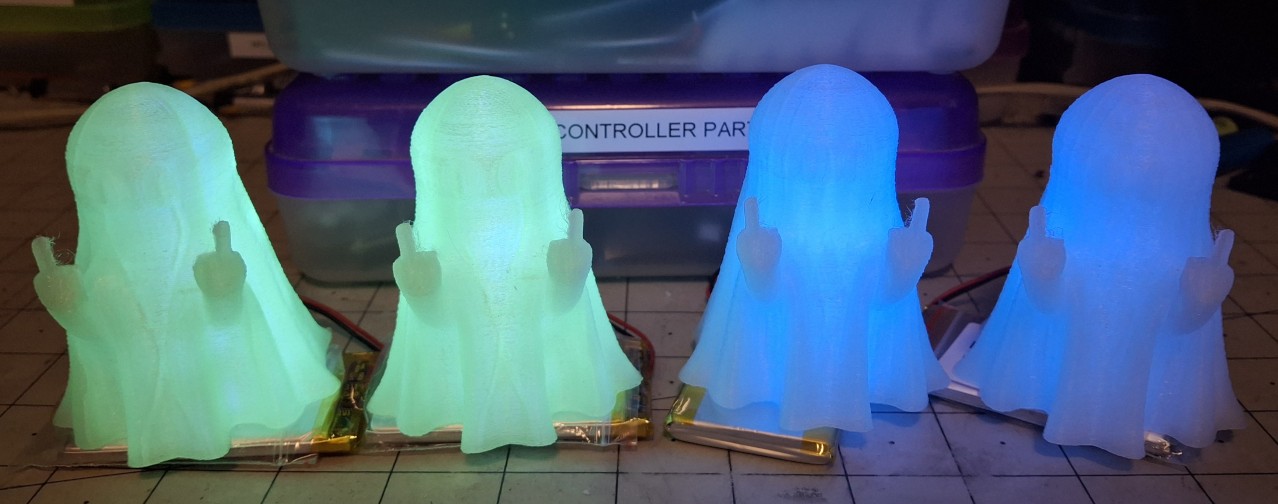
A Gaggle Of Glow In The Dark Ghosts

Ghost Factory

Perfect! That’s exactly what I was looking for. The entire ghost glows from the inside out. Before long I had the two blue ones rigged to glow from a dedicated battery, along with two new green ones I printed while working out how to add the power port to the blue ones. I noticed the 20% infill creates many very small cavities where I wanted fewer, larger ones to more easily insert the LED strips.

Reducing the infill to 5% reduced the print time even more, barely an hour and a half. It also provided the desired larger space for the LED strip. Much larger. Now it only takes the drill a moment to penetrate the bottom layers and work a slot along either face of the infill grid. Some quick work with an Exacto™ or one of those snap off knives and a triangular opening is ready for LED strip insertion.

I was back and forth whether to use a USB micro breakout board or a battery port. I have so many spare LiPo batteries, they can power them for now. They use a standard JST PH (2.0mm spacing) connector. There’s only room to fit four LEDs per strip in these half pints, so adding a battery connector to the back then feeding the wires from the connector to the LED strip makes for a very simple build.

It takes longest to reshape the drilled hole into a rectangular opening that fits the battery connector shroud. A bit of hot melt glue to secure it and all that’s left is to cut the wires to length and solder them to the LED strip. Maybe five minutes per ghost once I’m on a roll. Definitely far less than the hour and a half it takes to print them. The best part is they continue to glow even after the power is removed!
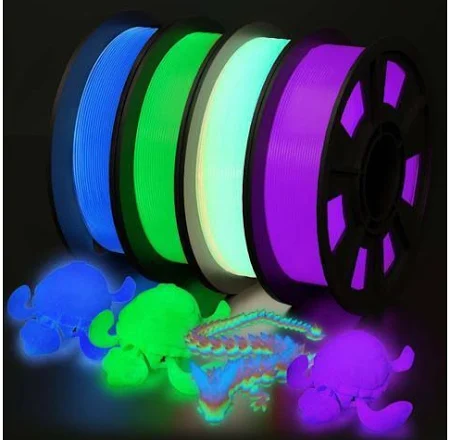
Some Of The Many Glow In The Dark Colors Available

Rainbow Colors

When I was searching for 5 volt UV LED strips, I also looked for other glow in the dark filament colors, other than the green and blue I already have. I readily found red and purple available and bought a 1kg (2.2lb) spool of each. Orange and yellow are also available, but it appears the glowing orange starts out as yellow and the the glowing yellow starts out as green. I’ll pass on those for now. The purple arrived first, so I loaded it into the new printer.

The online picture of the purple filament shows it as more of a fuchsia color, but in reality, it just looks purple. Strange. It glows pretty much the same purple color too. Soon there were a couple more of the half pints in purple ready for LEDs. I kicked off a full sized print in purple while I installed the “guts” in the other half pints. He’s a big one! About 6½” (165mm) tall and 5″ (127mm) wide at the base. No wonder it takes seven hours to print!

The infill pattern in the full sized ghost forms a diamond pattern in roughly the center of the print. I made an opening into the forward facing section of the infill. Testing with the lit UV strip inserted, it’s obvious I’ll need more than one strip. I’m thinking four strips, each facing in one of four cardinal directions. Think north, south, east, and west. Each strip is also nine LEDs compared to four in the half pints.
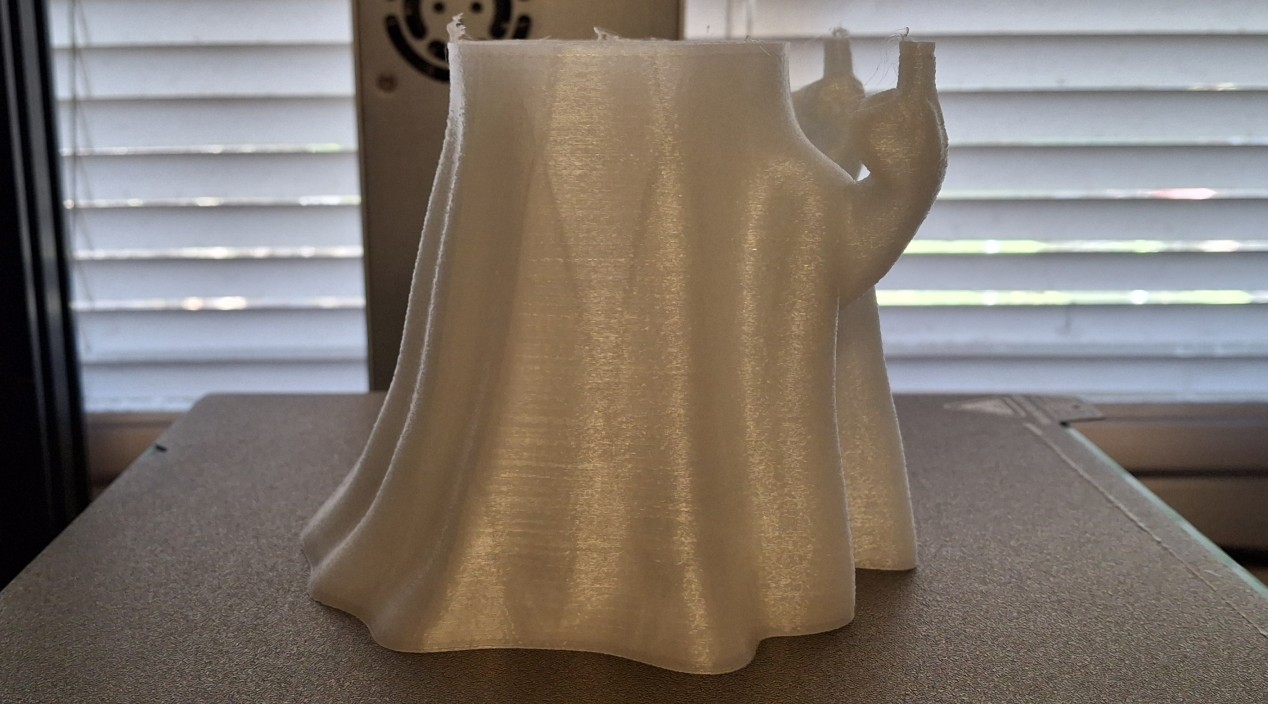
Meet Nate Decapitate - The Decapitated Ghost
Meet Nate Decapitate – The Decapitated Ghost

That Will Teach Me

With what’s left of the glow in the dark green still loaded in the old printer, I kicked off a full sized print, convinced there was enough filament to complete the job. I stayed up past midnight, checking there was still enough filament left, thinking I’d just pause the print if it ran out and swap in the new spool sitting on the shelf. There’s also a new spool of blue next to it. Thinking I could keep checking on it, I dozed off. Big mistake.

By the time I woke up, the print had “finished”, but the result was a “decapitated” ghost. Bummer. Not the end of the world, but I’m not sure how I can print just the remaining portion of the head and those two amputated fingers. Problem for future me. I did measure how tall the print was before removing it so I’d know where it left off though. Nick asked if I captured the time lapse since it would show the exact layer. Nope. Not this time.

By now the glow in the dark red filament arrived. It’s time to fill out the roster and print some red ghosts. But that will have to go in the old printer. I’m working on a music stand for Ann’s new to her keyboard. I took a bunch of measurements to get me started on the design, consisting of two assemblies, the mount and the music stand itself. The idea is to attach the mount to the keyboard in a sturdy fashion, then attach the music stand to the mount.
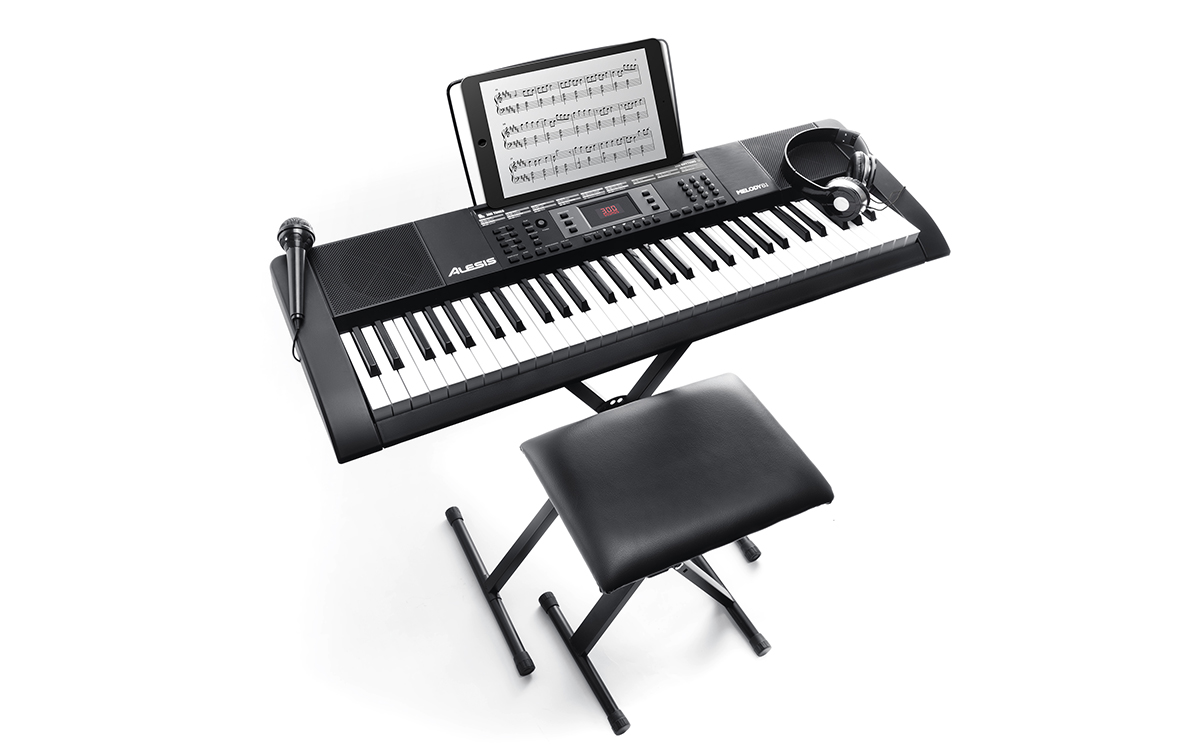
Ann's New To Her Keyboard - Sans Music Stand
Ann’s New To Her Keyboard – Sans Music Stand

Yet Another 3D Printer Failure?

I swapped the white filament with the glow in the dark purple in the new printer, printing the pieces for Ann’s music stand. The first problem I ran into was that damned Z-Offset was somehow out of adjustment again. This has been a long standing issue with this printer, ever since I first bought it. But I think I finally figured out why it keeps happening. The Z-axis is dual drive. But I think the issue is me being in a hurry and man handling the print head.

Sometimes I just twist one of the Z-axis leadscrews to rapidly adjust the print head height. Other times I just grab the print head itself, pushing down or pulling up on it. I think the print head mounting bracket to the X-axis gantry is just thin enough that it bends, ever so slightly, when I move it by the print head. In the future, I’ll remember to twist the lead screw and not touch the print head. We’ll see if it happens again.

It’s only off by 0.4mm (0.016″), but that’s enough that the first layer won’t stick to the build plate and make it look like it’s under-extruding. I’ve been keeping a history of these magical Z-Offset adjustments and we’ve come full circle. Originally it was 3.3mm, which slowly evolved into the last adjustment to 2.9mm as of August 7th. Well, now we’re back to the original 3.3mm on October 18th. It’s a tedious process and takes multiple cancelled prints.

Ghost In The Machine Or Software Bugs?

Anyway, as I’m dialing in that last piece to test fit that keyboard mount, the printer starts acting up. The first version of that piece was too short. After a quick adjustment to the design, it’s still too short. Another adjustment and the printer just won’t function properly. It keeps stopping mid print, moving the print head off the front corner of the build plate and extruding filament, as if trying to clear a clogged nozzle.

It’s done that before, not often, but usually after cancelled prints. The more I try, the worse it gets, failing sooner each time. I finally gave up and just shutdown the printer and the Raspberry PI running OctoPrint that controls it. Thinking about it, I was prompted whether I wanted to install a new version. Usually I wait, but this time decided to update both the old and new printers’ OctoPrint controllers. Bad idea.

I’m pretty sure this new version of OctoPrint is the problem because even the old printer is telling me every file upload fails, every single time, when it works and prints the file just fine. And all of a sudden I can’t upload a file to the new printer unless I use the file manager. Clicking the Upload button has no effect. Can’t create a new folder either. It just refuses to respond. I’ll have to see if there’s a way to revert to a known good version.

Buggy Software - Upload Failed Yet File's There?
Buggy Software – Upload Failed Yet File’s There?

Moving On

Everything was working great, until it wasn’t. I’m disappointed I can’t move forward with Ann’s music stand. Having the new printer offline is annoying, but thankfully the old one still works. And it’s out of filament, so time to load the glow in the dark red that just arrived and get printing. Again, a couple half pints, then a full sized ghost. I decided to prototype the full sized purple ghost while those printed, capturing the process on video as I went.

It’s definitely a trial and error process. Even though the end result glowed the way I wanted it to, I’m not real happy with wires hanging out the bottom or the difficulty I have getting four wires to cooperate long enough to solder them together. Twice. Once for plus and again for minus. Then connect them to the battery connector. In other words, it’s going to need work. But that’s what prototypes are for.

Time to print a full sized glow in the dark blue ghost. The red gets swapped out for the remaining blue filament. There should be more on this spool than there was on the green spool, mainly because I printed a number of glow in the dark features for two of those “Glow In The Day” clocks. Now whether there’s enough to completely print a full size ghost or not remains to be seen.

That Should Have Taught Me

Well, that was another bad assumption. You guessed it. It ran out of filament before the print finished. But this time it ran out even sooner than the green spool did! How is that possible unless they short changed me on the blue compared to the same size green spool? This time I’m ready with that new, full spool of blue, but it soon becomes apparent they’re not made by the same manufacturer.

The original small spools of green and blue were made by Amolen. These full spools are made by Sunlu, also the maker of my new printer. Every so often they have a bulk filament sale and I’ll buy four to eight spools at once, basically half price. That explains why I have two 90qt tubs full of filament along with an entire six foot long shelf. Normally I go through this stuff a lot faster than I have lately because of other, higher priority tasks.

No matter how hard I’ve tried to monitor how much filament I’ve used and track how much remains, I never seem to come close. That’s going to change. I search for where the print history lives in OctoPrint, but there isn’t one. There’s a plugin for it though, tracking how much filament has been used, and the running total. I’ll give that a shot. The problem is spools are measured by weight, not length of filament.
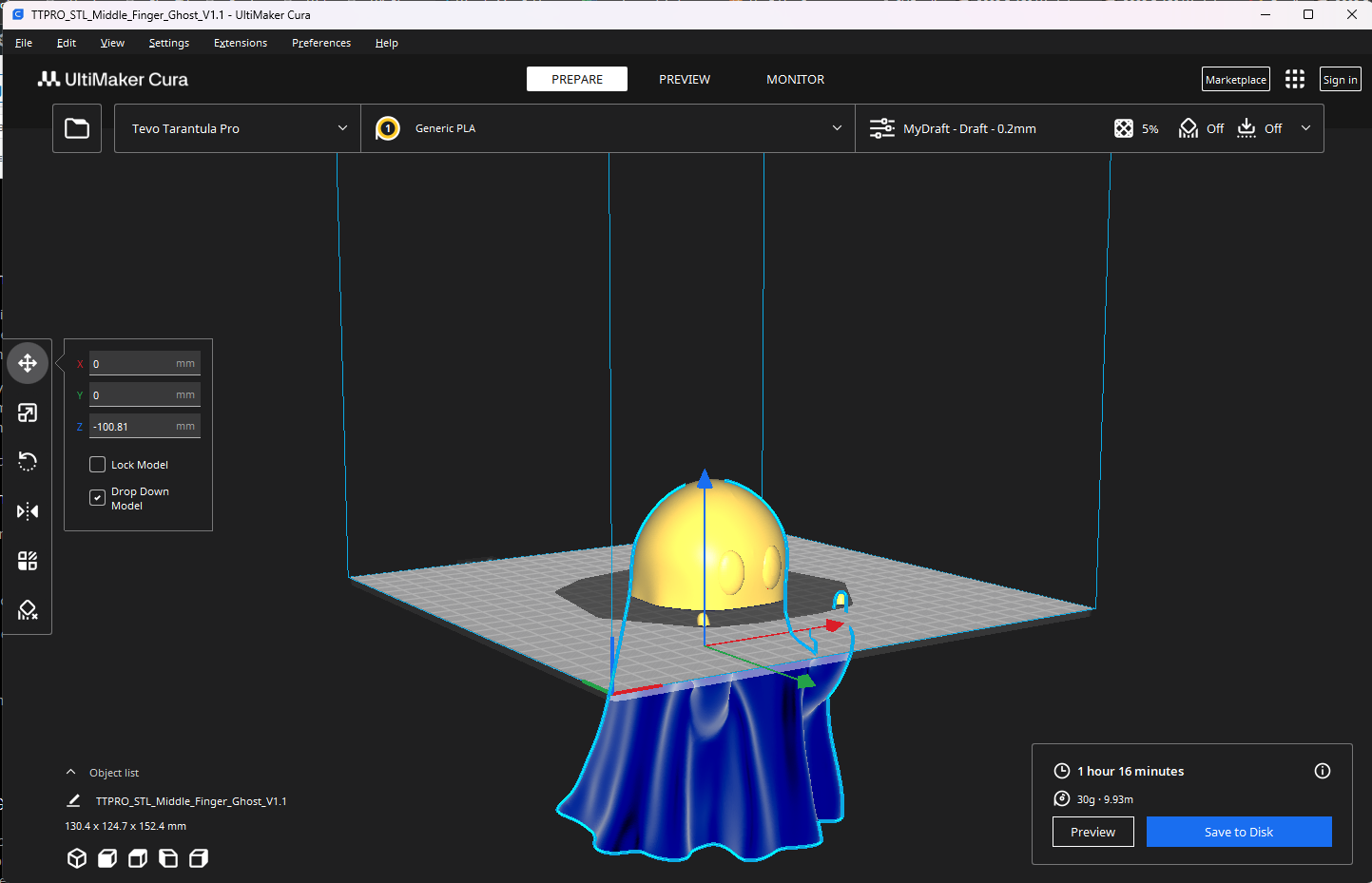
Nate Decapitate Gets Head - And Fingers
Nate Decapitate Gets Head – And Fingers

Giving Nate Back His Head

When we were talking about it earlier, Nick told me I could shift the model down in the slicer since it only prints what’s above the build plate. The problem is knowing how far down to shift it. Glad I noted it was ~3​31⁄32″ at the time. That works out to roughly 100.81mm. At 0.2mm per layer, 504 layers out of 762 printed. Close enough for our needs anyway. It’s sliced and ready to print. Let’s see how well this works.

I loaded the new spool of glow in the dark green and kicked off the print. When it finished, I gathered the “scalp” and “amputated” fingers and “cemented” them on the previously failed print. Not bad. Looks nearly perfect, except for the obvious difference in filament. I kicked off another full sized, homogenous print. For whatever reason, the old Amolen filament seems more transparent than the corresponding Sunlu filament.

While that printed, I put together some four into one harnesses to allow a single battery to power four of the half pints at once. They went more than two days when they each had their own battery. Four from one should at least last all night. Then I got to thinking why not make a USB micro to battery connector to eliminate the need for a battery (and charger) altogether. If it’s always plugged in, it’s always on.
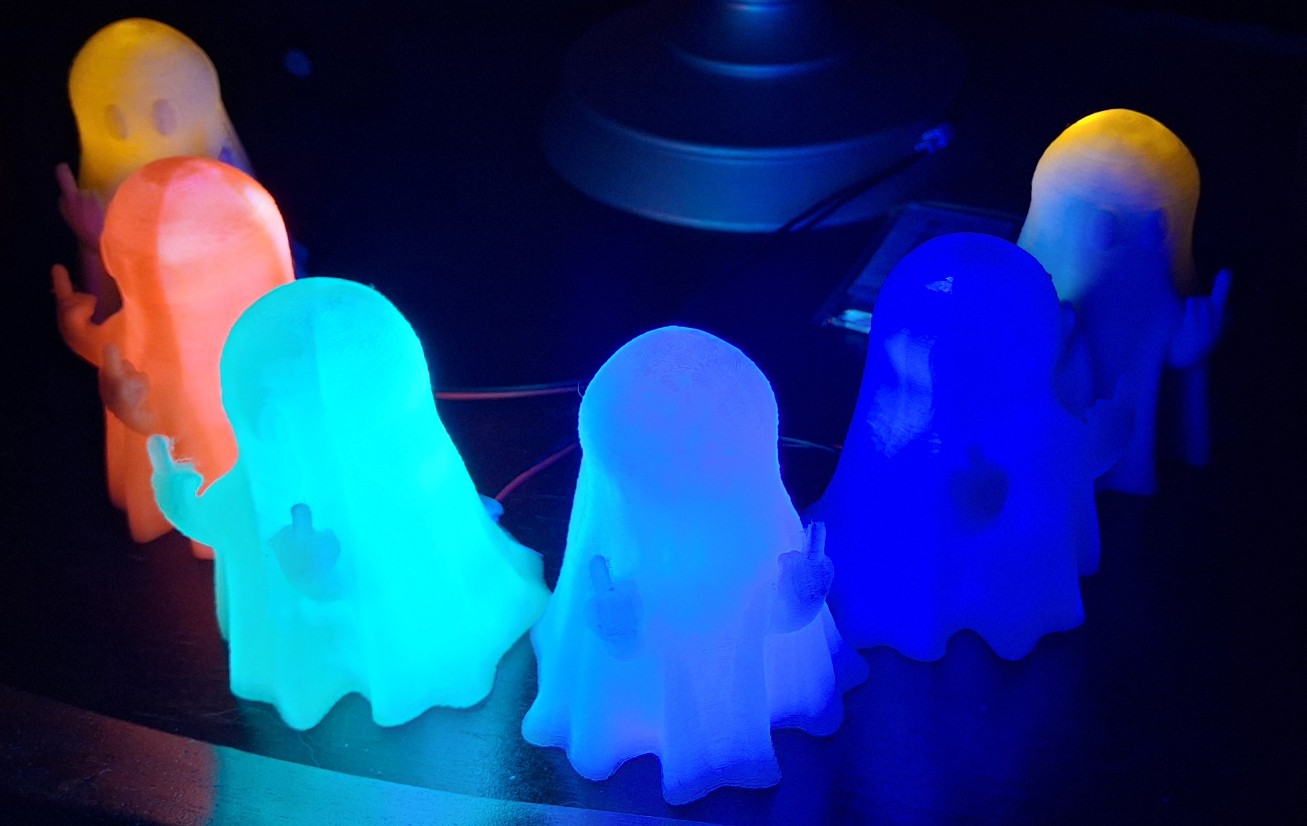
The Groovy Ghoulies - Now In Rainbow Colors
The Groovy Ghoulies – Now In Rainbow Colors

The Groovy Ghoulies

I grouped one of each color of the half pints together then connected them all to one of those four into one harnesses. I set them on the tea table together with the original white half pints and the flickering skull candelabra. I figured the battery would last all night, but it didn’t. I was hoping Ann would see them still glowing in the morning and get a chuckle out of it. I plugged in a fresh battery to show her how they would have looked.

She seemed unamused, but commented on how they’re rainbow colored. I guess they are in a certain sense. Maybe I should have bought the orange and yellow glow in the dark filament too. That got me thinking about how I have orange and yellow flicker LEDs and wondering how they would look inside one of those white ghosts. Only one way to find out. I feel another prototype coming on.

Using the USB “battery eliminator” harness, I plugged the Groovy Ghoulies into a USB power block and they’ll all glow together indefinitely now. Meanwhile, back at the workbench, time to find those flicker LEDs. I looked everywhere I thought they would be but couldn’t find them. Turns out they’re the one place I kept convincing myself they weren’t. Right next to blind me in the blind corner space.

The only color I have in the 3mm size is amber, or rather “orange/yellow” according to the label. Time to drill a hole through the white ghost and assemble what resembles a “probe” with an LED tip. The 470Ω limiting resistor soldered to the anode and protected by clear heat shrink. The remaining lead of the resistor is clipped and soldered to the cathode. The entire thing is inserted into the hole and the power leads soldered to it.

It’s not as impressive as I’d imagined, but the head does flicker like it’s filled with a candle flame. It sort of matches the skull candelabra’s flickering. I’ll do the other one later. I thought I had other colors in the 3mm size to experiment with, but they’re all 5mm. I guess I could drill a bigger hole if I really want to see whether I like the way they look or not. Maybe later. I still have a set of full sized ghoulies to finish.
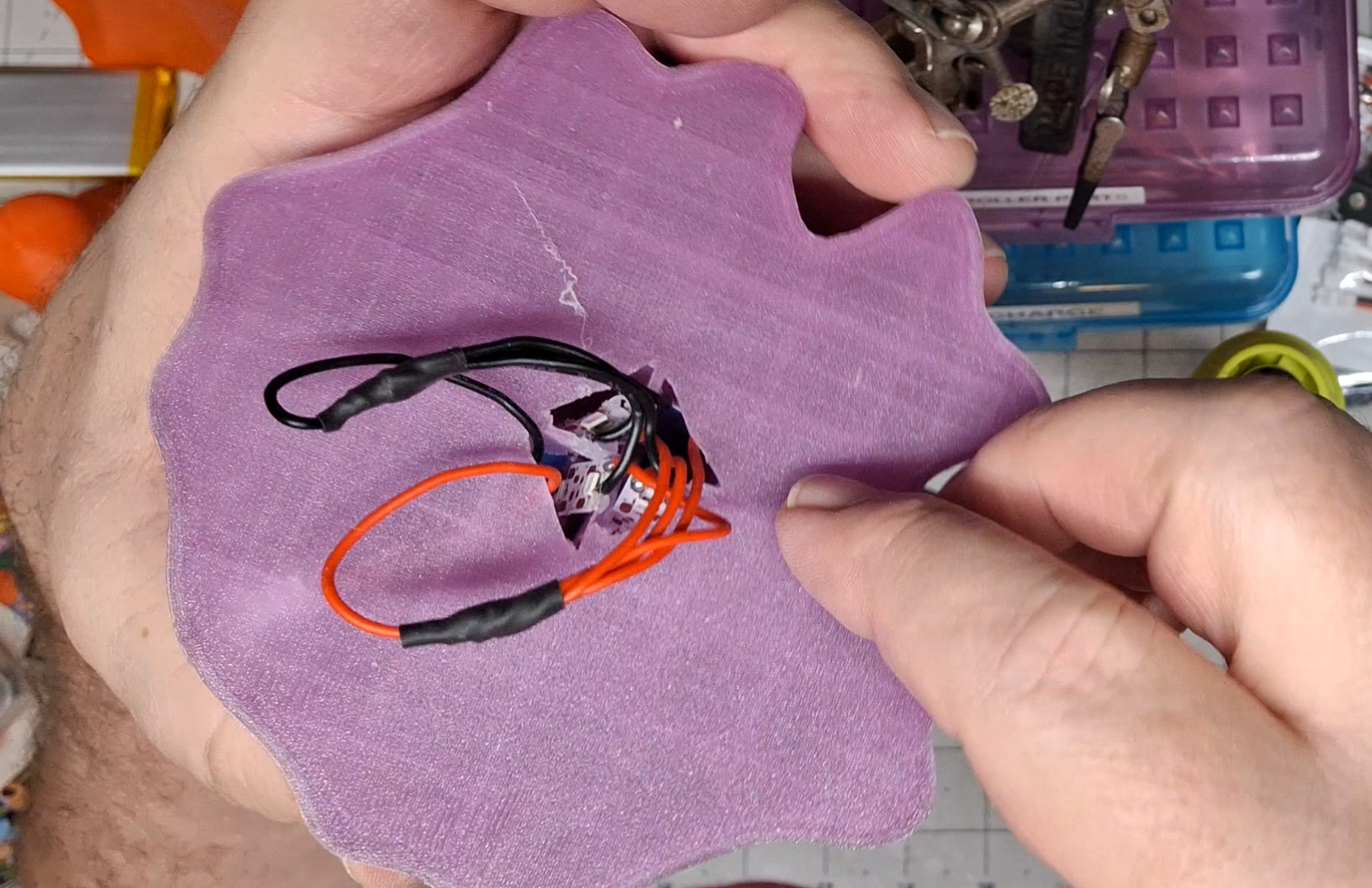
Prototype Full Sized Ghostly Tangled Wire Mess

Round Two – Ad Tedium

The revised edition for the full size ghost will require a PC board, or its equivalent. I had a number of small chunks of Vectorboard™ I found when packing up the corner room and sorting through the electronics. It’s basically brand name 1⁄10″ (2.54mm) hole center perforated board, perf board for short. This is the light colored fiberglass version vs. dark brown epoxy. Add some ¼” copper tape and you have DIY PC boards.

In this case I simply need enough holes for five common positive and five common negative rails for leads to solder to. The ¼” copper tape essentially covers two rows of holes, so using a hacksaw to score and snap the boards into smaller 4×6 hole pieces is just the ticket. If I made them much smaller I wouldn’t be able to handle them without fumbling them. With the copper tape in place the holes are cleared of excess material.

Cutting all those short power leads, stripping, and tinning them is tedious. The eight wires are less than an inch long, four black and four red. After tinning the pads of the LED strips, the short leads are soldered to them. The short, tinned leads from the four LED strips will each occupy holes in the common power rails, one in each rail. Then the battery connector leads are trimmed to length and soldered to the end of both power rails.

The process takes about an hour all told. At least, that’s how long it took me when I recorded doing it. But the end result is well worth it. The wiring is much more compact and the makeshift PC board is small enough to stash inside the opening in the bottom of the ghost. No messy, excessive wiring hanging out the bottom like on the prototype purple ghost. It’s as compact of a design that I can come up with. And it works.

Revised Edition Compact Full Sized Ghost Wiring

Warning: Math Ahead

There are roughly 3 LEDs every 2″ (50mm), so 9 is ~6″ (150mm). At that rate, the 16 strips we need for the first four full size ghosts quickly eats up that 6.6′ (78″ or 1980mm) strip. In fact, it would totally consume it. We’ll need two strips. It requires roughly 24″ (610mm) per ghost. Add the strips for the half pints to that and it’s almost another full sized ghost. Let’s say 10′ (120″ or 3048mm) of the two strips gets used.

I stopped short of using up all of those first two strips though, taking two of the 9 LED strips from a third spool of LEDs. That left enough to replace the old 12 volt strip on the bedroom “Glow In The Day” clock. There were 40 LEDs on that one. With what’s left on either of the two spools of new UV LEDs there are just enough to fit in the old strip’s place. What a difference! Night and day you ask? These new LEDs glow as bright as the sun!

They’re so bright it’s hard to tell the glow in the dark features are green and not blue. Even the hands are glowing! When the LEDs are turned off, everything continues to glow bright green for quite a while. Perfect. If those features were printed with the Sunlu filament and not the more transparent Amolen it may look even more green. The picture doesn’t do it justice. Even after adjusting the white balance, it looks more blue to the naked eye.
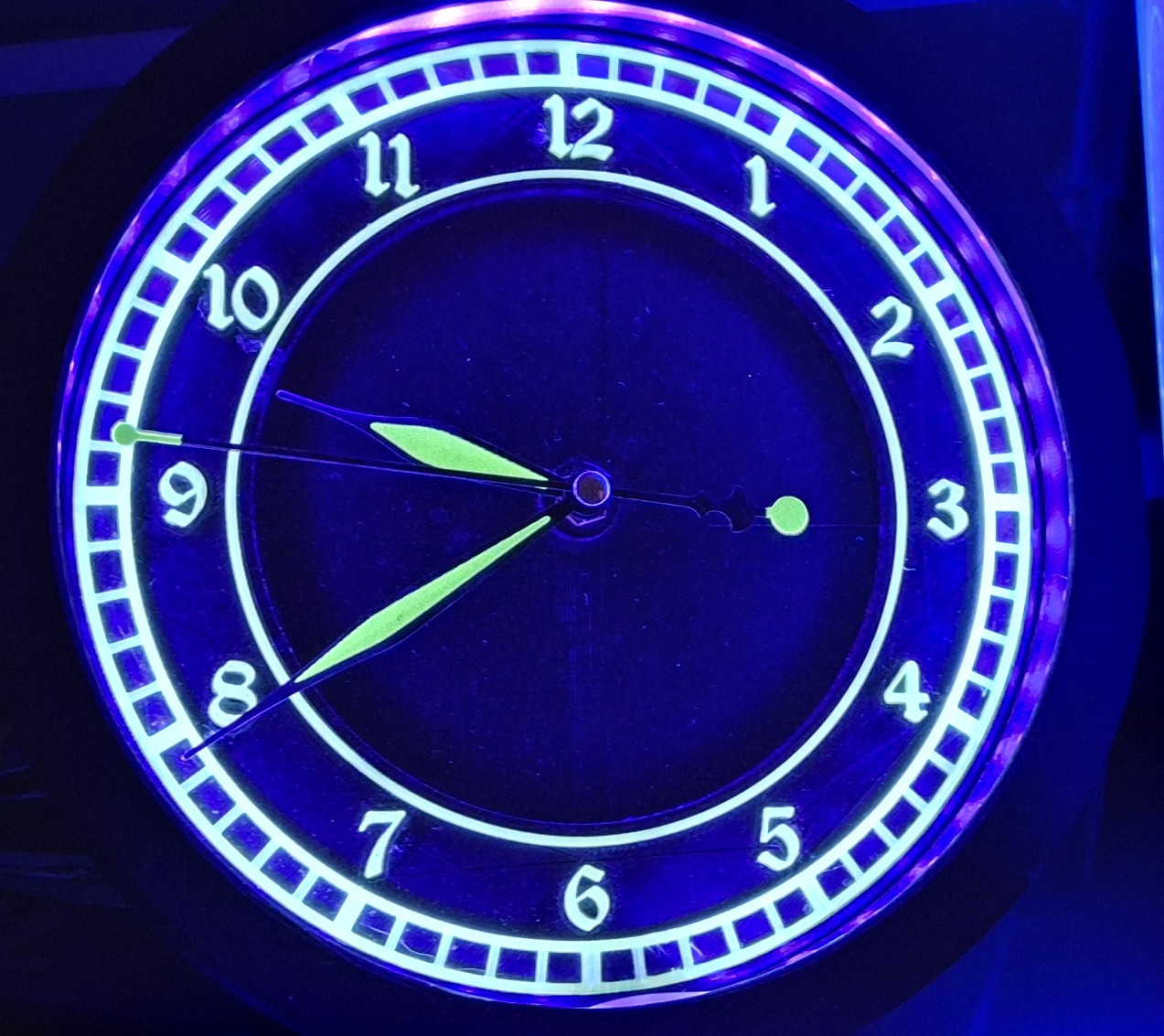
New UV LEDs Are As Bright As The Sun

“Glow In The Day”

I printed two of those clocks, the prototype sits out in the garage, while the revised edition still sits on the bedroom nightstand. Both were ESP8266 Arduino controlled. Yet another lighting controller, this time optimized for monochrome LEDs. In this case UV LEDs. For the glowing ghosts project, that decision to use 12 volt LED strips adds extra complexity, namely the boost converter to step up the 5 volt supply for the Arduino to 12 volt for the LEDs.

Three things became readily apparent. First, 40 LEDs draw a significant amount of power, regardless of supply voltage. Each LED draws about 20mA, times 40 is 800mA. The boost converter is rated for 2A, but supplying anywhere near the maximum power to the LED strip, the color changes from the familiar UV purple to nearly bright yellow? Not sure what that’s all about. Could be related to the outdoor silicone coating or the LEDs themselves.

Second, even though the boost converter is rated for 2A, once the brightness gets much over ~40%, it draws so much power from the 5 volt supply that there isn’t enough left for the Arduino itself. At that point, the Arduino promptly resets! This flaw makes it impossible to fully illuminate the 3D printed glow in the dark features, enough so it can’t claim to be the “Glow In The Day” clock anymore.

The third “flaw” is the inability to illuminate the radium painted hands of the clock movement. So not only does it not fully illuminate, the hands don’t glow anywhere near as much as the features on the face. The size of the clock face and LED housing is already at the limit of the print volume at the time with the old printer, making any further modifications to move the LED strip further away from the face and slant toward the hands impossible.

As time passed, the fragile nature of the overly complex boost converter and PWM brightness control circuitry was its downfall. Somehow the USB cable got snagged on something and ripped those parts loose. And because it was on at the time, it ended up shorting out something and destroyed the Arduino itself. Reworking it to run straight from a USB cable, the LEDs are bright enough now, albeit that weird yellowish hue, but the hands still don’t glow.

So why does all this matter? I replaced those old 12 volt ones with what was left of one of the new 5 volt UV LED strips. Now it glows so brightly, you can barely tell the glowing features are green! Even the hands glow brightly now! That’s what I was shooting for to begin with! I may resurrect the Arduino monochrome controller with an improved MOSFET driver to greatly reduce the heat from wasted power using the old transistor one.
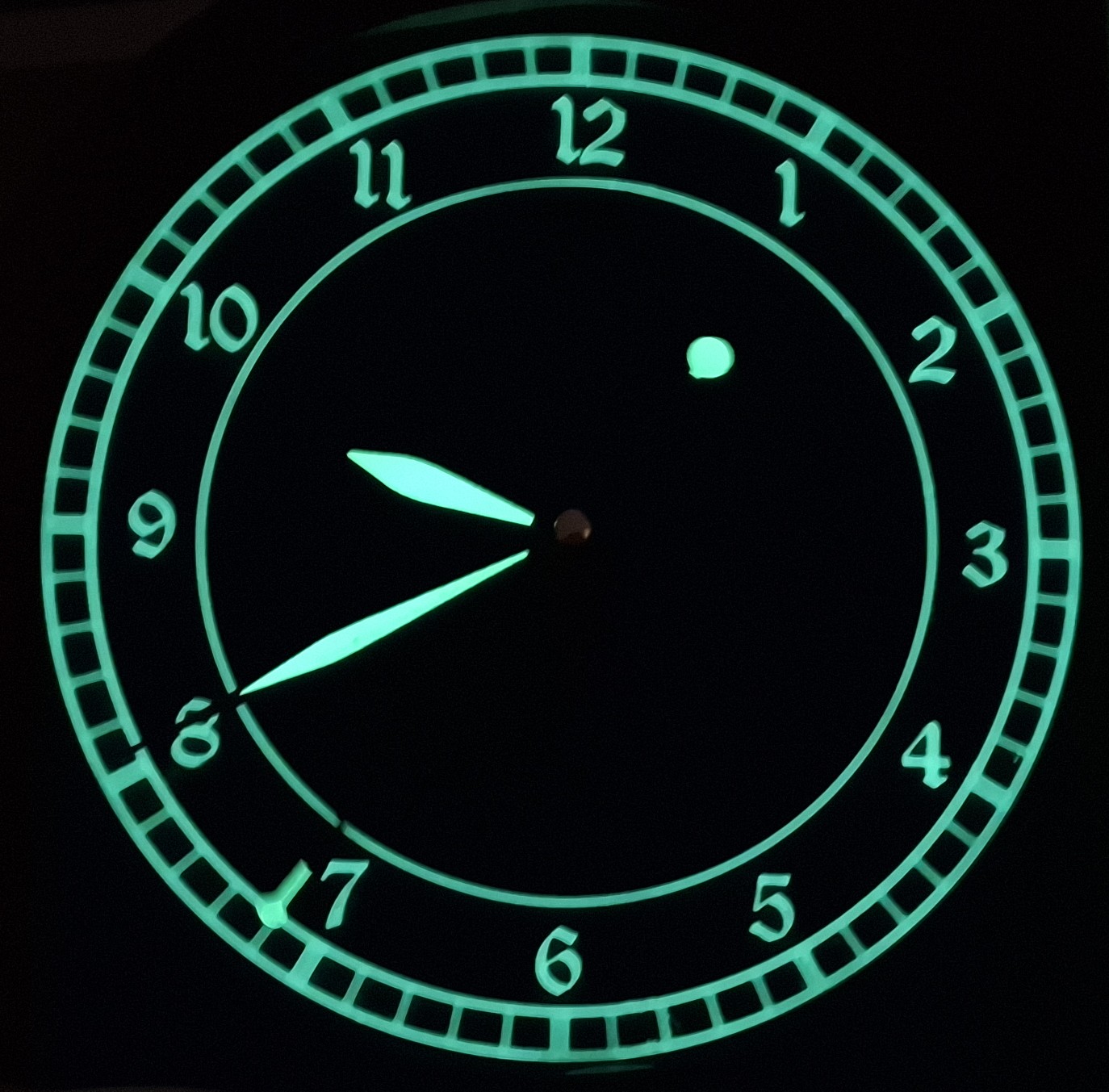
Brightly Glowing Green Without UV LEDs!

Glowing Ghosts Everywhere!

There’s a set of half pints glowing on the tea table and another set glowing on my desk in the office. Add to that the full sized set glowing on my workbench and there are glowing ghosts everywhere! Add the string of flicker bulbs and the modified Halloween lighting and I bet Ann thinks I’ve lost it. Gone overboard, off the deep end. Well, maybe just a little. But it’s been a fun project.

The most time consuming part was the full sized ghosts. Everything else went together in minutes. Nowhere near the amount of time it took to put together four full sized ghosts. But they’re just fun to look at and even more fun to watch them continue to glow after turning off the UV LEDs. It’s like when I was a kid and held my luminous Timex watch dial under the living room light then turned it off to watch the hands glows. Only better!

What can I say? I’m just a big kid at heart. And if you never slow down, you never grow old. That’s not quite true in my case though. I am slowing down. I just never let myself grow up. Perhaps a better way to put it is growing old is mandatory, growing up is optional. Whatever the case may be, I had a lot of fun building these glowing ghosts, even the tedious full sized ones! And I learned a few things and finally got a true “Glow In The Day” clock out of it.

If you made it all the way through to the end of this post, thank you. I hope you understand why this is important to me. Even if we didn’t really discuss the Barkyard all that much, other than to explain how we made decoration for Halloween. Hopefully we can leverage what we learned to make some creative neon signs or other effects for the Downtown Marketplace. And hopefully the footage I recorded will make it to our YouTube channel soon!

In any case, leave us a comment to let us know what you think. You’ll need to create a user account to do so, but we don’t use any personal information for marketing (see our privacy policy). You’ll receive a verification email. Reply with the link provided to verify your email address. After that, it’s all automatic. No waiting on moderator approval! No spamming your inbox with useless ADs and Special Offers. None of that nonsense.

Stay tuned…


Closet Lighting

I’ve made small progress on many different things today. Not as much as I wanted to get done, but I never do. The one thing I really wanted to get done was cleaning out my bedroom closet the rest of the way. There’s kind of a short story surrounding that, so I’ll try to keep it brief…

When we remodeled the back porch, there was a lot that needed done. It was a disaster. Everything was covered with cheap, thin paneling that may have been tempered Masonite™ at one point, but now brittle and crumbled in your hand. Not only did it cover the walls to the outside, but it also formed the bedroom closet walls. It had to go.

There was also a makeshift passthrough door in what was supposed to be a wall between the laundry room and the extra storage room off what became my bedroom. That extra room became data central. Not all at once, but over repeated incarnations to what it is now, each time to increase and better organize storage as well as provide better utility.

Old Craptastic Closet Wall Panelling

After tearing out all that crappy paneling, and the bedroom closets, and studs that framed them, it really became one big pass through until I rebuilt those closets. I used bead board, with the outside facing the back porch painted white, and the inside left as natural wood. I even used cedar for shelf cleats and the closet rod hangars. Absolutely beautiful!

Closet Lighting

The only thing missing is lighting. There was no provision for lighting in the original closets either. Probably a good thing too considering most of the house power came from one of those ancient, original knob-and-tube wiring feeds. One spark and all that crappy paneling would have lit up like tinder and burned the house down!

Ann got around it with a battery powered “tap” light stuck on the bead board ceiling in her closet. I could have installed light fixtures and surface type switches with that flat, snap conduit, but we had already completely rewired the house long before doing the back porch and rebuilding the closets. Battery power it is. Then it hits me…

Why not use an arrangement like the office lighting strip? I grabbed my tape measure and verified the closet is a little more than 38″ wide. Wide enough for one of the two segments in the LED office lighting. The only difference is the office lighting has a dedicated mains power supply supplying many amps, 6 or 8 amps @5 volts IIRC.

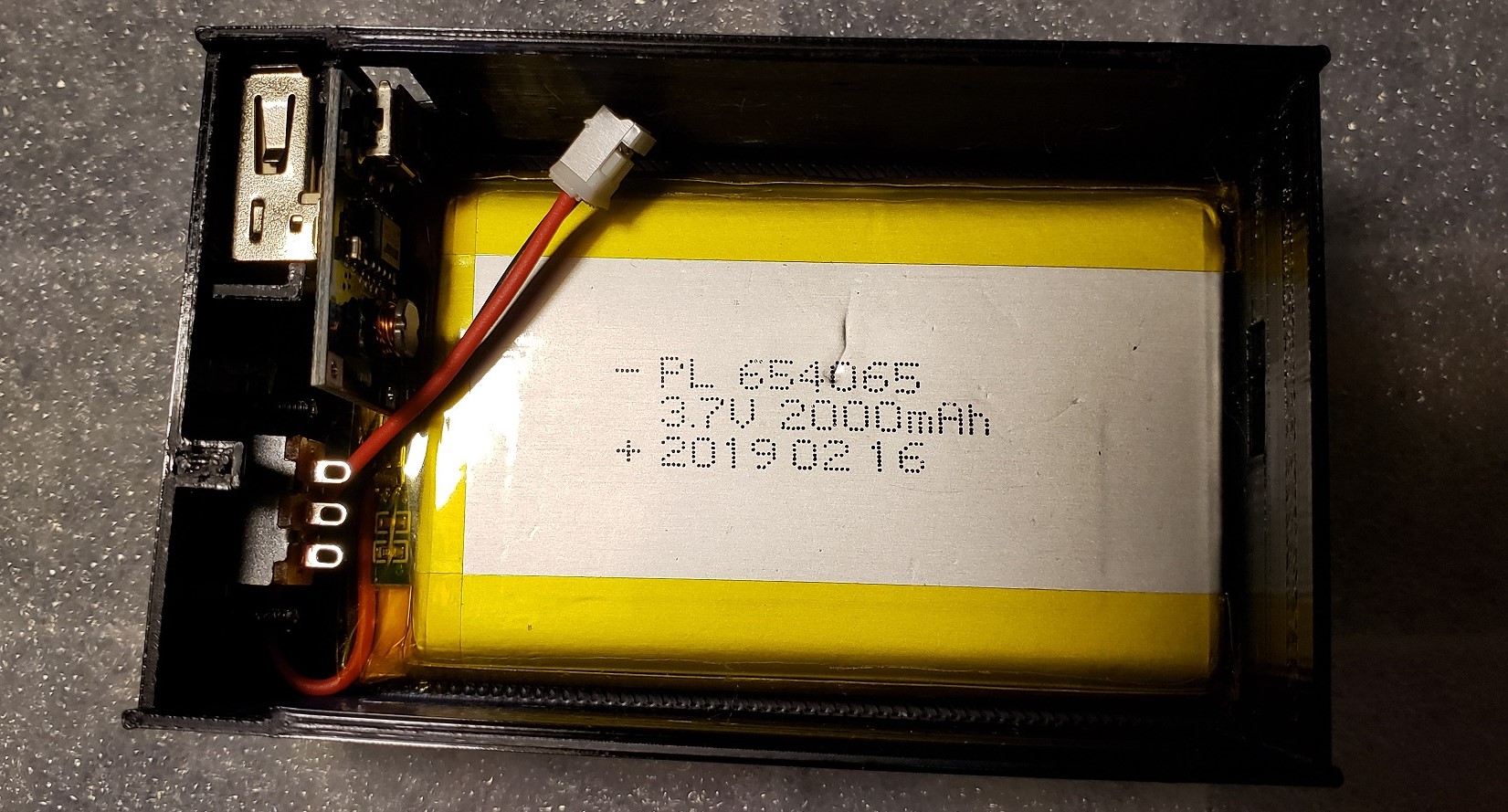
The closet lighting will need to run on rechargeable battery power with a limit of about an amp. I have a couple of leftover passenger car lighting 3D printed battery boxes, already wired up with a 2000 milliamp hour cell, ready to go. But that would only be temporary.

Dual Strip Office Lighting

Another Lighting Controller?

Yes, another lighting controller. I really need a bigger switch, housed in a removeable box that can be moved to a charging station. I’m already behind the 8 ball on getting other 3D print designs finished and really don’t want to add yet another to the list. For now, just the ability to unplug the LED light strip from the controller box will be good enough.

I have enough of the extruded aluminum channels with diffusers to make up another segment. The nice thing about using a 3′ segment like the two that make up the 6′ light in the office is I can reuse everything from the office lighting sketch with minor modifications to the configuration and web page to support just half, 55 rather than 110 LEDs.

Each pixel has it’s own red, green, and blue LED, each consuming ~20mA each, plus whatever the consumption of the single control chip per pixel is. Let’s say 60mA per pixel as a nice round figure. The bad news is all 55 pixels on at the same time at “full tilt” will consume 3.3 amps at 5 volts! Our poor little passenger lighting setup will handle maybe 1 amp.

Thankfully the lighting controller can set them to ¼ power to bring consumption back under an amp. I was hoping to put together the new lighting segment tonight, but I forgot these extrusions are a meter long (39.36″), not 36″, and need cut to length. In any case, it’s a tomorrow thing.

It’s a Tomorrow Thing

My thought was just use the table saw with the miter gauge to trim the aluminum and diffuser to length together. Easier said than done with the garage in the state of disarray it’s in, stuff stacked on the table saw and strewn about the floor and everywhere. Hacksaw it is. A quick file to remove the burrs and it’s time to stick on the LED strip.

Once I’ve soldered the pigtail connector to the LED strip, I prep the extrusion with an alcohol pad then remove the protective strip from the double sided sticky backing, a little at a time, while placing the LED strip against the extrusion and pressing it down in place. With that done, it’s time to add the diffuser and end caps and give it a test.

I already modified the sketch config and HTML page to match the “half” office sized LED array last night. As I feared, the battery power gives out once a certain brightness threshold is reached, resetting the Arduino. Time to regroup. After some figuring, I decide to split the 55 LED strip into two, a main light of 30 LEDs, and an under shelf unit of 25 LEDs.

Another hack job, literally, with the hacksaw. Time to solder on another pigtail to the second LED strip and add a harness to another Arduino then program it for the second light strip. Also need to reprogram the original to have fewer LEDs and a new HTML control page as well. Those edits are fairly quick and my soldering job is soon tested.

Repurposed Passenger Car Lighting Controller

It Ain’t Pretty

The original idea was to use one of the spare passenger car lighting battery boxes to power and control these things. But now that I need two of them, things are getting complicated. Add to that the tiny slide switch used to power on the unit is difficult to find, let alone know which way is on if accidently left on and the battery goes dead.

It’s not a deal breaker, but it could certainly be much more user friendly, and obvious which way is on. I used double sided tape to stick the battery box to the wall of the closet and routed the wiring harness I assembled to connect the LED strip to it. After drilling pilot holes and securing the mounting clips with screws, I snap the extrusion in place. Time to test.

It works great, but it ain’t pretty, and it suffers from all the drawbacks I already mentioned. Unfortunately, recharging it was an afterthought too. At least it became apparent it was once I realized where I stuck the box to the wall didn’t allow access to the existing charging port. Now I get to gut the thing and pull out the battery every time it needs recharged!

Add to that the placement of the LED strip at the top of the closet leaves a rather pronounced shadow beneath the shelves. That’s where the second strip comes in. It will mount beneath the shelves to illuminate anything beneath them. Once I attach the mounting clips and snap it in place that is.

Best Laid Plans

Originally I didn’t plan on a light under the shelves since all it would do is backlight the clothes hanging in front of it. Now that I’ve cleaned out the closet and donated everything that didn’t fit, I’m left with one polo shirt and my motorcycle boots. There’s no reason to leave that polo shirt hang in the closet and gather dust since I no longer need to wear it to work.

I work 100% remotely now and I’ve only needed that polo once since starting this job. So now it’s folded up in my dresser. Beyond all that, it’s not long before the gutting to recharge the battery renders the battery box inoperable. The original idea of reusing what I already have is quickly dissolving into a new design adventure.

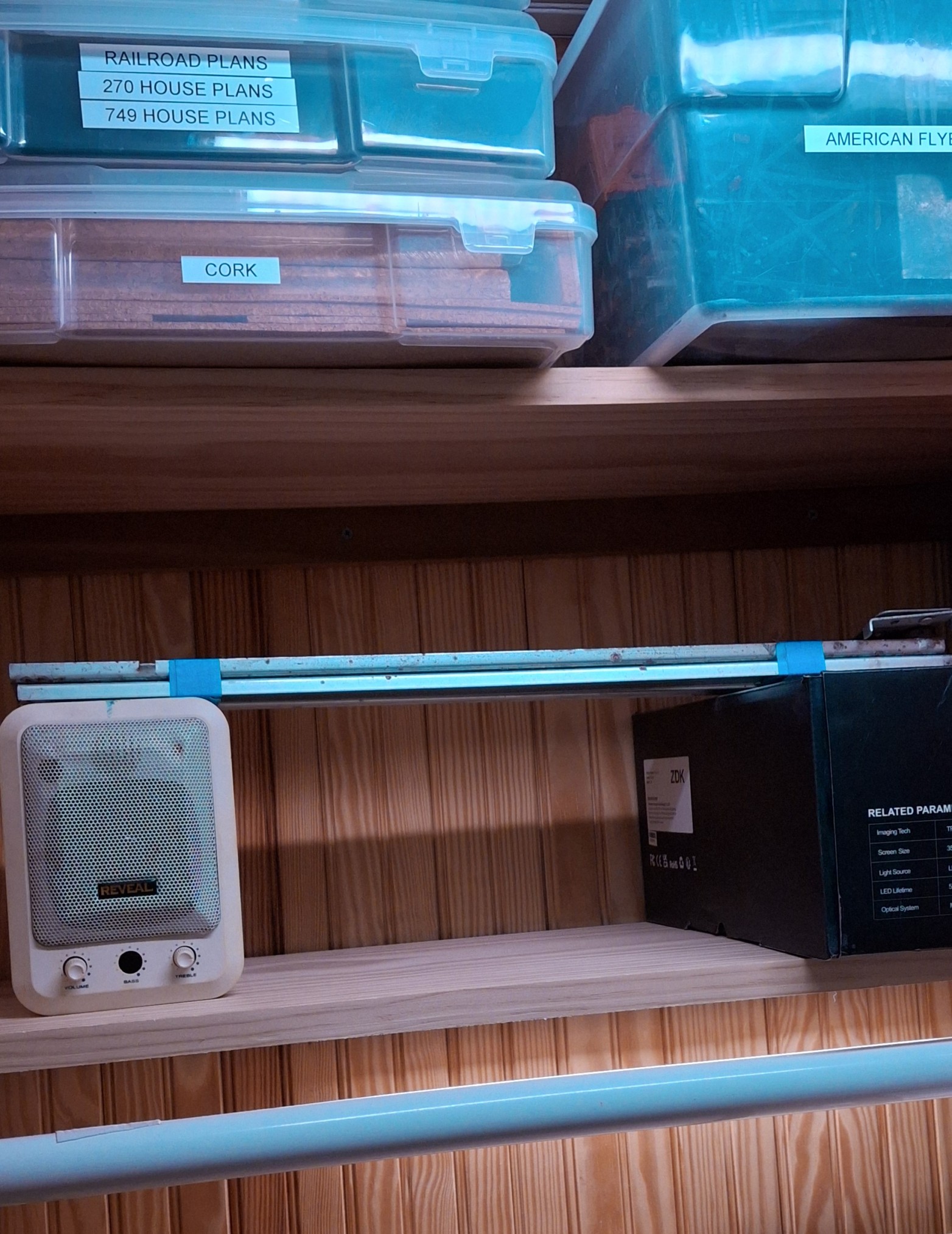
Not what I wanted at all. In fact, it’s exactly what I wanted to avoid. Certainly nothing I have time for, but it needs done nonetheless. A couple of design decisions later and I have the the HUGE 10,000mAh batteries out along with their dedicated power bank charge controllers. After a few charge and discharge cycles, I remember why I mothballed these things.

It takes hours to get to 75%, then minutes to reach 98%, where they sit for a long time before reaching 99%, then 100%. They certainly don’t garner trust in the charging readings, being the finest quality Chinesium, but they do have a nice remaining charge display and can provide more than an amp of current.

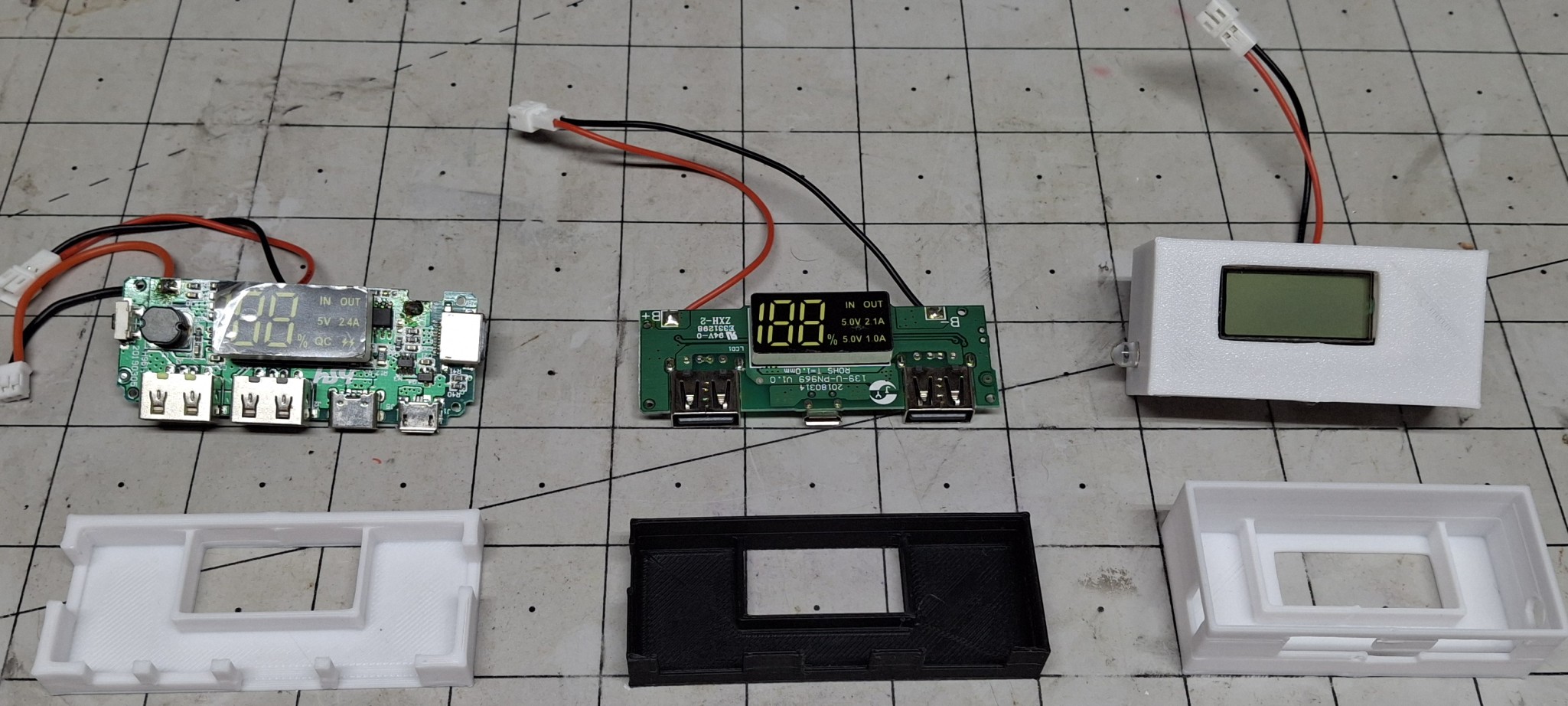
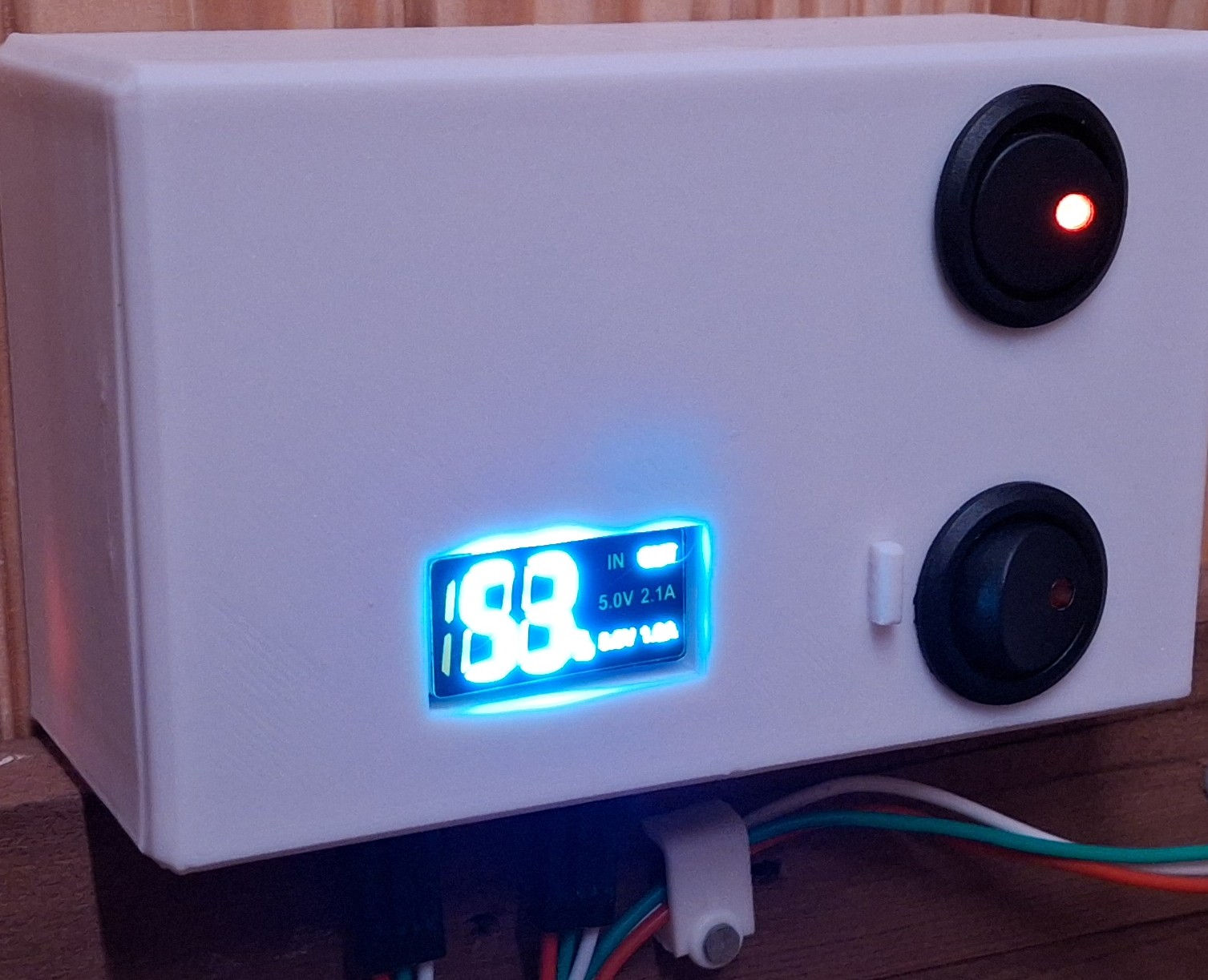
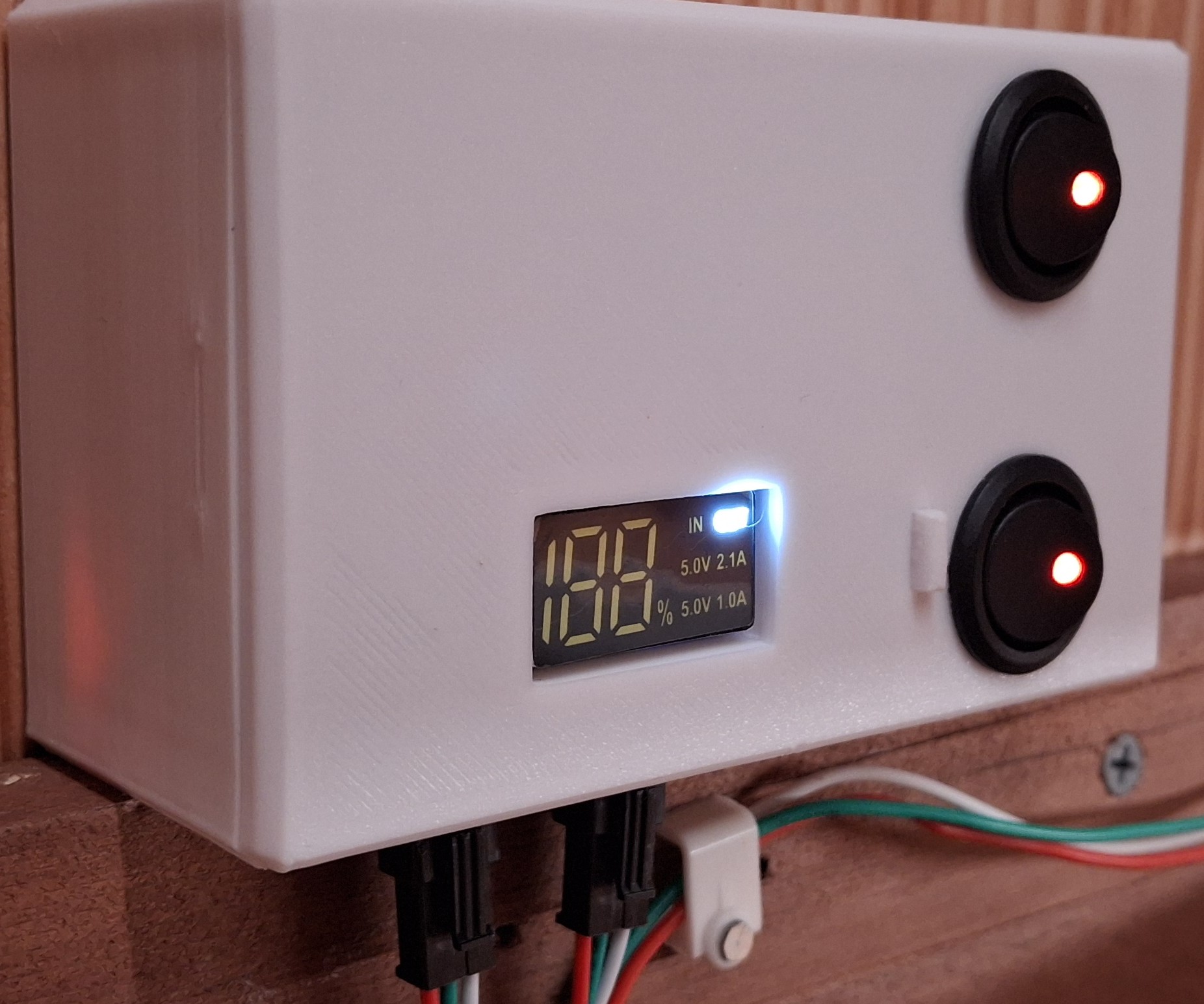
Three Styles, Newest To Oldest From Left To Right

New Designs?

Looks like I’m designing a new battery box with the dimensions of a standard switch box to hold the HUGE battery and switches big enough to be seen. The problem is I have so many different types of dedicated charge port (DCP) controllers, it requires multiple designs.

Basically I have three styles of DCPs to worry about. The first has one of those bright white LED “flashlights” that turn on when you press and hold the button. The next an older style twin USB A output with a single USB micro charge port. The third is a newer, high current twin USB A output with USB micro, USB C, and Lightning charging ports.

I chose the second style for the prototype design. The flashlight version is an LCD with a bright blue backlight but it suffers from the LCD off axis lack of viewability issue. The other two have bright white LED displays. Much easier to read without the off axis problem. The first iteration has half the access opening in the “case” and the other half in the “lid”.

The only problem with that earlier version is that to be able to provide access to the charge port from the bottom of the case, the wakeup button is on the opposite end from the outside of the case. After trial and error and three or four iterations trying to come up with a feasible mechanism to remotely push the button, nothing is working reliably.

Double Whammy

After trying to look up the specs on the unit, it becomes apparent it’s no longer available, superseded by the newer, high current version with more charging port options. So that coupled with the button on the wrong end is the double whammy. The newer unit has the button on the opposite end so it can be accessed from the outside of the case.

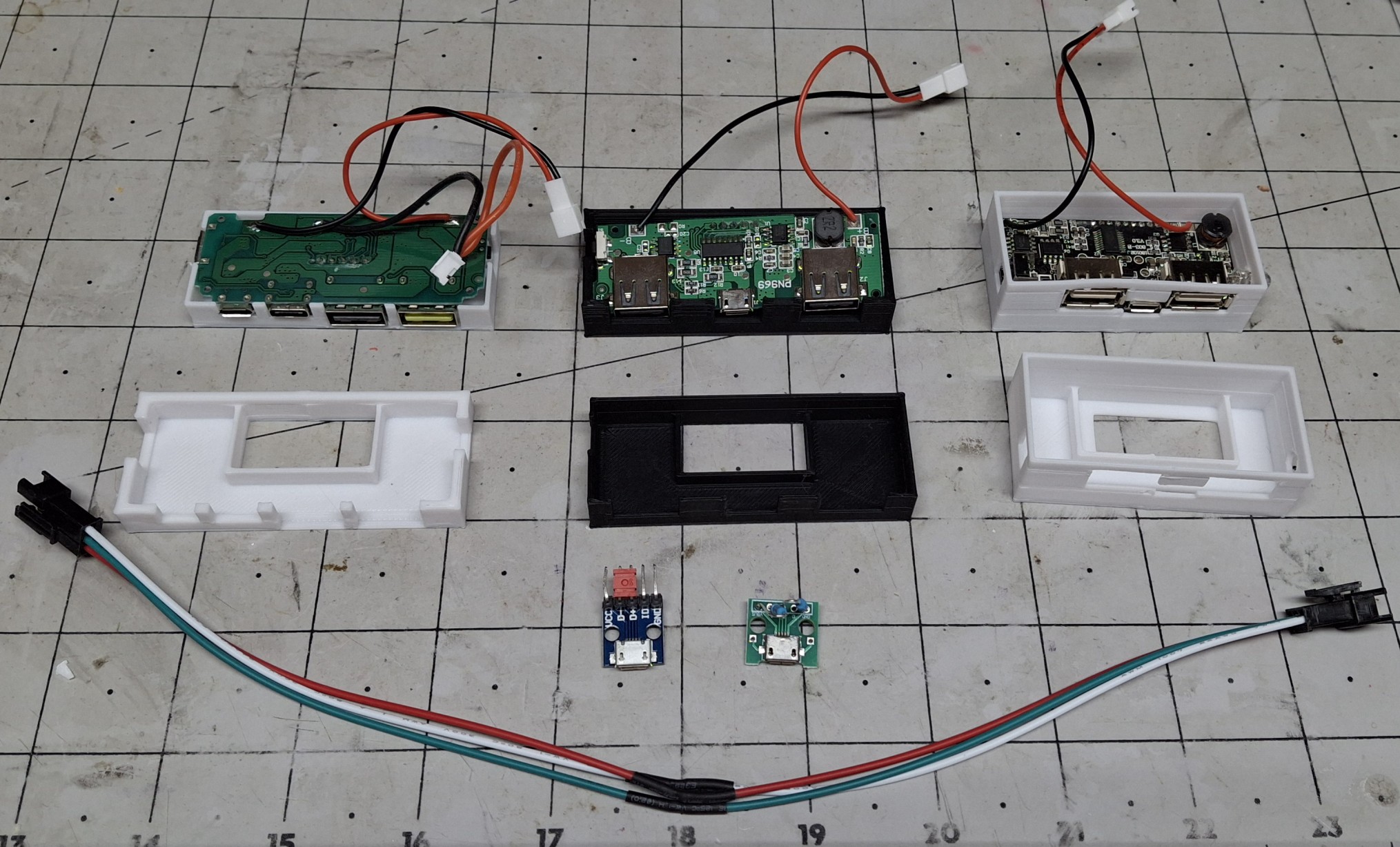
Not wanting to give up on the older version, I decide to go with a “universal adapter” approach where the case and lid have cutouts in the proper location for access to the USB A and charging ports, but the specific access port locations are contained in an adapter that attaches to the lid. It doesn’t seem all that important now, but boy am I glad I did it that way!

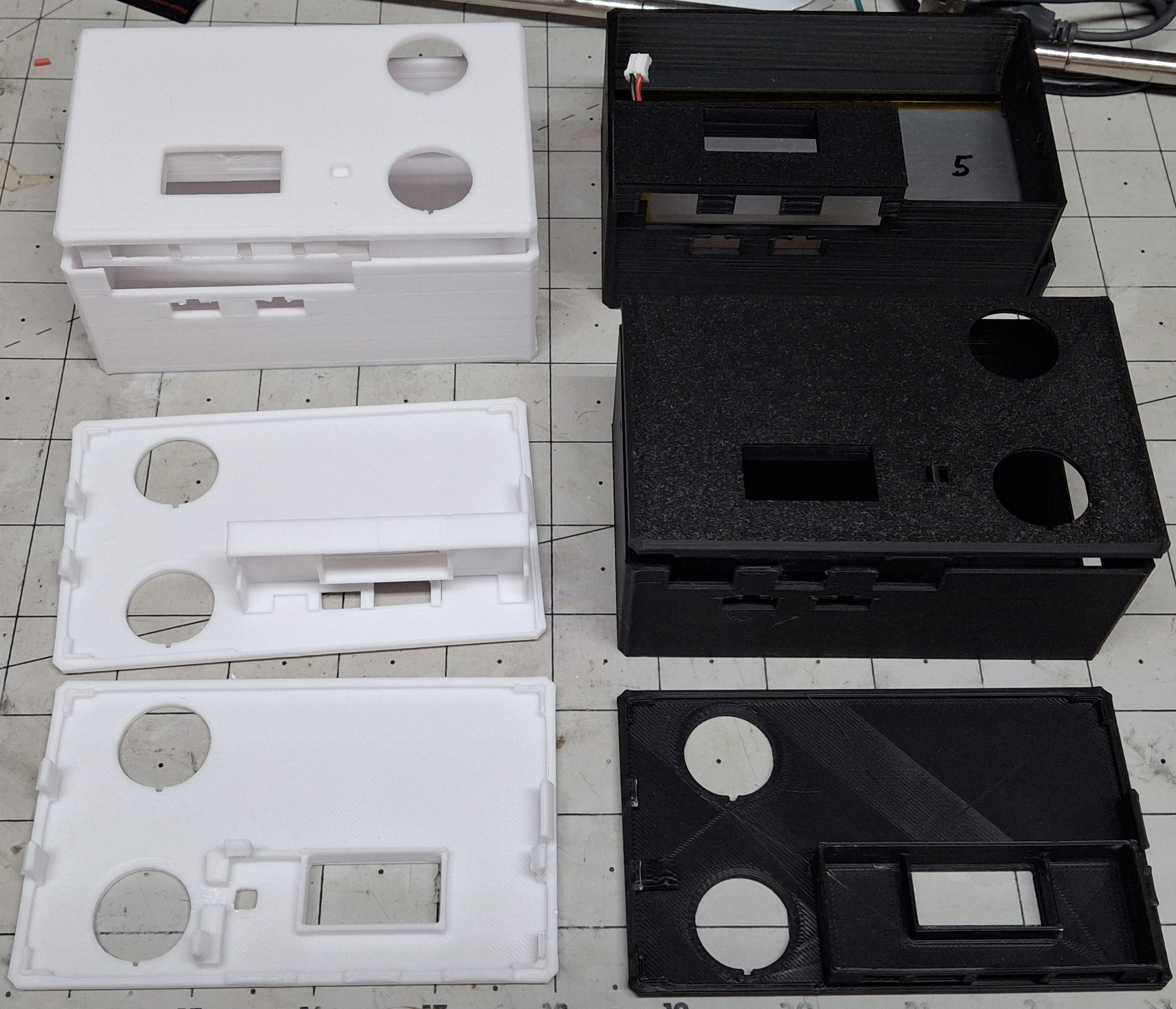
After printing countless iterations of both adapters, I reach the final designs. The case has an access “hatch” to allow sliding in that HUGE battery with a snap in cover to keep the battery from falling out. The lid provides openings for two round LED rocker switches to snap into.

Various Iterations Of Cases And Adapters

The Final Design

The final case design simply allows a generous opening for any port configuration of the chosen DCP. Previously the case and the lid both contributed to the port access closure. The adapter is now responsible to “form fit” and fill in around them. The case also provides openings to snap in two of the standard black three pin connectors these LED strips use.

There’s a bit of a story behind that, but I’ll try to keep it short. For initial fitment, I prefer to make small test prints that print quickly and allow fast turnaround adjustments to home in on the final sizing and spacing. But if I had the actual connector specs, I could shortcut the trial and error design effort even more.

After Googling a bulkhead style connector for way too long and getting nowhere, I finally realize the connector that’s attached to the LED strip has a set of snap in retainer arms already built in! DUH! But now the issue is I need that connector on the supply side from the Arduino, not the supplied side on the LED strip, so it can snap into the case opening.

Rather than rework or remake the LED strip and cabling that’s already in place, I decide to solder up and assemble an “adapter” cable. In other words, a “gender bender”, in the parlance of the ancient serial port connectors we used back in the day. A quick test proves it works as intended.

Trouble In Paradise

That’s not the last of the soldering necessary though. The rocker switches still need wired up to turn on two separate Arduinos. Two you say? Why two? Because there’s no way to wire the rocker switches to both provide power and act as an input to indicate which LED strip to energize, short of using blocking diodes and further complicating the design.

It’s the quickest way there, and considering I didn’t want to take the time to do any design on this to begin with, it’s certainly turned this into a much bigger project now. I have Arduinos to spare, but I don’t have time to spare to update the sketch to control two LED strips let alone read the inputs to determine which LED strip to control.

All the interconnects use the standard lithium cell connectors, with the polarity and connector style matching the battery setup. If it supplies power, e.g. battery or rocker switch, it uses that configuration. If it accepts power, e.g. DCP or Arduino, it uses the shroud configuration. That way eliminating a component to troubleshoot guarantees the correct fit.

So with everything buttoned up and ready to test, I plug in both LED strips and turn on the switches. Both turn on and really light up the inside of the closet. This is great. This is exactly what I wanted, a brightly lit closet so I can see what’s in there. No more working in the dark. But then everything turns off after a minute? Seriously? WTF?

Adapter Cable And Various USB Micro Adapters To Prolong On Time

Scratching My Head

Now I’m really scratching my head. My bench testing with an inline USB power monitor shows ~10mA per pixel, or ~300mA for the 30 pixel strip and ~250mA for the 25 pixel strip. This should be well within even the original 500mA USB current limit, but these DCPs are supposed to support 2.1A and 2.4A!

So now I’m wondering if it isn’t drawing enough current? How can that be? I can see if it was only a single LED, like 10mA – 20mA, but this is an obvious load. To test the theory, I grabbed the test fixture Arduino and LED strip and plug it into one of the USB ports. That seems to have solved the issue by adding another ~290mA load. Until it doesn’t…

I thought maybe it just needed the data connection to the test fixture Arduino setup to remain on, but when that failed too I decided to do some more research on how the USB connection actually works in this situation. That’s when I found the whole DCP thing, where shorting the two data pins together was supposed to tell it this is a DCP.

So for grins I grabbed one of the last micro USB breakout boards I had, shorted the data pins together, and plugged it into the USB connector on the DCP. Still no luck. More research and I found three more configurations to try with various resistor divider combinations on the data pins from power to ground.

It’s a Tomorrow Thing All Over Again

One configuration uses a 5.1KΩ / 10KΩ divider. Pretty sure I have those values in my resistor stash… That’s buried beneath three other storage bins and in the back behind another bin up on the shelf in the corner. It’s late, and rather than mess with it tonight I’ll just deal with it tomorrow. But tomorrow turns into the next day. And the next.

In fact, this whole episode stretched out over weeks before I even got to doing the research, and the entire time my progress with the closet ground to a halt. Making room for the most recent acquisitions in the closet is the goal here. The idea is to make room for all my bins strewn about here and there and everywhere on the cabinet at the foot of my bed.

That storage space on top the cabinet was occupied by those recent acquisitions stacked on top of it. I managed to get most everything stuffed in the closet, but there’s still more to be done there. Mission almost accomplished. Now I need the lights in the closet to stay on so I can see what I’m doing to try to fit the last of boxes of cars and whatnot in there.

Closet Upper Light Only
Both Upper And Lower Lights

The New Final Design

I called them the final designs earlier, but that’s no longer true. If memory serves, I scrapped using these for a project at work for the same reason, because they kept turning off after a minute. Let’s see how well the earlier version DCP works. This is where those battery connectors saved the day. It’s as easy as unplugging the one and plugging in the other.

I didn’t bother with dressing everything into the box before I knew whether it was going to work or not. By now I had already reworked the original cabling and put together a second for the new strip under the shelving. I set the whole mess on the shelf and plugged in the cable and turned everything on. And now we wait…

It works fine and continues to provide power as long as it’s switched on. Time to switch over to using that DCP. Unfortunately the only exception to my connector rule is the hardwired power feed to both rocker switches. The feed has a connector, but from there is hardwired between the two switches, and the wires must be cut to remove the switches.

Light Switch Upper Only, 53% Remaining
Light Switch Both Lights On

The Old Switcheroo

So why do I need to take the switches out in the first place? Isn’t there an adapter for that style DCP? The answer is yes, but the adapter for the other style DCP is already glued to the lid of that box. Couple that with the broken retaining tabs on the lid and it’s time for the old switcheroo to another lid which requires the switches to be removed.

I already have another switch box more or less ready to go with the older style DCP, but it will need the power output connector attached while I’m soldering the power feeds back on the rocker switches, now moved to their new home. The old box was black, while this one’s white, not that it matters for controlling LEDs. More aesthetics than anything else.

I figure a white lid with a white case looks better than the mix match white lid with a black case. Besides, I’d have to print another black lid and I don’t want to waste the time doing so. With everything buttoned up I place the new switch box in place and connect the LED strips. Both strips light up right away, and more importantly, stay on until turned off.

No Longer Available

Unfortunately, I can’t get those older versions of the DCP anymore. I only had a few of them to start with, and once they’re gone, they’re gone. With the new versions not working as expected and being the finest quality Chinesium, there is absolutely no documentation for them.

And of course any markings on the control chip don’t turn up anything in a Google search either, where I was hoping to find a replacement that is still available. The battery protection chip shows up, but that’s about it. I may find an answer on how to strap or configure the new ones someday, maybe I’ll find something on the old ones missing on the new ones.

In any case, it works for now, and I have more pressing issues to deal with. Like making room for all my stuff still in the corner room over at the other house. That’s the motivation for getting the storage bins off the top of the short file cabinets. The idea is to then take everything off the old shelf unit sitting on them as well and stack them on top one another.

This will make room for the other tall file cabinet over here. I already have five large storage bins with HO scale stuff in them. I ordered four more large storage containers that will hopefully be enough for the rest of the already assembled buildings and yet unassembled kits.

I’ve already filled one with all my 3D printer filament and will filled another this morning.

The Ultimatum

Now that the kids have moved most of their stuff out of the other house, Ann’s ready to list it. She gave the kids the ultimatum of the end of August to have all their stuff out or kiss it goodbye. I got the same ultimatum. I told her that may be an unrealistic expectation, but agreed having a deadline is better than not having one.

I also told her I’ll do what I can to reach that goal, but be prepared to be disappointed if it doesn’t happen. My biggest concern is the motorcycles in the garage I still can’t get to. Then she sends me a picture of one of them in the driveway after Nick moved a bunch of stuff out of the way to do so.

I’m not sure why she told me not to touch any of the kids stuff in the garage or move it but all of a sudden Nick could move a bunch of their stuff. I think it was meant to say I didn’t need to worry about getting to the motorcycles more than contradict what I was originally told about moving the kids’ delicate stuff.

It helps to know they’ll help with them, but I still can’t get to all the boxes of spare parts on the shelves until the kids get the rest of their stuff out of the way. I can’t even start disassembling the work benches until they get all their shit off them. We have 40 year old teenagers, that need to be told every step, like they can’t think for themselves. ¯\_(ツ)_/¯

Expanding Storage

One way or another we need to expand our storage space, or at least I do, just to have room for everything. One option is renting temporary storage but I’d like to avoid that if at all possible. Most everything I would store there is climate sensitive and will rust or melt if it’s too hot or humid. That’s why the garage has its own dedicated split unit.

The garage is already crammed to the gills, but like the bookshelves in my office could be much better organized. To that end, I allocated the remaining two large storage bins to the garage and all the trestle making pieces sitting across the shelf over the carriage doors. I just ordered four more for the HO stuff at the other house.

I spent last weekend at the other house going through everything, sorting it as trash, garage sale, or keeper. Ann and Nick got all the trash out to the curb and placed all the things I labelled as garage sale in Esnel’s office. There’s still more sorting that needs done, but I accomplished most of it in one day. I’m keeping all my styrene model kits for when I retire.

All the HO building kits are now all together in the corner room closet, along with all the electronics sorted into several 6qt. and 16qt. storage bins. I had to move all the wood out of the closet left over from disassembling the lower part of the layout, placing it on the countertop now laying on the floor, left behind when we moved the beautiful cabinets out here.

Long Term Storage

Before getting lost in the details, I was saying those trestle making pieces are coming down and will be replaced with items that are seldom needed but nice to have ready access to, like the old door knob sets or ducting and ventilation parts. Right now the tops of the cabinets are stacked with those seldom needed things. All the space will be freed up.
There are even more trestle building pieces stacked vertically on the back of one of the carriage doors. The other has a rack for what I thought would be useful pieces of wood. They’ve been there ever since I put it together years and ever ago. I have yet to use a single piece of wood stacked there. Time for the bin.
Then there’s the swinging plywood rack I though would be far more useful that it is. In fact, it’s just in the way, and most of the stuff stacked there hasn’t been touched since it was put there. The big chunk of ½” plywood is about the only thing I can think of that I recently grabbed and sliced into pieces to use for the office floor. Just need to install it.
The next big ticket item is a new shed. The old ones ahs certainly served its purposed, but it’s getting tired. The floor used to have a plywood floor on top of studs beneath it, but with the floor being so spongy, and now the carpenter ants coming up through the floor it’s obvious it’s long gone. The new one will be twice and big on a concrete pad.

Another Distraction

Between the Death Trap design from the previous post and now this new closet lighting controller design, I haven’t touched the switch casting design in months! I’m beginning to think it’s time to find a high school prodigy or three to employ to offload some of this workload. That or just retire so I have enough time to do this full time instead.

There’s a story there too. As much as I’d like to retire, Ann already has. She originally planned to officially retire in September, but as fate would have it, was forced to retire early. The company she used to work for was more interested in selling their services in the various “markets”, as they call them, than actually providing quality health care.

The last straw was the so called “team building” planned for Jupiter, FL. Supposedly an optional invitation, but it quickly became apparent it was mandatory. She’d have to travel there, along with her other management counterpart, and only one of their shared team of more than a dozen. Two managers for one team member? How does that make sense?

Early Retirement

When Ann said she wasn’t going to attend when they couldn’t give her a good reason why she needed to be there, other than “Because we said so”, she was fired. No severance. No professional send off. Nothing. She wasn’t treated like she’d been a key contributor, but rather summarily dismissed, because “Fuck you, that’s why”. Their Loss.

Her team was told her last day was today and that’s all they were told. Talk about a piece of shit company. I told her she should sue them, but Florida being a “Right to Work” state means your employer has the right to make you work your @$$ off for them. You have no rights as an employee. It’s a Red State thing. Google it.

But that’s enough politics. The moral of the story is Ann’s now retired, ready or not, thanks to the greedy, heartless fucks she used to work for. And as much as I’d like to be retired, I have at least another year and a half, just so we both have affordable health insurance. Talk about being held hostage by employment…

Somehow this moved away from the closet lighting and turned into a “What’s Next” focused on getting the rest of the stuff from the other house out here. Since I mistakenly published this post before I even had it all together or any pictures added, I hope you’ve been patient enough to follow along as I typed and updated it.
If not, no apologies necessary. I’ll get this finished soon enough and probably move the discussion about storage and whatnot to it own post. Stay tuned.


Latest Evolution Lighting

This will be a combination lighting controller and latest acquisition update. It all started when I was searching for a USA Trains GP9 like the one I bought years ago. When I bought the SD40s, I also bought some spare trucks, with the idea of modifying the 4 axle GP9 into a 6 axle SD24. When I first bought the GP9, they were plentiful. But now that I want another, good luck finding one!

The same thing happened with the 2-6-6-2 Mallet. What used to be plentiful was no longer available anywhere. Perseverance paid off. I finally managed to find the Mallet, but so far, no such luck with the GP9. What I did find was a Bachmann full baggage car for both the green and creme “Pennsylvania Limited” set and the B&O “Royal Blue” set.

I was always somewhat disappointed that there were only two cars with our first B&O “Royal Blue” set, so I was really excited to see there was another car that matched them. Beyond that, the three green and creme “Pennsylvania Limited” cars were obviously matched, right down to the combination car only having the creme for the passenger half.

Royal Blue Baggage Car

But that left the two solid green LGB coaches looking like oddballs sitting ahead of the combination car. Now with the full baggage car, it will balance them, perhaps as economy coaches? Or the three matched cars can be used for one train while the solid green full baggage and two solid green coaches can make up another train.

Pennsylvania Limited Baggage Car

More Acquisitions?

Regardless, half of them have our next gen lighting controllers installed, and the other half don’t. In fact, the last car I installed the latest version in was the combination car. I had replaced the existing oversized battery box installation with a smaller version that fit entirely in the original 9V battery case. But let me back up and explain where I was going with that.

The 3D printed ones work just fine, but we don’t really need 11 – 12 hours of continuous operation. That means we don’t really need that size battery either. Some of them boast 2800mAH while others just 2000mAH, that is to say they’re labelled as such. Then again, I’ve seen 2000mAH 18650 cells labelled and sold as 5000mAH too.

The oversized, 3D printed battery box that replaced the original 9V battery case in the first and next gen designs was specifically designed around that battery size (654065, or 6.5mm x 40mm x 65mm), just slightly bigger than the outline of the original 9V case. So the thought is what if we can find a smaller battery that will fit, along with the electronics?

Oversized Battery Box

I found a number of smaller batteries that will fit in the original case. There are 750mAH, 850mAH, and 1000mAH candidates in various form factors that fit. I bought a handful of each to test with. Turns out the 1000mAH battery fits best, which is nice since it will give us the longest run time as well.

More Lighting Controllers?

The 1000mAH battery fits nicely, with room to spare for the battery monitor/charge circuit board, and an Arduino Wemos D1 mini (ESP8266). Unfortunately, I’ve had nothing but problems with them! From issues with Windows drivers not being able to upload new program versions to failure to serve the web page files reliably via WiFi once programmed.

When they work, they work well. When they don’t, which is most of the time, it’s very frustrating to say the least. Already short on time, I don’t have any extra, let alone two weeks for messing around with, “Why doesn’t this blasted thing work now?” Until the latest round of Windows updates, at least my laptop was able to communicate with their CH340 chip. But no longer!

There has to be a small form factor Arduino that’s much more reliable than these pieces of… junk. I try to keep up with the latest innovations, but with the time constraints already mentioned, can’t be as thorough as I’d like. Thankfully Nick found these “super mini” versions of the ESP32C3 and ESP32S3 Arduinos, even more tiny, and more powerful.

The Latest Evolution Lighting

Nick had sampled some and gave me a C3 and an S3 to experiment with after telling him my long, sad Wemos D1 story. But my hopes of having a quick fix quickly disappeared after trying to compile the code for the new C3 target. More time chasing gremlins, or in this case, yet another way of doing the same thing in the same family of parts!

More Problems?

How many different ways can they screw around a simple watchdog timer reset function? Apparently as many as the number of different types of ESP32 that exist. My code is now full of #ifdefs around every chunk of code for every different type of Arduino used!

If you’re not familiar with the concept of an #ifdef, it’s a way of including or excluding parts of the code based on whether a flag is defined or not. In this case, #ifdef ESP8266 vs. #ifdef ESP32 vs. #ifdef ARDUINO_ESP32C3_DEV vs. #ifdef ARDUINO_ESP32S3_DEV vs… You get the idea.

After yet another week of fumbling around and refactoring code I was no closer to anything that worked. The lighting controller is based on the FastLED library for the addressable LED strips. Without getting into too much detail, it forces the user to declare what Arduino pin to use at compile time, meaning it can’t be configured later, at runtime, from a config file.

After spending even more time searching issues around using the FastLED library with the ESP32C3, I found a number of different threads with people saying the C3 doesn’t have enough horsepower to handle FastLED and WiFi, saying it can barely handle WiFi! Great! After all this, I still don’t have a working model. But at least it can serve up the revised UI…

Royal Blue UI
Royal Blue UI

Squashing Bugs

Some of those folks recommend using the Adafruit NeoPixel library instead, so in the process of bringing together all the next gen and latest Arduino technology, I decided to refactor our LEDInterface to add yet another type that uses NeoPixel instead of FastLED. But even after the switch, still nothing! I’m beginning to think I’m cursed.

I added reading pins and such from the config file as well. In the process of debugging why it couldn’t correctly pull the default color, I stumble across the issue. Rather than duplicate code, I decided to share the piece that converts a CSS string color value into the red, green, and blue components to set the LEDs to…

Except it always returns black when using the hexadecimal #rrggbb form! For example, the color of the amber glow of those kerosene lamps is coded as #140600, i.e. red = 20, green = 6, blue = 0. But I must have missed a line when combining the two functions because it always returned black (0, 0, 0) and not amber (20, 6, 0). Yep. You guessed it. It was working all along!

Confidence restored, I even found a way to workaround that FastLED limitation of having to know the pin at compile time! You just ask for all of them, then select the one you want to use at run time based on the config file value! Another ESP32 “breaking” change was in the ledc interface, rendering all our code for the 5050 PWM LED strips useless. So I fixed that too.

Pennsylvania Limited UI

The Latest Evolution

So when we talk about the “latest evolution”, we’re talking about replacing the already small Arduino NodeMCU 12E and Wemos D1 mini boards with these even more tiny, more powerful, “super mini” Arduinos. I’ve been working with a larger version of the ESP32S3 to experiment with I2S sound! I’ve totally reworked to old MP3Player sketch to use I2S and have a working prototype!

If you’re familiar with our “Themes” option, you may have noticed we’ve added a few new ones here. If not, they’re accessed by clicking on the Themes button, which presents a list of the various predefined color schemes based on different railroad liveries to select from. For example, a Pennsylvania Limited Green and Cream scheme didn’t exist. Until now.

We already had a B&O Gold, Blue, and Gray scheme for more modern F units, but we had to create an entirely new B&O Royal Blue scheme. Clicking the desired livery in the list presented sets it as default color scheme for the UI to use. If that sort of thing isn’t important to you, that’s fine. But it’s important to me, and it’s easy enough to add new liveries as desired.

Beyond that, early testing of the new 1000mAH battery yields more than 4 hours of operation. Compared to that, I’d say the 2800mAH markings were closer to the mark than the 2000mAH, but that frees up those batteries for other things, like sound!

I’m really excited about the latest evolution and the ability to add lighting to these Bachmann cars using the original 9V battery case. With just a few mods to add a power switch and charging port, all the electronics fit! And that’s a good thing too, because those other two Royal Blue cars still have the original incandescent bulbs, just begging for an upgrade!

What’s Next?

It would really be nice if we could recharge the battery from track power. Trying to access the charging port in the side of the battery box on the underside of the car can be difficult. I usually end up having to lift it off the track to be able to plug in the USB charging cable. But none of the passenger cars have track power pickups anyway. They would have to be added.

It’s really more for equipment that already has power pickups installed, like the USA Trains “cabeese” that still rely on the archaic 9V battery. Unfortunately, they’re internal and it takes some doing to gain access to replace them when they’re dead. Wouldn’t it be nice if that track power could recharge one of these LiPo cells instead?

But that’s a project for another day. I think I need to get the infrastructure back into running order before I worry about something like that!

Stayed tuned. More to come…


A New Lighting Gadget

Another lighting gadget? Why? Because it’s necessary. If you’ve read the post about the office refit, you’ll know why “Data Central” needed a new lighting gadget. If not, let’s get you up to speed. Recently the office got a “facelift”. To be more precise, many of the issues with the office arrangement were addressed. In fact, this new gadget addresses an issue that way caused by the refit.

We added a new shelf over the monitors on the desk. Those monitors shared space with lamps hidden behind them. The lamps shone upward and bathed the white ceiling with light, then reflected and scattered back into the room, softly illuminating it. That is, until the shelf effectively covered them.

Well, it didn’t exactly cover the lamps, but it effectively blocked their light from doing anything but backlighting the monitors. And the monitors don’t need backlighting. The overhead light on the ceiling fan is too bright. The LED fixture over the gadget bench is WAY TOO BRIGHT. Now what? We need a new light.

Inspired by my latest lighting adventures controlling lithophanes, I decided to dig out those LED strip corner frames I bought years ago to use for the train station lighting. The train station we no longer have, lost when we removed the raised bed planters along the patio. Anyway, the idea is to place the corner frame along the back of the shelf over the monitors, facing toward the ceiling and out into the office.

Those corner frames have a face at 45º to either side, meant for the LED strip to stick to, and a snap in diffuser over top of it all. While I didn’t really need the scheduling additions from the lithophane lighting sketch, I did want all the updates and bug fixes that came with it. I also expanded the “build from config” feature to get us closer to not having to create a dedicated HTML page just to control all the different lighting arrangements.

ESP32 Arduino Testing LED Strip

Designing The Fixture

The picture shows the ESP32 I’m using to test the sketch, connected to the first 55 of 110 LEDs. The shelf is 72″ long, so I cut two of the meter long (39.36″) frames and diffusers to 36″ each. The plan is to connect the two at the middle to make a 72″ long fixture of sorts. But to do that I’ll need to design some sort of end caps that emulate those that come with the frames.

At full intensity those 110 LEDs will consume 60mA * 110. That’s 6.6A! I don’t think even the powered USB 3 hub will handle that much current. Time to order a dedicated power supply for this project. All I can find is 6A and 8A, but the 6A version will take too long to get here, so I go with the 8A version. It may be a bit overkill, but I’d rather have too much than not enough.

The frame extrusion is hollow behind that 45º face so the plan is to power one end and run the wiring through that hollow space to the middle to evenly distribute power between the two halves. The difficult part is trying to shoehorn an Arduino as well as the power connector into the smallest box at one end.

LED Strip Illuminated Running “Flicker” Effect

Baby Steps

Sounds easy, right? Let’s start with copying the end “stopper” to get the dimensions correct. It takes a few tries, but eventually the part snaps right into the end of the extrusion. From there, it’s a new design to snap over the extrusion rather than snap into the extrusion. The reason is original has a long “snout” that fills the hollow space we want to run the power wires through.

We need the snap over design to provide a “window” for the wires to pass through where the original snout would be in the way. That much is a no brainer, but it still take a second try to get it right. The next step is to figure out how to reduce the size of those “default” 3 pin connectors. For the life of me I cannot find a name for those standard black connectors.

But it doesn’t matter because they’re too big to use anyway. One of the JST connector styles in one of those assortments may work. Turns out an XH3 works just fine. Three pins on tenth inch (2.54mm) centers. Add that to the cap design, one opening for the power lines and one for the XH3 connector. We’ll need one on the power supply end and two for the connection between the two halves.

Making It Fit

Now all we need is some sort of box to house the power connector and the Arduino. The ESP32 we’re using is too big and way overkill for what we need it for. Even the ESP8266s we normally use is too big. One of the WeMos D1s ought to work. It’s the smallest we have that still uses the ESP8266 core.

Starting with the power connector for initial dimensions, the design is just the box with a hole in it for the connector. It takes two tries just to get the dimensions of that hole correct. Rather than design some elaborate attachment scheme, it’s assumed the control box will be glued to the end cap. For now the goal is to fit everything inside the box.

Shoehorning the Arduino in there pushes the dimensions a bit larger than desired, but it’s still roughly a ½” deep by a little more than the dimensions of the WeMos D1. Why ½” deep? Because there’s not much more space left between the wall and the doorframe to fit anything else. After capping the shelf with ¼” thick screen mold, it’s already 72½” long anyway.

End Cap and Control Box Design

That much is done. Now we need to modify the design to add a snap on lid that we’ll glue to the end cap to keep everything attached to the end of the fixture. The snap effect is decisive and holds tighter than the end cap snapping over the end of the fixture. Considering that control box will rest up against the wall that shouldn’t be an issue.

Not shown is the access port for the USB micro connector on the Arduino. It serves two purposes, the first of which should be obvious, programming access. But the real reason there’s an access port at all is to help align the Arduino and keep in in place as well as reducing the overall length of the box since the connector extends beyond the edge of the circuit board. It’s a small amount, but not negligible.

Joining The Fixtures

Seems like this should be the easiest to do, after all, we’re just sticking them together, right? At first I was thinking just a pair of connectors, one on each end, and maybe some sort of back to back plugs to connect the sockets together. That went out the window with how much the connectors would extend past the end.

The next idea is to allow a single connector from one end to extend through the opening in both and a plug with a short pigtail from the other end to connect them. The only concern now is how short of a pigtail and will it interfere with any of the LEDs. Sounds good. Until considering the power leads, or rather, failing to consider them.

Rather than take the time to drill holes in the aluminum extrusion, it’s quicker to just drill a couple holes in the 3D printed plastic end cap, then loop the wires from the bottom hollow section up and through the holes to solder them to the power traces on the LED strip. There are copper “pads” every LED, so the connector will solder to the pads at the end of the strip and the power wires to the next set of pads.

Adding The Controller

It’s a bit of a hack, but it works. With all the wiring work done for connecting the two fixtures together as one, it’s time get to work on the controller end. Time to “ohm out” how these fine Chinesium power jacks work. Three terminal, only need two, but which? There’s usually a set of switched contacts that provide continuity until contact is broken by inserting the power plug. Then only one of them is in contact with the plug, breaking the connection with other.

Generally the power connection would be switched, but in this arrangement, it’s actually the ground. Tip is power, ring or shroud is ground. Before all that, the lid needs glued to the end cap. Then the power lines can be run through the opening in both and soldered to the power jack. The jack can then be mounted to the control block, passing the wires through the lid unit.

That leaves the connection to the Arduino. And that means crimping the pins for the plug of the “harness” to the Arduino. Unfortunately, the crimper is loaned out. There’s a “backup crimper” that sort of works, but just as many pins are wasted as there are good crimps. There isn’t room for pin headers to be soldered to the Arduino, so the harness wires are soldered directly to it.

First Test of Assembled Lighting Fixture

The sketch is already loaded on the Arduino and it’s ready to go! The Arduino fit in its space, plugged in, and the box snapped on, all that remains is to plug in the power supply and wait for everything to come to life… And it does! WooHoo! Just had to try changing effect right off the bat. Christmas TruTone® effect, complete with blinking! Looking good!

Now to see if everything will fit on the new shelf over the monitors and continue to work. A few last minute tweaks to the sketch, including setting up the config for a warmish white. Well, try as I might, these LED strips are the finest quality Chinesium and it shows. There is just no way to make these things look warm. It’s either that pinkish “grow light” white or a harsh blue white, but at least it’s ready to deploy to the shelf.

Well, at least it’s sitting on the shelf and operational. Fully deployed would mean clips attached to the shelf or the wall to snap the fixtures into. And that sounds too much like work at this point. We’ll save that for later since the shelf will be taken down to stain and finish in the near future. It makes more sense to wait and do it then, if at all.

If anything needs done, it’s adjusting the brightness and tone of the light to match the desired lighting for the room, and that takes some doing. These LED strips probably weren’t the best choice. The red power and green power don’t seem to balance out to a warm yellow or amber. It’s either way too green or way too pink, with no happy medium between the two.

New Lighting Fixture Deployed on Shelf

Future Changes

Having spent hours trying already, it’s time to look for a better LED strip. If anything, those LED strips need swapped out with some quality Alitove strips. The problem is there are so many different “brands” available, most of which are cheap knockoffs, that it’s difficult to know what you’re buying beforehand. Paying for quality counts.

There seems to be a bug with the power button in the UI as well. It works fine after short delays up to hours, but overnight it somehow only enables the red of the first pixel. Turn it off then back on again and everything’s fine. Must be something in the loop handler for the power, or the effect, or both. For now, it works well enough to use as office lighting.

I’d really like to finish the “build from config” feature to get get away from having to create a dedicated HTML page for every gadget that has to address every minute detail of controlling it. There’s really no way to avoid having a dedicated page though. For example, favicons will differ along with files included based on what is being controlled.

But automating the control portion of the page based on configuration and what is being controlled will save plenty of time

New Office “Grow Light” White Lighting

If anything else is lacking it’s an Amazon Alexa interface. A quick and dirty way to enable that would be to just plug the power supply itself into a already Alexa compatible smart outlet. Eventually I’ll figure out what it takes to add that to the Arduino sketch. More like once there aren’t so many other pressing issues on the Barkyard.


Office Refit

This post is a bit off the beaten path compared to other posts about the Barkyard itself. Why a post about the office? We’re refitting “Data Central”, the heart of Barkyard designs, gadgets, and posting of course! Just about everything associated with the Barkyard starts here in Data Central. An idea starts here and grows here. Whether it’s online research or Arduino coding, it all starts here.

What used to be drawn up with pencil and paper is now captured electronically, and has been for years now, decades even. And over those years, the applications used have changed, many so old they are no longer supported by modern operating systems. For example, while my favorite Windows 95/98 programs continued to run on Windows XP, they absolutely will not run on Windows 10 or 11.

What does all this computer speak have to do with refitting the office? Everything. Within reach of my office chair are two servers and three laptops. The two servers share physical keyboard, mouse, display, and USB devices via a KVM switch. While not really necessary, it certainly comes in handy when we can’t reach the Internet for whatever reason, when I can’t use Chrome Remote Desktop to access the other server.

The Start of Good Things To Come

Computers Are Great… When They Work!

These posts are created on the new computer, with a brief hiatus while the failed boot drive was replaced. Short version is just before the year warranty ran out, the 2TB SSD failed miserably and the computer refused to boot. I put in a warranty claim, then waited months before I was finally able to talk to someone who cared, and he express shipped a replacement SSD to me.

What’s the kicker? By the time the normal warranty chain played out, they ended up sending me another replacement SSD a few weeks later! As much as I complained about their cumbersome and exasperating support process, or lack thereof, it serves as a striking example of how not to do things. But it paid off for me in the end! I’m still chuckling about it.

Whether designing a new gadget or coding a new Arduino sketch or writing a new post or just plain research for the Barkyard, computers are a vital part of it. The older server provides large data storage and backup, both for applications and data. The new server is optimized to compose and render videos, perform CAD/CAM, and provide enough local storage to save all the collective research.

A Bit of History

There are two work cells, one devoted to personal servers, the other a gadget work cell “around the corner” from the first, now shared with work computing. That’s where the laptops come into play. When I started back to work more than two years ago, I needed another computer work space, separate from my personal computing space, for the work laptop and its associated devices and monitors.

The original gadget workspace was a set of cabinets, one 42″ and one 36″, that supported a ¾” cabinet grade plywood top. The 42″ cabinet forms an “L” with two more 36″ cabinets along the back wall facing the Barkyard. All in all, it’s a Galley style arrangement when the computer desk is added along the opposite wall.

I wasn’t pleased I had to share my gadget assembly and testing area with my work computing. Work by day and projects by night? Sounds good until there’s a project laid out that can’t be put “back in the box” the next morning when booting the computer and getting back to work. At least it pays the bills.

Preparing to Install the Split Unit

Original Rework

The makeshift computer work cell using the original 42″ cabinet was not optimized for computing. For that matter, it wasn’t meant for computing at all. The cabinet sat on the floor, which runs downhill toward the back wall. Originally this was the sleeping porch, now closed in and under air. In fact, it has it’s own dedicated split unit now to handle all the heat those computers and printers throw off. But I’m getting ahead of myself.

About the only thing that can be said is it’s level so things don’t roll off it. It’s home to all sorts of electronics and parts assortments and Arduino kits, haphazardly arranged on a custom shelf arrangement that was previously meant to store CD jewel cases. Thankfully the top shelf is just wide enough to hold up another set of monitors.

It doesn’t take long to realize that not only is it not optimized for computing, it’s in no way ergonomic either. The pain in my back, through my hip, and down the side of my leg is telling me something has to change. Assuming it’s constantly fighting that tendency to roll downhill since the pain is on that side. Of course, having to keep my feet up in that cabinet probably doesn’t help.

That 42″ cabinet has to go. Go where? Out. It doesn’t matter where. But that doesn’t help fix the downhill slope of the floor. The plan is to lay down a 4×4 sheet of ¾” plywood, strategically supported to keep it level. The only problem is that 36″ cabinet, but there’s nowhere for it to go. Now what? There’s just enough space to push those other 36″ cabinets along the back wall far enough to spin that 36″ cabinet around and inline with the other two.

Long story short, the floor is now a level sheet of plywood with a nice rug to cover it and the gadget workspace is now a dedicated counter supported by a set of custom brackets. Custom brackets that used to support my HO scale layout at the old house, sitting in the garage waiting to be useful again nearly as long as we’ve lived here.

Data Central Two Years Ago

The Problem

Well, there’s more than one problem, but the main problem now is the haphazard arrangement of everything in relation to everything else. There are five 27″ monitors, and no two sets of them are at the same height. The two monitors dedicated to personal computing are at just the right height off the desk, sitting atop its “Pidgeon hole” cabinet, roughly 9″ at the base. The middle of the screen is just at eye level. No neck strain.

The base of the single monitor dedicated to the surveillance system sits right on the gadget counter, but that sits about 3″ lower than the desk, about 12″ lower than the first set of monitors. And even though that counter is lower, the custom shelf arrangement holds the base of the two monitors dedicated to the work laptop at a good 6″ – 7″ higher than the personal computing set.

As if that isn’t goofy enough, the counter isn’t long enough to complete the “L” with the desk, so there’s a gaping 20″ chasm between the wall and the edge of the counter. That monitor for the surveillance system teeters precariously over the edge and the USB hub sitting next to it is always falling into the abyss. What should be a Galley style arrangement isn’t. The issue is the metal and glass shelving unit that promised to be more useful than it turned out to be. All it does is collect dust and it needs to go away too.

Another problem is the loss of storage space with the loss of that 42″ cabinet. To that end a drawer was added under the counter and between the custom brackets. But because it wasn’t well thought out when installed originally, a compromise was made. More like a complex set of pieces were needed to force the drawer and slides to fit, even after it was cut down from its original wider size. Between that and constantly banging my knees against it, that will need to be addressed as well.

The Solution

The solution to these problems and more is a refit. That is to say a retrofit to re-fit everything together in a more purposeful, organized fashion. I’ve been updating my office layout in SketchUp, mainly to try some “what ifs” without having to tear everything apart to test fit ideas. It definitely helped me figure out where that 42″ cabinet would fit, along with the rest of everything else.

I’m not going to lie. Part of that effort was to catalog and look at some “what ifs” for placing the old HO scale layout sections in a bookshelf layout arrangement, fitting and reusing the various shapes and pieces of ½” plywood sub base that’s been waiting to become useful again along with those custom brackets. But that’s on hold for now. More pressing matters to address.

More pressing matters like continually deteriorating infrastructure and soon to be installed fiber service. That’s right, it’s finally here. Nearly twenty years after we were originally promised fiber at the old house, and by the same company no less! It’s probably a good thing I didn’t know that until their trucks showed up out front or I would have told them to pound sand! But that’s another story for another time.

Not that we were unhappy with our service provider, 250MB per second download speeds are nothing to sneeze at, but we’re lucky to get 10MB – 12MB per second upload speeds. The one and only time we tried to go live failed miserably because of those limited upload speeds. With fiber we can speed less and get more, like 1GB per second down and up! In fact, we can cut our costs further by going with the 500MB per second plan.

Before Slicing and Dicing
After Slicing and Dicing
Plywood Sheet Conveniently Cut Into Shelves

The Refit

That’s the motivation for the refit, and the motivation to get the refit done now, before they come to install the fiber. So what exactly is the refit? Good question. Glad you asked. To boil it down into its most condensed form, it’s slicing up a 4×8 sheet of ¾” furniture grade plywood into dedicated shelving that solves all the disparities already listed.

  • A new counter section that not only fills the missing gap, but also adjusts the height and solves the constant knee banging.
  • A new shelf to align all the monitors at the same eye level height along with increased storage space.
  • A new shelf along the wall over the personal computing and surveillance system monitors for more storage space.

It begins with the shelf over the monitors so there’s someplace to put the Gramazon, and the track and rail cars sitting on top of the work monitors, and anything else that needs a temporary home while fitting the new counter and the other shelf. The shelves are cut 12″ deep for the 8′ length of the sheet. That leaves the remaining 24″ for the new counter. All that remains is fitting to length and capping with screen mold for a clean, finished look.

“Hidden L” Brackets

Originally I was going to make custom wooden brackets for the shelves but the more pressing need to finish before the fiber is installed put an end to that idea. Looking at various options online, I came across the “Hidden L” arrangement. Essentially a thick, flat piece of metal with an attached mounting bracket at a right angle that is partially hidden by the shelf it supports. My only concern is how much they’ll sag under load.

The Rethink

The shelf for over the monitors is shortened to 6′ to fit the available space between the wall and the door frame. Then the screen mold is glued and brad nailed into place. Finally the piece is sanded smooth and ready for placement. After attaching the brackets to the wall at every stud, 16″ on center, the shelf is set in place. I can pull the shelf down at least ½” applying a lot of force. Even though they’re rated for 100#, I imagine I could bend or break the brackets if I hung my full weight on them.

I’m pleased with the fitment and the resilience of the brackets but soon realize I forgot to cut the angled notch out of the corner for cord relief. No matter, there’s enough clearance on either end that only the fattest power cord wouldn’t fit. Considering the only power cord so far is for the amazon dot and it could fit in the space between the bracket mount and the back edge of the shelf, roughly 0.2″ thick, it’s not a big deal.

The New Counter and Monitor Shelves Waiting For Trim In The Garage

The office isn’t quite 8′ wide, roughly 90½” from the inside wall to the outside wall. The original plan was to place the counter from wall to wall with those 36″ cabinets lifted and levelled to match, mainly to allow access to the floor plywood to rework the levelling supports beneath it to firm things up. Best laid plans…

After seeing how the wooden bracket that supports the 3D printer shelf would interfere with the back runner on the cabinet and how much trouble it was trying to maneuver the new counter into place, the plan to make everything level was quickly abandoned. Cutting to fit wall to wall turns out to be a bad idea, an awful idea in fact.

After multiple back and forth trips to trim the length it’s still a bear to get the thing maneuvered into position. Short of nearly standing the thing up just so the corners clear when rotating it into place, it’s nearly impossible to clear what used to be the porch banister, still a major structure on that wall. Add to that the overhang sagging on either side of the custom brackets and we need a new plan.

The Replan

More like we need a replan. We can add another one of those custom brackets on the end by the desk, but we’re out of luck on the end over the 36″ cabinet. The decision is made. The counter will be cut to fit up to but not cover the 36″ cabinet. That is to say we’ll remove 24″ from the 90½” length. We’ll also add that third custom bracket near the inside wall to support the sag on that end.

Next step is to rework the mounts for the drawer slides. Starting with a 1×4 doesn’t give enough clearance for the contents of the drawer. The big offender is the mixer board, stashed there until needed. The idea is to leave it connected and just pull out the drawer when we want to use it. Switching to 1x6s. My knee aren’t smashing into the drawer anymore, just the corners of those 1x6s!

The new shelf for the other monitors is cut to fit wall to wall, which is still a bad idea. After multiple back and forth trips to trim the length it finally fits. The biggest issue this time is it deviates from the plan and there’s not quite enough space for the surveillance system monitor in its planned position.

New Counter and Monitor Shelf, Complete With Third Starship Liftoff!

The picture above shows the halfway point so to speak. This is the work laptop setup. On the left in the foreground, glowing green, is the new power supply for the audio amplifier. Behind that is the surveillance system, it’s PoE ethernet switch for the cameras, and the battery backup (UPS) for those and the amp. The monitors and the laptop itself have their own dedicated battery backup (off screen to the right).

The keyboard and mouse sit atop a piece of 1×6 that spans the front of the drawer and acts as a keyboard shelf. The dedicated microphone and audio amplifier for the associated speakers is visible on the right, left speaker visible on shelf to left. The surveillance system monitor has been relocated to the right side of the work monitors. Regardless of its placement, the work monitors must shift one direction or the other. Time to go back to plan.

The original plan calls for a “round the corner” fitment for the shelf on the left end, pretty much where the left speaker and Gramazon are sitting. What’s a Gramazon? Good question. Glad you asked. See that blue thing there that looks like a gramophone? The base contains my Amazon Dot 3 and the gramophone part guides sound to and from it. It’s one of the first 3D prints I made, starting with one for Ann’s Dot 2.

“Around The Corner” Shelf And New Fiber Modem/Router

Time’s Up

Because they had to locate the utilities, pull the permits, and trench in the new fiber before they could connect us, it gave us a bit of a reprieve of maybe a week or so. The picture above shows we’re still working on getting the refit finished. It didn’t stop the installation or even slow it down. Having to go through three different fiber modems set us back more than our refit, still in progress, but at least they figured out what was wrong with their system and fixed it.

You can see the fiber modem/router in the picture above, white case with a green light. I dressed out the ethernet cables from the surveillance cameras using short lengths of Velcro® looped around on itself, and the excess length coiled beneath the fiber modem. To the right of that and under the square chunk of shelf is the surveillance system (NVR) and the PoE switch to manage all the connections.

At least this time I remembered to cut the cable relief in the back corner of the shelf. Still missing is the planned angled cut on the front corner facing out of the picture. The plan called for an 18″ square piece with a 6″ triangular relief cut from the front corner. That plan was modified to avoid having to move the shelf bracket. So 16½” it is. Hopefully that will provide enough space for the surveillance system monitor to sit above it.

Installation Finished

Both the fiber modem and office refit are installed and we’re happy with both. It certainly took some doing though. What started with dropping the Internet connection a few times a day turned into swapping modems twice, each time getting worse, not better. The last attempt and we had maybe ten minutes of connection before dropping again. Totally unacceptable! Now I’m wondering if we haven’t allowed the same company to totally screw up our Internet once again.

Both Ann and I have 100% remote jobs that require a reliable Internet connection. At least Ann has an Air Card supplied with her work laptop. Me? Not so much. I had to tether through my phone until they fixed it! They had to replace some “filter” downtown at the office just blocks away from us. This played out over the course of a week or more.

I must admit, now that it’s working reliably, 540MB per second speeds both down and up is really much better than we had before. Maybe we’ll try one of those livestreams again to really test it out. It certainly was a distraction from more pressing issues, not to mention the extra stress of having to deal with it at all. Now back to the matter at hand, the refit.

Refit Installed, Monitor Shelf and Counter Shown

A place for everything and everything in its place is the ultimate goal for the refit now that the new counter and shelves are installed. Even the idea of hanging the battery backups from the underside of the monitor shelf panned out. Most of the project “pencil boxes” are back where they sat on the counter, but all the parts kits and such are still sitting in a large tub in the corner of the office, their place yet to be determined.

The picture shows one of the benefits of having a second computer space for laptops. That’s my personal laptop, but it can share the same docking station that came with my work laptop. Convenient. Very convenient. Both are ThinkPads, but my personal one has the super sized screen, which is why it’s folded down to fit on the counter. I do like having three screens for sure.

As an aside, the Windows 11 driver for the CH340 serial controller doesn’t work, but the Windows 10 version does. You’ll never guess what’s running on the new computer. Good thing I can connect the laptop and have it talk to the Arduinos that use that CH340 chip! In fact, that’s pretty much what’s going on in the picture.

New Gadgets

Speaking of Arduinos, the refit inspired a new gadget. A new lighting gadget. You can see the first cut at it above running the “Christmas Tru-Tone™” effect. A little setup first might help. The monitors aren’t the only things sitting on the desk “Pidgeon hole” cabinet. Behind the monitors at each end of the desk are a set of lamps. Those lamps have Amazon Alexa compatible smart plugs attached so I can say, “Alexa, turn on Office 1” and the lamp on the left will light.

Convenient. Much more convenient than having to run the lamp cord by hand just to find the inline switch every time I want to turn one on or off. Unfortunately, the new shelf over the monitors on the desk blocks the light from the lamps. What used to illuminate the white ceiling and cast light throughout the office now provides just a backlight to the monitors. An unwanted backlight. We need something to replace the light we lost.

Inspired by my latest lighting adventures for controlling the lithophanes, I decided to dig out those LED strip corner frames I bought years ago to use for the train station lighting. The train station we no longer have, lost when we removed the raised bed planters along the patio. Anyway, the idea is to place the corner frame along the back of the shelf over the monitors, facing toward the ceiling and out into the office.

Those corner frames have a face at 45º to either side, meant for the LED strip to stick to, and a snap in diffuser over top of it all. While I didn’t really need the scheduling additions from the lithophane lighting sketch, I did want all the updates and bug fixes that came with it. I also expanded the “build from config” feature to get us closer to not having to create a dedicated HTML page just to control all the different lighting arrangements.

I’ll save all the exciting details for a separate post. Suffice it to say that it took some doing, both in hardware and software. The end product does what I want, provide a soft backlit atmosphere for the office, perfect to see what you’re doing but not so bright that I have to squint. This picture shows the shelf over the monitors. You can also see the split unit and the Gramazon on the right.

Let There Be Light! The New Office Lighting Gadget In Operation.

Finishing Touches

If anything remains to be done it would be to apply a finish to the new shelving. I think I’ll save that for when I have a week off of work and can take the counter and monitor shelf offline long enough to stain and finish them. I can take down the shelf over the monitors pretty much anytime I want, but I’ll probably wait and do them all at once. Who knows? Maybe I’ll get motivated to stain, finish, and level those 36″ cabinets too!

I may even break this into two parts, seems kind of long winded, even to me. Let me know what you think in the comments.


Our Halloween Ghost Town


The Idea…

We transformed our downtown marketplace into a ghost town for Halloween. The idea that the empty building faces already made it look like a ghost town played right into it…

But we needed more than those same tired buildings I cast so many years ago. Something more than three storefront apartment buildings. Something big. Something Grand. Hello Grand Hotel!

But that still wasn’t enough. Those foundation blocks with their corner cutouts have been patiently waiting for some attention too. Hello Corner Drugstore!

All of these additions came together in the few weeks before Halloween. Most of the groundwork began in September, but filing our taxes stole time away from our goals. And we had many goals.

Glow in the dark ghosts. Lightning bolts striking the Grand Hotel sign which would then remain eerily lit. “Uncanny eyes” gazing about in the hotel’s elevator houses atop the towers on either end. Even a drive in theater playing horror movies!

The Result…

Alas, those were not to be, but there’s always next year. We are more than pleased with what we accomplished though! The customized lighting effects stole the show. They were the show!

Eerie “ectoplasmic” colors fading in and out. Bright blues coupled with flashes of lightning give the impression of dramatic and destructive electrical explosions. Surging waves of blood red, as if the building is breathing.

Here’s a look before we even had the Corner Drugstore finished!

The History…

It all started with the desire for better lighting inside our passenger car “fleet”.

All but a handful of these passenger cars are Bachmann, the style with two light bulbs inside and a 9V battery box beneath to power them. They really couldn’t be seen until dark and the battery usually only lasts a few hours until it’s dead anyway. Not real impressive…

I used 5050 LED strips for everything, starting with lighting under our patio train station platform… All 16 feet of it! These were pre canned light strips, complete with remote control and power supply. I even dug in an underground feed right to the corner of the platform dedicated to powering it.

The next step was to fit shorter segments of those strips inside a passenger car. This had a number of drawbacks. First, while small, the Arduino controller still didn’t fit inside the existing battery box. The Lithium battery is slightly larger than that. I designed and 3D printed one large enough to replace the existing battery box.

Fast forward to now. Many iterations of the design later, I switched to using 2812 individually addressable LED strips, for a number of reasons. What’s the difference? The power supply for one. The 2812 strips run on 5V, the 5050 strips require 12V. Not a showstopper, but it does require extra parts to boost the 5V supply I already have to 12V.

The biggest difference between the two types is the ability to address each LED on the strip individually with the 2812 style. While the 5050 version allowed me to mimic the effects of the pre canned units, I wanted to be able to have them individually flicker, even scroll in marquee fashion!

The Effects…

I started with the easy effects, jump, fade, flash, blink. I added the ability to individually address each “pixel”. Then I added the flicker. It can be adjusted to be as slow and subtle as a kerosene lamp to as fast as an arc welder, with a flickering candle flame somewhere in between.

The problem is all the effects are global in nature. That is to say, they affect ALL the LEDs at once. Only the “per pixel” selection allows for changing each pixel’s color independently from one another and the ability to scroll them (marquee).

I spent a good bit of time to marry the two versions together… The issue I have to solve is the all or one addressing, or rather, pixel addressing and grouping. In a nutshell, we have baggage cars (no lighting whatsoever), combination cars (baggage and passenger sections), full passenger cars, and what I’ll call a parlor car (with an additional lit herald on the back railing).

How to handle all these different situations in ONE implementation? The hardware was identical, with 24 LEDs for each. The only exception is an extra 3 LEDs for the herald. The software is as generic as well. Each car has its own configuration that describes its unique situation.

If I haven’t mentioned it before, all these “gadgets” use a web browser interface for control. The embedded Arduino controller has built in WiFi. It operates as an access point that will allow other devices to connect to it as well as connecting to an existing WiFi access point as a client.

All of this allows the Arduino to act as a web server, serving up the control interface web page, available to any device on the network! Smart phone, tablet, laptop, you name it. If it has a web browser, you can control it!

I’ll add a video capture of the interface in action soon…

The old version only accounted for baggage and passenger sections of the combination car. The herald lighting wasn’t even addressed. It’s a step by step approach. First the LED and group addressing. The next is modifying the effects selection for each group and pixel.

In the process, I had to “wedge” the new additions into the existing status reporting mechanism. I pretty much gutted the entire per pixel reporting mechanism and refactored it to better fit into the group addressing scheme. Needless to say, the per pixel addressing functionality was the last to come back online.

Without getting into too much detail, there are two sides of the coin we’re talking about here. The client side and the server side. The client side is the browser client, consisting of HTML web pages, CSS for styling, and javascript for the nuts and bolts programming “smarts” behind the button pushes and handling the web socket interface to the web server.

The web server is the Arduino side, serving up the control interface pages and taking the appropriate actions when commanded. If this is all Greek to you, that’s alright. It’s a lot of programming jargon if you’re not interested.

If you are interested and would like to know more, leave a comment and I’ll be happy to answer any questions you may have. If there’s enough interest, I can add more detailed posts that describe how this all works.

The Ghost Town…

I had to further adapt the passenger lighting controller to become the ghost town controllers, starting with the Grand Hotel. But that’s not the only thing we needed. It would help if we actually had a Grand Hotel! For that, I cobbled together a number of 3D print designs I’d been working on to improve the casting process in the form of custom molds.

After many iterations, I finally managed to match the brick pattern sheets I used to cast the original storefront apartment buildings. In fact, I came up the the positive version before converting it to the negative impression suitable for use as a casting mold.

With a few changes here and there, I can print the various pieces of a building, one floor at a time. In essence, I’m converting a concrete block into a building using a 3D printed skin, one 5″ x 8″ section at a time. The sections are then joined together similar to styrene models, using a different liquid cement (chloroform), together with brick strips that mimic columns and headers.

If you’re a model railroader in smaller scales, you’ll recognize the approach is similar to Design Preservation Models modular kits. They supply a set of walls, window, door, and other detail castings, and the assembly instructions. All you need is glue and paint.

The resulting “skin” then slides over the block, after painting of course! It’s obvious the window frames and glazing are missing, but that’s what prompted us to make it a ghost town in the first place! The original buildings had both window frames and glazing in addition to a ground floor store front at first, slowly demolished by continued collisions with the pups.

I start by assembling floor sections together into a single three story wall then comparing it to the block. My first attempt fell short… Literally. Had I butted the brick header strips together with the sections to be joined instead of overlapped on top of them, it would have been just about the correct height.

The Grand Hotel…

Armed with this information, I began to madly 3D print wall after wall. I already had a few walls that I had previously printed, attempting to recreate the existing storefront apartments. My first attempt left too large an opening for the windows. The next attempt matched the window openings very closely, but added an extra brick to the width.

Great for ¼” thick castings… For a 0.072″ plastic brick sheet, not so much. The great thing about thin plastic sheet is how easy it is to cut with a good pair of scissors! Not Kindergarten scissors and construction paper easy, but easy enough to trim half a brick off either end without much bruising…

This is a seat of the pants operation here. It doesn’t need to look perfect and it doesn’t need to last, it only has to resemble a big hotel from a distance at dusk. If you look closely, you’ll see there are no doors anywhere on the ground floor. Kind of like Hotel California, “You can check out any time you want, but you can never leave”, assuming you could get inside in the first place!

In any case, I soon exhaust the entire replacement spool of yellow filament. I screwed up getting the hub to fit inside when I first got it and it’s been hanging there ever since. The fear was a tangle in the line will cause a knot and jam the printer extruder. The result? A failed print at the very least. A flying spaghetti monster if not caught in time.

I was lucky this time though. I was present for most if not all the printing. Each section takes about three to four hours to print, so I continue to update my Arduino code while printing continues in the background behind me. Not only did I exhaust that entire replacement spool, I went through another regular spool as well, plus part of a second!

I had to wait on the second regular spool to get here too! The hotel is complete except for a few sections, so at least the side that shows looks like the Grand Hotel.

The Corner Drugstore…

The Corner Drugstore was meant to be printed from a spool of brick red colored filament I ordered especially for it. There’s something to be said for sticking with the known quality of a brand of filament. Apparently, I chose poorly… I tried three times to get a print just to stick to the bed before I finally gave up and threw it off to the side.

I loaded up my usual brand of filament in the bright red variety and had nothing but perfect prints one after another. This building is different than the others in that the corner entrance wall and doors will be at a 45° angle to the side walls. With barely enough time left to print the side walls themselves, I didn’t take the time to design the entrance and the 45° column pieces.

I did design a different set of window walls though. Two large windows per section for the bottom floor, as if there is restaurant seating, and four small windows for the middle floor sections suggesting a mezzanine. The upper floor sections are the standard three window apartment style windows.

I even added a set of alley side carriage doors with a small office door beside them. It went together quickly, but not quickly enough. I was still adding those finishing touches Halloween night! I ran out of time to cut the aluminum extrusions to size for the LED strip to fit inside.

Not even the original storefront apartment buildings had them, just the Grand Hotel, and even then those were cobbled together and barely fit inside the blocks. I needed something to diffuse the bright spot source of the LEDs. Even with the diffuser covers snapped in the extrusions over the LED strips, they can still be seen and it’s obvious they’re LEDs.

The only “pictures” I have are actual video recordings of it, and even then it’s just the incomplete skin. At least it’s painted brick red and has the lighting effects installed! It was a rush job to say the least. I was lucky to get as much done as I did. Here’s what the end product looked like. Hope you enjoy it as much as we did!

Most of the work remaining on it and the rest of downtown will wait until the new Main Street design is finished. The idea is to pour a thin concrete “sidewalk” that will serve as Main Street and the side streets, including curbs, sidewalks, and a firm, level foundation for all the buildings. But that’s another project for another time…

The Code…

The code has evolved over time, based on the success of previous additions from various projects. It all started with the WiFiTrainController Arduino sketch Nick put together a few years back to control his Lionel trains. Between his inspiration and my renewed immersion into embedded systems control at work, there’s a strong motivation to return to my “gadgetronics” days of the past.

After a number of iterations of modifications, and many failed attempts at getting reliable readings from Hall effect current sensors, I finally stumbled across the resolution to the problem. Unfortunately it meant going in an entirely different direction. That resulted in more iterations and improvements, and some refactoring along the way.

All that work on the block and motor controllers paid solid dividends going forward. The expanded web socket interface was far beyond the original single character command approach. Adding new commands is as easy as adding the command keyword to a map of handlers and pairing it with a new command handler to take the appropriate action on the server side.

This scaled nicely when I began working on the passenger car lighting projects, the direct ancestors of these building lighting effects projects for Halloween. First it was my “Glow In The Day” clocks, 3D printed in glow in the dark filament, then illuminated with UV LEDs to glow in the daytime. Now it’s the downtown ghost town.

Actually, it’s three separate projects, one for the Grand Hotel, one for the original Storefront Apartments, and one for the Corner Drugstore. The code for all three is basically the same except for the number of LEDs controlled and the user interface pages themselves.

In more detail, the projects consist of an Arduino sketch (written in C) and the data files. The NodeMCU 12E controllers are ESP8266 based and contain 4MBytes of flash memory. This can be divided between the two parts, in 1MByte increments.

The program sketch is compiled into an executable binary that is uploaded to the first part of flash memory. The data files are stored using the SPI Flash File System (SPIFFS). It’s a flat file system, but provides hierarchical storage via the file name itself. This is where the web pages, CSS, and javascript files are stored that are served to the web browser.

Here’s a video example of how we select and control the lighting effects we used for the ghost town. As you can see, there’s even enough room in the flash memory for a couple of smaller image files.

The Finish…

I used a dedicated power bank (20,000mAh) each for the Grand Hotel, Storefront Apartments, and Corner Drugstore. Each had its own dedicated Arduino controller as well. I was able to connect to each controller with my phone and the office PC to control them! The only thing I wasn’t able to pull off was the passenger car effects.

I thought I could spend a couple hours and get something whipped in to shape and working, but it was not to be. In fact, it took more than another week to get things the way I wanted them to work. But that’s software. If you wait until it’s perfect you’ll never have anything to ship!

As an experiment, I left the effects running all night long. They were still going in the morning! The power banks were fully charged Halloween night, with somewhere between 25% and 50% of the 20,00omAh charge remaining. I was also quite aggressive with the LED levels for a more dramatic effect. More conservative selections would last even longer.

By comparison, the passenger cars have only a tenth of that power (2,000mAh), and with more subdued lighting levels they are still running in the morning as well. I can get anywhere from 8 to 12 hours from them on a single four hour charge.

Stayed tuned for more updates on the passenger cars and the Barkyard too!