Office Refit

This post is a bit off the beaten path compared to other posts about the Barkyard itself. Why a post about the office? We’re refitting “Data Central”, the heart of Barkyard designs, gadgets, and posting of course! Just about everything associated with the Barkyard starts here in Data Central. An idea starts here and grows here. Whether it’s online research or Arduino coding, it all starts here.

What used to be drawn up with pencil and paper is now captured electronically, and has been for years now, decades even. And over those years, the applications used have changed, many so old they are no longer supported by modern operating systems. For example, while my favorite Windows 95/98 programs continued to run on Windows XP, they absolutely will not run on Windows 10 or 11.

What does all this computer speak have to do with refitting the office? Everything. Within reach of my office chair are two servers and three laptops. The two servers share physical keyboard, mouse, display, and USB devices via a KVM switch. While not really necessary, it certainly comes in handy when we can’t reach the Internet for whatever reason, when I can’t use Chrome Remote Desktop to access the other server.

The Start of Good Things To Come

Computers Are Great… When They Work!

These posts are created on the new computer, with a brief hiatus while the failed boot drive was replaced. Short version is just before the year warranty ran out, the 2TB SSD failed miserably and the computer refused to boot. I put in a warranty claim, then waited months before I was finally able to talk to someone who cared, and he express shipped a replacement SSD to me.
What’s the kicker? By the time the normal warranty chain played out, they ended up sending me another replacement SSD a few weeks later! As much as I complained about their cumbersome and exasperating support process, or lack thereof, it serves as a striking example of how not to do things. But it paid off for me in the end! I’m still chuckling about it.

Whether designing a new gadget or coding a new Arduino sketch or writing a new post or just plain research for the Barkyard, computers are a vital part of it. The older server provides large data storage and backup, both for applications and data. The new server is optimized to compose and render videos, perform CAD/CAM, and provide enough local storage to save all the collective research.

A Bit of History

There are two work cells, one devoted to personal servers, the other a gadget work cell “around the corner” from the first, now shared with work computing. That’s where the laptops come into play. When I started back to work more than two years ago, I needed another computer work space, separate from my personal computing space, for the work laptop and its associated devices and monitors.

The original gadget workspace was a set of cabinets, one 42″ and one 36″, that supported a ¾” cabinet grade plywood top. The 42″ cabinet forms an “L” with two more 36″ cabinets along the back wall facing the Barkyard. All in all, it’s a Galley style arrangement when the computer desk is added along the opposite wall.
I wasn’t pleased I had to share my gadget assembly and testing area with my work computing. Work by day and projects by night? Sounds good until there’s a project laid out that can’t be put “back in the box” the next morning when booting the computer and getting back to work. At least it pays the bills.

Preparing to Install the Split Unit

Original Rework

The makeshift computer work cell using the original 42″ cabinet was not optimized for computing. For that matter, it wasn’t meant for computing at all. The cabinet sat on the floor, which runs downhill toward the back wall. Originally this was the sleeping porch, now closed in and under air. In fact, it has it’s own dedicated split unit now to handle all the heat those computers and printers throw off. But I’m getting ahead of myself.

About the only thing that can be said is it’s level so things don’t roll off it. It’s home to all sorts of electronics and parts assortments and Arduino kits, haphazardly arranged on a custom shelf arrangement that was previously meant to store CD jewel cases. Thankfully the top shelf is just wide enough to hold up another set of monitors.

It doesn’t take long to realize that not only is it not optimized for computing, it’s in no way ergonomic either. The pain in my back, through my hip, and down the side of my leg is telling me something has to change. Assuming it’s constantly fighting that tendency to roll downhill since the pain is on that side. Of course, having to keep my feet up in that cabinet probably doesn’t help.

That 42″ cabinet has to go. Go where? Out. It doesn’t matter where. But that doesn’t help fix the downhill slope of the floor. The plan is to lay down a 4×4 sheet of ¾” plywood, strategically supported to keep it level. The only problem is that 36″ cabinet, but there’s nowhere for it to go. Now what? There’s just enough space to push those other 36″ cabinets along the back wall far enough to spin that 36″ cabinet around and inline with the other two.

Long story short, the floor is now a level sheet of plywood with a nice rug to cover it and the gadget workspace is now a dedicated counter supported by a set of custom brackets. Custom brackets that used to support my HO scale layout at the old house, sitting in the garage waiting to be useful again nearly as long as we’ve lived here.

Data Central Two Years Ago

The Problem

Well, there’s more than one problem, but the main problem now is the haphazard arrangement of everything in relation to everything else. There are five 27″ monitors, and no two sets of them are at the same height. The two monitors dedicated to personal computing are at just the right height off the desk, sitting atop its “Pidgeon hole” cabinet, roughly 9″ at the base. The middle of the screen is just at eye level. No neck strain.

The base of the single monitor dedicated to the surveillance system sits right on the gadget counter, but that sits about 3″ lower than the desk, about 12″ lower than the first set of monitors. And even though that counter is lower, the custom shelf arrangement holds the base of the two monitors dedicated to the work laptop at a good 6″ – 7″ higher than the personal computing set.

As if that isn’t goofy enough, the counter isn’t long enough to complete the “L” with the desk, so there’s a gaping 20″ chasm between the wall and the edge of the counter. That monitor for the surveillance system teeters precariously over the edge and the USB hub sitting next to it is always falling into the abyss. What should be a Galley style arrangement isn’t. The issue is the metal and glass shelving unit that promised to be more useful than it turned out to be. All it does is collect dust and it needs to go away too.

Another problem is the loss of storage space with the loss of that 42″ cabinet. To that end a drawer was added under the counter and between the custom brackets. But because it wasn’t well thought out when installed originally, a compromise was made. More like a complex set of pieces were needed to force the drawer and slides to fit, even after it was cut down from its original wider size. Between that and constantly banging my knees against it, that will need to be addressed as well.

The Solution

The solution to these problems and more is a refit. That is to say a retrofit to re-fit everything together in a more purposeful, organized fashion. I’ve been updating my office layout in SketchUp, mainly to try some “what ifs” without having to tear everything apart to test fit ideas. It definitely helped me figure out where that 42″ cabinet would fit, along with the rest of everything else.

I’m not going to lie. Part of that effort was to catalog and look at some “what ifs” for placing the old HO scale layout sections in a bookshelf layout arrangement, fitting and reusing the various shapes and pieces of ½” plywood sub base that’s been waiting to become useful again along with those custom brackets. But that’s on hold for now. More pressing matters to address.

More pressing matters like continually deteriorating infrastructure and soon to be installed fiber service. That’s right, it’s finally here. Nearly twenty years after we were originally promised fiber at the old house, and by the same company no less! It’s probably a good thing I didn’t know that until their trucks showed up out front or I would have told them to pound sand! But that’s another story for another time.

Not that we were unhappy with our service provider, 250MB per second download speeds are nothing to sneeze at, but we’re lucky to get 10MB – 12MB per second upload speeds. The one and only time we tried to go live failed miserably because of those limited upload speeds. With fiber we can speed less and get more, like 1GB per second down and up! In fact, we can cut our costs further by going with the 500MB per second plan.

Before Slicing and Dicing
After Slicing and Dicing
Plywood Sheet Conveniently Cut Into Shelves

The Refit

That’s the motivation for the refit, and the motivation to get the refit done now, before they come to install the fiber. So what exactly is the refit? Good question. Glad you asked. To boil it down into its most condensed form, it’s slicing up a 4×8 sheet of ¾” furniture grade plywood into dedicated shelving that solves all the disparities already listed.

  • A new counter section that not only fills the missing gap, but also adjusts the height and solves the constant knee banging.
  • A new shelf to align all the monitors at the same eye level height along with increased storage space.
  • A new shelf along the wall over the personal computing and surveillance system monitors for more storage space.

It begins with the shelf over the monitors so there’s someplace to put the Gramazon, and the track and rail cars sitting on top of the work monitors, and anything else that needs a temporary home while fitting the new counter and the other shelf. The shelves are cut 12″ deep for the 8′ length of the sheet. That leaves the remaining 24″ for the new counter. All that remains is fitting to length and capping with screen mold for a clean, finished look.

“Hidden L” Brackets

Originally I was going to make custom wooden brackets for the shelves but the more pressing need to finish before the fiber is installed put an end to that idea. Looking at various options online, I came across the “Hidden L” arrangement. Essentially a thick, flat piece of metal with an attached mounting bracket at a right angle that is partially hidden by the shelf it supports. My only concern is how much they’ll sag under load.

The Rethink

The shelf for over the monitors is shortened to 6′ to fit the available space between the wall and the door frame. Then the screen mold is glued and brad nailed into place. Finally the piece is sanded smooth and ready for placement. After attaching the brackets to the wall at every stud, 16″ on center, the shelf is set in place. I can pull the shelf down at least ½” applying a lot of force. Even though they’re rated for 100#, I imagine I could bend or break the brackets if I hung my full weight on them.

I’m pleased with the fitment and the resilience of the brackets but soon realize I forgot to cut the angled notch out of the corner for cord relief. No matter, there’s enough clearance on either end that only the fattest power cord wouldn’t fit. Considering the only power cord so far is for the amazon dot and it could fit in the space between the bracket mount and the back edge of the shelf, roughly 0.2″ thick, it’s not a big deal.

The New Counter and Monitor Shelves Waiting For Trim In The Garage

The office isn’t quite 8′ wide, roughly 90½” from the inside wall to the outside wall. The original plan was to place the counter from wall to wall with those 36″ cabinets lifted and levelled to match, mainly to allow access to the floor plywood to rework the levelling supports beneath it to firm things up. Best laid plans…

After seeing how the wooden bracket that supports the 3D printer shelf would interfere with the back runner on the cabinet and how much trouble it was trying to maneuver the new counter into place, the plan to make everything level was quickly abandoned. Cutting to fit wall to wall turns out to be a bad idea, an awful idea in fact.

After multiple back and forth trips to trim the length it’s still a bear to get the thing maneuvered into position. Short of nearly standing the thing up just so the corners clear when rotating it into place, it’s nearly impossible to clear what used to be the porch banister, still a major structure on that wall. Add to that the overhang sagging on either side of the custom brackets and we need a new plan.

The Replan

More like we need a replan. We can add another one of those custom brackets on the end by the desk, but we’re out of luck on the end over the 36″ cabinet. The decision is made. The counter will be cut to fit up to but not cover the 36″ cabinet. That is to say we’ll remove 24″ from the 90½” length. We’ll also add that third custom bracket near the inside wall to support the sag on that end.

Next step is to rework the mounts for the drawer slides. Starting with a 1×4 doesn’t give enough clearance for the contents of the drawer. The big offender is the mixer board, stashed there until needed. The idea is to leave it connected and just pull out the drawer when we want to use it. Switching to 1x6s. My knee aren’t smashing into the drawer anymore, just the corners of those 1x6s!

The new shelf for the other monitors is cut to fit wall to wall, which is still a bad idea. After multiple back and forth trips to trim the length it finally fits. The biggest issue this time is it deviates from the plan and there’s not quite enough space for the surveillance system monitor in its planned position.

New Counter and Monitor Shelf, Complete With Third Starship Liftoff!

The picture above shows the halfway point so to speak. This is the work laptop setup. On the left in the foreground, glowing green, is the new power supply for the audio amplifier. Behind that is the surveillance system, it’s PoE ethernet switch for the cameras, and the battery backup (UPS) for those and the amp. The monitors and the laptop itself have their own dedicated battery backup (off screen to the right).

The keyboard and mouse sit atop a piece of 1×6 that spans the front of the drawer and acts as a keyboard shelf. The dedicated microphone and audio amplifier for the associated speakers is visible on the right, left speaker visible on shelf to left. The surveillance system monitor has been relocated to the right side of the work monitors. Regardless of its placement, the work monitors must shift one direction or the other. Time to go back to plan.

The original plan calls for a “round the corner” fitment for the shelf on the left end, pretty much where the left speaker and Gramazon are sitting. What’s a Gramazon? Good question. Glad you asked. See that blue thing there that looks like a gramophone? The base contains my Amazon Dot 3 and the gramophone part guides sound to and from it. It’s one of the first 3D prints I made, starting with one for Ann’s Dot 2.

“Around The Corner” Shelf And New Fiber Modem/Router

Time’s Up

Because they had to locate the utilities, pull the permits, and trench in the new fiber before they could connect us, it gave us a bit of a reprieve of maybe a week or so. The picture above shows we’re still working on getting the refit finished. It didn’t stop the installation or even slow it down. Having to go through three different fiber modems set us back more than our refit, still in progress, but at least they figured out what was wrong with their system and fixed it.

You can see the fiber modem/router in the picture above, white case with a green light. I dressed out the ethernet cables from the surveillance cameras using short lengths of Velcro® looped around on itself, and the excess length coiled beneath the fiber modem. To the right of that and under the square chunk of shelf is the surveillance system (NVR) and the PoE switch to manage all the connections.

At least this time I remembered to cut the cable relief in the back corner of the shelf. Still missing is the planned angled cut on the front corner facing out of the picture. The plan called for an 18″ square piece with a 6″ triangular relief cut from the front corner. That plan was modified to avoid having to move the shelf bracket. So 16½” it is. Hopefully that will provide enough space for the surveillance system monitor to sit above it.

Installation Finished

Both the fiber modem and office refit are installed and we’re happy with both. It certainly took some doing though. What started with dropping the Internet connection a few times a day turned into swapping modems twice, each time getting worse, not better. The last attempt and we had maybe ten minutes of connection before dropping again. Totally unacceptable! Now I’m wondering if we haven’t allowed the same company to totally screw up our Internet once again.

Both Ann and I have 100% remote jobs that require a reliable Internet connection. At least Ann has an Air Card supplied with her work laptop. Me? Not so much. I had to tether through my phone until they fixed it! They had to replace some “filter” downtown at the office just blocks away from us. This played out over the course of a week or more.

I must admit, now that it’s working reliably, 540MB per second speeds both down and up is really much better than we had before. Maybe we’ll try one of those livestreams again to really test it out. It certainly was a distraction from more pressing issues, not to mention the extra stress of having to deal with it at all. Now back to the matter at hand, the refit.

Refit Installed, Monitor Shelf and Counter Shown

A place for everything and everything in its place is the ultimate goal for the refit now that the new counter and shelves are installed. Even the idea of hanging the battery backups from the underside of the monitor shelf panned out. Most of the project “pencil boxes” are back where they sat on the counter, but all the parts kits and such are still sitting in a large tub in the corner of the office, their place yet to be determined.

The picture shows one of the benefits of having a second computer space for laptops. That’s my personal laptop, but it can share the same docking station that came with my work laptop. Convenient. Very convenient. Both are ThinkPads, but my personal one has the super sized screen, which is why it’s folded down to fit on the counter. I do like having three screens for sure.

As an aside, the Windows 11 driver for the CH340 serial controller doesn’t work, but the Windows 10 version does. You’ll never guess what’s running on the new computer. Good thing I can connect the laptop and have it talk to the Arduinos that use that CH340 chip! In fact, that’s pretty much what’s going on in the picture.

New Gadgets

Speaking of Arduinos, the refit inspired a new gadget. A new lighting gadget. You can see the first cut at it above running the “Christmas Tru-Tone™” effect. A little setup first might help. The monitors aren’t the only things sitting on the desk “Pidgeon hole” cabinet. Behind the monitors at each end of the desk are a set of lamps. Those lamps have Amazon Alexa compatible smart plugs attached so I can say, “Alexa, turn on Office 1” and the lamp on the left will light.

Convenient. Much more convenient than having to run the lamp cord by hand just to find the inline switch every time I want to turn one on or off. Unfortunately, the new shelf over the monitors on the desk blocks the light from the lamps. What used to illuminate the white ceiling and cast light throughout the office now provides just a backlight to the monitors. An unwanted backlight. We need something to replace the light we lost.

Inspired by my latest lighting adventures for controlling the lithophanes, I decided to dig out those LED strip corner frames I bought years ago to use for the train station lighting. The train station we no longer have, lost when we removed the raised bed planters along the patio. Anyway, the idea is to place the corner frame along the back of the shelf over the monitors, facing toward the ceiling and out into the office.

Those corner frames have a face at 45º to either side, meant for the LED strip to stick to, and a snap in diffuser over top of it all. While I didn’t really need the scheduling additions from the lithophane lighting sketch, I did want all the updates and bug fixes that came with it. I also expanded the “build from config” feature to get us closer to not having to create a dedicated HTML page just to control all the different lighting arrangements.

I’ll save all the exciting details for a separate post. Suffice it to say that it took some doing, both in hardware and software. The end product does what I want, provide a soft backlit atmosphere for the office, perfect to see what you’re doing but not so bright that I have to squint. This picture shows the shelf over the monitors. You can also see the split unit and the Gramazon on the right.

Let There Be Light! The New Office Lighting Gadget In Operation.

Finishing Touches

If anything remains to be done it would be to apply a finish to the new shelving. I think I’ll save that for when I have a week off of work and can take the counter and monitor shelf offline long enough to stain and finish them. I can take down the shelf over the monitors pretty much anytime I want, but I’ll probably wait and do them all at once. Who knows? Maybe I’ll get motivated to stain, finish, and level those 36″ cabinets too!

I may even break this into two parts, seems kind of long winded, even to me. Let me know what you think in the comments.


3D Printer Fowl Up

After years of reliable service, our Tevo Tarantula Pro (TTP) finally bit the dust. Well, better to say I pushed it over the edge. After the disappointment of the formed concrete roadbed, we switched gears and starting printing casting molds for roadbed “bricks”, and they were printing like clockwork… Until the nozzle clogged. That’s not the end of the world, we’ve had clogs before, but this time it was the death knell for the hot end.

Without going into a lot of detail, it boils down to the leads to the heating element frayed over time, to the point where they became intermittent. This caused the temperature of the hot end to randomly fluctuate drop below the melting point of the plastic filament. Try as I may to replace the clogged nozzle, fiddling with it for more than a week, all I end up doing is snapping off the new replacement nozzle in the hot end.

I manage to extract it, but in my attempt to replace it, all I manage to do is break off the heat break in the hot end. The ensuing attempt to extract the threaded part of it still stuck in the hot end reveals the threads have been damaged from one or the other breaking off in there. Not even a thread chaser will repair the damage I’ve done. I managed to find a replacement hot end kit on Amazon and ordered it.

Totally Irreparable Hot End

Long story short, it appears it was my attempt to install it, leaving the connector inline and not just hard wiring it into the harness is the issue now. It allows way too much electronic noise in the temperature sensing feedback circuitry for stability, causing thermal runaway shutdown. At least that’s my best guess as to what’s going on.

If you have no idea what that means, don’t worry, only tech savvy folks familiar with 3D printing and the associated electronics will. The short answer is the replacement isn’t working the way the control electronics expects it to, meaning the 3D printer is still broken.

A New Hope

Totally frustrated by the inability to 3D print anything, and for weeks now, it’s time to buy a new printer. At the very least look at what’s out there now compared to when I bought the TTP. Not sure if fortune was smiling down, but an ad for a Sunlu S9+ popped up, a Creality CCR10 knockoff. I decided to take a look. I compared it with other printers and could not find anything close to the price. It even includes a filament dryer!

I pulled the trigger and bought it! For little more than I originally paid for the TTP printer I get more print volume. Much more. Where the old TTP was barely able to print 8½”x8½”x9″, the new S9+ can print 12″x12″x15″! It doesn’t sound like much, until you can’t print your design as a single part. The design has to account for that, “breaking” it into pieces, to be assembled together later. How do those pieces get assembled? Snap together? Glue together? Doesn’t matter when you can print a single monolithic part!

But I’m getting ahead of myself. Had to wait a few days for it to be shipped, but when it arrived I had to open the box at the very least. Before I can unbox it I have to collect up all the pieces of the old printer and stash them out of the way until I can get back to fiddling with it. Now there’s space for the new one and boy is it well packed! Man is this thing is sweet! It’s practically ready to print right out of the box!

Not Quite Ready To Print

Some Assembly Required

As you can see from the picture, the printer isn’t quite “turn-key”, but all that remains is to attach the Z axis portion (right) to the base (left). The base portion contains the controller, power supply, heated print bed, and touch panel display. The Z axis portion contains the dual stepper drive motors, the X axis “bridge” and stepper drive motor, and the print head with hot end and cooling fans. To connect the two, only three screws per side are required to attach them. Once those zip ties are cut that is.

Z Axis Attached

The Z axis stands nearly as tall as the wooden closet rod that holds my spools of filament, but thankfully just fits beneath it. Once I rotate it so that the sag over time is now pointing upward that is. All that remains is attaching the support rods on either side to keep the Z axis rigid and aligned. A few more screws and everything’s ready to go!

Well, after I figure out how to tell Octoprint how to talk to the new printer and configure the Cura slicer for it everything’s ready to go. Turns out since the S9+ is a CCR10 knockoff, I can just tell everything that’s what it is and it just works! Like I said, this thing is sweet!

Ready To Print!

Finding Out The Hard Way

If I give this deal any dings, it going to be the filament dryer. It’s one of their first generation models and has a “pigtail” harness connection into the side of the printer base. I should have saved myself the extra money and bought one of their next generation dryers like I already have. The paired version must be commanded on via the printer front panel, which sits in the back right corner facing to the right, and it’s difficult to get to.

The shelf is just wide enough for the printer to sit sideways, and must be placed like that because there’s not enough space with the front panel facing out for the bed to travel back and forth without hitting the wall and window frame. I knew this when I bought it. The only thing I didn’t know was the filament sensor and extruder must be fed from the side that’s facing out, not from behind.

If you look closely you’ll see a set of miniature roller bearings, one above and one below the opening for the filament, meant to guide the filament up or down depending on the height of the X axis bridge. It doesn’t do much to guide the filament fed from the side. Coupled with my decision to try out their miniature sample spool of filament, I soon discovered how light and unstable the filament dryer is, ready to throw it across the room after it falling and having to catch it for the umpteenth time! Good thing it’s tethered to the printer!

Printing Roadbed “Brick” Mold Parts

And We’re Printing

All that aside, we’re printing again! That’s all that matters now. We were on our way to casting roadbed “bricks” until the old TTP died. We’re back in business and printing them again. You can see from the picture there are three parts to the brick mold. There is a single “U” shaped channel in the middle that serves as a “well” for the track to sit in, and two sides that are mirror image ballast profiles that “cradle” the track.

These parts need fastened together into a single unit. We have an assembly jig designed and ready to print. In fact, it was the very next print job when the old TTP failed. It was the first print job once the new S9+ was ready to go. The jig is also three parts, identical, and ½” wide with the proper shape to hold the brick mold parts together for gluing on both ends and in the middle.

These brick molds are 8″ in length and roughly 5½” wide, and there are a number of reasons for these dimensions. The 5½” is easy, it’s the width of a 2×6. The 8″ dimension was mainly the limitation of the print volume of the old TTP, but that’s not the only reason. For 1:24 scale, 8″ is a scale 16′, the distance between the trestle bents for our trestles. It’s also a convenient length for making curved sections.

For example, a 10′ diameter curved section of track is approximately 32″ long, or four 8″ segments. Same for a 14′ diameter curved section of track. The only difference is the 10′ diameter track needs only 12 pieces (30° each) to complete a circle where the 14′ diameter track requires 16 (22.5° each). The 20′ diameter curved sections are just shy of 48″ long or six 8″ segments. Overall a very convenient arrangement.

Roadbed “Brick” Casting Molds

Fine Tuning

Believe it or not, this thing is already tuned as close as anything off the shelf could be. Everything is pretty much spot on! About the only thing I need to adjust is the extrusion multiplier. The default of 100.00 needed increased slightly to 102.30. Also needed to fine tune the X and Y home offsets slightly, only off by ¼” at most in the X and a miniscule amount for Y. Other than that, Z offset is spot on. PID temperature control for both the bed and hot end are spot on.

I did end up ordering a couple different flexible PEI print sheets. The “factory default” sheet is about the stickiest I’ve ever encountered. They even provide a metal putty knife to pry the prints off of it! This thing is wicked! If I ever run into a print that absolutely refuses to stick, I’ll use this thing! Otherwise, the textured PEI sheet does nicely. I have yet to print anything that won’t stick to it. And I have yet to have any print fail to release after cooling off. In fact, if the print doesn’t just slide off, I just need to flex the sheet a bit and it pops right off.

As I said before, this thing is SWEET! I couldn’t ask for better. And the price was right!

Concrete Roadbed – Trial Version

We finally threw in the towel! Using wood stringers as a roadbed is just not working out. It’s been one thing after another using wood. The first setback was rot. We finally found the answer to that, but the next thing was keeping the track fastened to the stringer – with a couple puppies constantly pounding on it. Even adding screws every 8″ didn’t help! We now have track with much larger holes in the ties where the screw heads pulled through them.

Fast forward. We’ve added yet another puppy to the team, Jasper. Alright, three full sized German Shepherds! None of them are little puppies anymore. We were barely keeping ahead of things with two puppies pounding the track into the ground. But now we’re fighting a losing battle with three, we’ve been removing track, not adding it. And that’s moving in the wrong direction!

Concrete roadbed should certainly hold up to the constant pounding, if sidewalks and driveways are any indication that is… Beyond that, the idea is to shape the concrete with a center depression, a “well” of sorts, that will “cradle” the track. The question now is how deep of a well and how to screed and shape the concrete. A picture is worth a thousand words.

SketchUp Model
Cast in place or cast bricks? How Deep?

Choices

There are two choices that must be made. The first is whether to make the well as deep as the track and the ties are tall or only as deep as the ties. The second is whether to form the roadbed then screed the well into the freshly poured concrete or cast “bricks” that can be placed independently once cured. At the bottom center of the above diagram is the deep well profile “screed tool”, with the “only ties deep” version to the right of it. Above them are the “bricks”, along with some dimensions. That particular set is designed for 20′ diameter curves.

Let’s start with a continuous formed pour with a full depth well. Had we known how much work… Well, the work to “trench” out where either the forms or the bricks will sit is a wash, but the forms themselves take days to “perfect”. Essentially we want the track to be about flush with the terrain. That requires a thickness of at least 1½”, with roughly a ¾” deep well down the middle. It may not be readily apparent, but the profile we’re shooting for has a taper at the top, away from the well, to simulate a prototypical ballast profile.

Getting Started

But before all that, we need to cut out a stripe in the artificial turf roughly 6″ wide that follows the path of the existing wood stringer first. The Dremel saw with a plastic “blade” makes fairly quick work of that task. The before and after shots show the recent relocation of the lower loop track, sitting atop the turf, and the new path awaiting installation of the forms.

Relocated Lower Loop Before Cutting Turf
Lower Loop Track After Cutting Turf


You can see a start of staking out the forms using the 2×6 roadbed pieces we used to “elevate” the new middle loop track up off the deck. These are a perfect fit for spacing apart the ¼” thick x 1½” tall slats we’re using, attached to 8″ stakes “strategically” driven into the ground. This is just a test fit of sorts. The track is roughly at the desired height, but the forms need to be installed lower such that the top of the rails is even with the tops of the forms, a difference of ¾”.

After filling a yard cart with the dirt removed along the 10′ stretch we’re pouring concrete into, the real work of installing the forms begins. It’s taken a day’s work to get this far. It takes another day just to get all the stakes driven in the ground and the slats bent into shape. And yet another day to attach the slats to the stakes! It’s all adding up… Three days for every ten feet of roadbed means it’s going to take forever to replace the exiting wooden roadbed.

Finally Ready To Pour Concrete!

Regardless of the time spent getting here, we’re finally ready to pour concrete, starting with mixing. The directions call for 3 quarts of water for the entire 80# bag. Despite using one of the measuring buckets to dispense three quarts exactly, the mix is too dry. Adding another quart results in a mix that’s still too dry. Not quite another quart and now the mix seems too wet. At this point, I’m winded from all the mixing by hand using the shovel. It doesn’t help that I’m using the small mixing tub, which is obviously meant for 60# and not 80#.

After shoveling about three feet or so into the forms, I try to screed the profile using the 3D printed tools, but they’re just not working. It seems the tools would have been better designed like trowels to better float the profile into the pour. The tools are crudely scraping the profile more than smoothly forming it. Even working the tool back and forth like a simple screed board doesn’t seem to do much better.

So far this seems like a losing battle. By the time the entire ten foot length is poured, the only thing that worked as planned was the amount of concrete needed. I’m more than a bit discouraged by the outcome, but way to exhausted to do anything more than cover the fresh concrete to keep the pups out of it. We’ll see how it turns out tomorrow when we can remove the forms.

Ready To Remove The Forms

The picture tells the story. It’s obvious that the profile we were looking for did not materialize. It’s a crude approximation at best. Thankfully the track does fit in the well, but not very well. The sides that are supposed to protect the track and hold it in position are crumbling at the slightest touch. Removing the forms breaks large chunks of the sides loose. Not a good first impression to say the least. By now the meaning of trial version is apparent…

Stay tuned for more updates. A change in plans is definitely called for though.

Spring 2022 Infrastructure Improvements

We Had To Start Somewhere

So… Where do I start? It’s been a couple months now since yet another wooden stringer has rotted to the point where the pups have totally destroyed it. Not one. Not two. Not three. Five! Had we known then… This is the third go round to repair and replace the rotted wooden stringers we use for roadbed. Here are some shots of before and after repair, trying to avoid the inevitable state we’re in now.

Broken
Patched


Although we started treating all the slats on the new stringers with a rot preventative, it’s too late for all those original stringers, only three to four years old now. It’s been a LOT of work just to splice new sections in place of the bad and broken ones, let alone digging up and replacing entire stringers the first few go rounds.

When we researched our roadbed choices before we laid the first piece of track, our choices fell into two “camps”: Wood and Concrete. The biggest advantage to using concrete is its resistance to frost heave, something we don’t have to worry about here in central Florida, so we pressed ahead using wood. No mention of rot or annual maintenance and replacement to be found. We had to start somewhere, but had we known then…

While our situation doesn’t seem unique, we’ve not found any mention of “puppy proofing” against large scale bombardment by dogs.

Other Issues

Another place where the stringers have rotted away is the station platform along the edge of the patio. When we first put in the station siding along the planters, the top of the track sat about 4″ or so above the ground, but that’s the low spot. The patio slopes away from the garage for proper drainage, leaving a bit of a swale between it and the raised bed planters. We filled it with gravel, but we were constantly having to sweep the gravel off the patio and back into the swale.

We were already thinking brick arches along the edge, so a row of fired clay bricks with the three hollows were stacked along the edge of the patio to “simulate” brick arches, and rather poorly at that, but it solved our gravel problem. So the idea was always to have some sort of arched structures, culverts, or the like. After a number of failed attempts at keeping plants growing, a station, and platform roof structure, we eventually removed the planters.

That left us with just the station siding, station platform (4x8x16 concrete blocks), and those silly looking bricks.

Silly Looking Bricks


Concrete Roadbed

We’ve re-evaluated our choice of wooden stringers as roadbed… Understatement? Probably. Short of another journey into decades old forum posts, concrete roadbed is the only other choice we’ve found. Now the challenge is how to make that work without loads and loads of dirt beneath to hold up the tracks on the grades. And how to incorporate dual mainlines. And how to handle curves. And a few other issues that remain undiscovered.

The short version is there are just as many unknowns with the concrete approach as we faced when we first started with wood. That initial arched culvert back in January didn’t address the idea of roadbed. In fact, it didn’t even address the idea of a casting molds. The main focus was a modular design that fit the build volume of the 3D printer. Modules would be assembled by fitting arch sections together with joiner sections using the liquid cement technique that works well for PLA.

But I tried to do too much, like adding detail inside the underside of the arch, where it will be at most 2″ off the ground and no one will see it. Working out the dimensions using a piece of 3″ PVC pipe to guide the dimensions meant going back to the drawing board to fit the design to real world constraints and deviating from the rivet counting details based on the Pennsylvania Railroad standards. That got pushed on the back burner to get other things accomplished.

Cut Stone Arches

When I was finally able to devote my attention to this again in March, I picked up where I left off with fitting those modular arches to the curved track sections, this time fitting all three types of sectional track we use and not just the 10′ diameter curves. And this time I added using PVC pipe as part of the mold for casting the arch section. The original PRR plans called out an 8′ diameter vaulted section, but I’m using “artistic license” to use a circular arch to adjust to the outside diameter of a 3″ PVC pipe, namely 3½” or 7′ at 1:24 scale.

Also new this go round is the roadbed section. In fact, I started by thinking about how to cast the roadbed in sections, and upside down, to get the profile I’m looking for… A “standard roadway” as it was called by the PRR. At first it was a 1×6 wide, but it looks like a 1×8 will more closely match the roadbed profile. The thought is to cast standard length sections that fit together in a keyed fashion for a majority of the tangent sections, custom fitting transition segments for making up the curves.

But then the problem becomes how to join these 1½” – 2″ thick sections together with a 6″ tall casting without having to mortar everything together. Or perhaps it does mean a mortar joint. Another problem is how to cast 16′ of arches all at once, or rather, how not to cast it all at once but in more manageable sections, like 4′. Maybe I can float the roadbed profile into the arch casting with a profile tool if the slump isn’t excessive.

Better Than Bricks?

Obviously a few “kinks” left to work out… But that’s another story for another time.

The Battle Continues

After repairing or outright replacing those five stringers, even more need replaced! It’s difficult to keep up now that I’m back to work and have only weekends to effect repairs. This says nothing about new additions or improvements so far. A phrase from the movie “Blade Runner” comes to mind, Accelerated Decrepitude. There is something in the soil that seems to promote and accelerate decay.

The soil is basically sand. Fine sand, with bits of dirt or organic matter that clings to anything that disturbs it. It’s everywhere. It was the motivating factor in building a plywood floor over it in the garage. Every time, and I mean EVERY time I worked on a project in the garage, I had to plan on showering before bed because my legs were filthy, covered in that fine dirt. It’s more like silt it’s so fine. I’m beginning to wonder if they dredged Lake Dora for fill in the historic district!

To battle the constant onslaught of rot and decay, we now treat EVERYTHING made of wood with copper naphthenate, a rot preventative. This treatment is required to be applied to cuts in pressure treated lumber by many local building codes. I learned too late that just because lumber says it’s pressure treated, it does not guarantee it won’t rot, especially if it’s been cut. It’s only a surface treatment, but as far as I can tell, it’s just “tinted” lumber, not “treated”. Long story short, we need to find a different material to construct our stringers.

More Stringers

So not only did it take another three stringers to finally replace all the rotted ones, the “triple decker” took yet another set of three stringers. What’s a triple decker? That’s what we call the new upper loop arrangement that passes over the lower loop and under the old upper loop at the bridge, making a third level between the ground and the bridge. Hence the name “triple decker”. The idea is to break up the monotony of trains always travelling the same direction.

A little background is in order. Ann asked if we could run the trains the opposite direction. Sure we can, but why? It’s boring. Another key factor is the pups always having to jump over or crawl under the old upper loop. With this new arrangement, the entire upper loop does not remain nearly two feet off the ground, it slowly descends toward a mid point not quit a foot off the ground. Plenty of opportunities for bridges and meets and future sidings.

We wanted something different… We got it. And we got more work to go along with it! And well worth it too. Those last three stringers make up a new connection between what used to be the downgrade stretch of the old upper loop and the opposite end of the old upper loop, what used to be the upgrade end, now the downgrade end. The old downgrade end of the old upper loop is now the upgrade end. That’s a lot of words. And a lot of handwaving. And a picture is worth a thousand of them…

Triple Decker Under Construction sans Bridge
New Upper Loop “Triple Decker” Arrangement


To put it another way, the traffic on the loop now runs in the opposite direction than it used to. And now that we have a new arrangement, it’s apparent the old terraced planter arrangement no longer fits. We need something new to take its place. A new arrangement perhaps? The idea is to have a long tunnel for the lower loop along the fence planters and the new upgrade portion of the new upper loop emerge from a cut though the reason for the tunnel. A mountain. A foothill. Some reason for the arrangement to exist. Some natural arrangement.

Naturally that means dirt, and a LOT of it. Truckloads of dirt. We’ve talked about this many times, but never acted on it. Moved a lot of dirt from here to there, and back again, like when we removed the pond. But that backfill took away most of what was left of the dirt. A small mound compared to the “mountains” of dirt we’ll need to provide the illusion of terrain. The key point here is illusion of terrain. We’ll come back to that…

“Mega Stringers”

With all that rework on the upper loop pretty much finished, we turned our attention to the long neglected lower loop. You’ll never guess what needed replaced… That’s right, more rotted stringers! So what’s new? Well, this time the elevation changes are part of what we need to address this time around. Part of what I’ve been planning for casting the cut stone arches is how to “turn the corners”, so to speak. The common theme is using a number of short, straight segments that fit the curve. For the casting, the length is 8″. What length 4×4 will work for the 20′ diameter curve of the lower loop?

Turns out the answer is it depends. If it’s just a single 4×4, then the answer is segment about a foot long, not much more than the 8″ for the castings. But, if it’s two 4x4s wide, side by side, then four feet works well. Well enough to cut an 8′ long 4×4 in half for the two pieces needed anyway. We’ve had the 4x4s just laying around since we dismantled the planters along the station siding by the patio. It will be nice to put them to use again.

Using 4x4s also addresses the issue of elevation change using a simple “cut and fill” method. That is to say, we dig out (cut) where the 4×4 will be too tall, then use what we dug out to build up (fill) where the 4×4 is not tall enough. We cut away the turf along the path of the lower loop where the 4x4s sit. To keep the 4x4s in place, we drilled holes from top to bottom, then “pinned” them using short lengths of rebar through those holes and driven into the ground, flush with the top of the 4×4. It works okay, but we’ll need to revisit the grade periodically.

Oh, and guess what else? We needed to replace yet another stringer! Surprise, surprise. That stringer sets the grade for one end of the 4×4 Mega Stringers. On the plus side, that work allowed us to pull the lower loop in closer to the upper loop so the big guy doesn’t keep tripping over it.

Ideas For The Future

Regardless of how the illusion of terrain is accomplished, the purpose is to provide a view block, mainly to disguise the fact the trains are running along two giant loops. The more we look at it, the more we realize how much more dirt it will take to make a believable scene. Following the lines of the new mega stringers, we imagine laying out a staircase of planters to achieve the objective, each a step higher from the last. Maybe a tunnel over the lower loop? No. That will encroach the already limited space between the lower loop and the side of the house.

Struggling with how to cap the long tunnel and still provide “quick” access to derailments and accidents, we try various arrangements of concrete blocks and caps, but worry about the strength of the caps and their ability to support foot traffic without cracking and breaking. The plan is to extend all the way to planters along the fence and use a series of “step ups” to achieve the elevation necessary.

Once again, we’re back to the idea of steps. Steps. Hmmm… Steps to a deck perhaps? What if we built a deck to take the place of all that dirt? A deck solves a number of problems plus it provides a larger space to relax and watch the trains. If we make the deck the height of the middle section of the triple decker, we’ll actually be surrounded by them! All that remains is to make it happen.

That’s another subject for another time. We’ll make another post, most likely posts, to track our progress. Enjoy!


Our Halloween Ghost Town


The Idea…

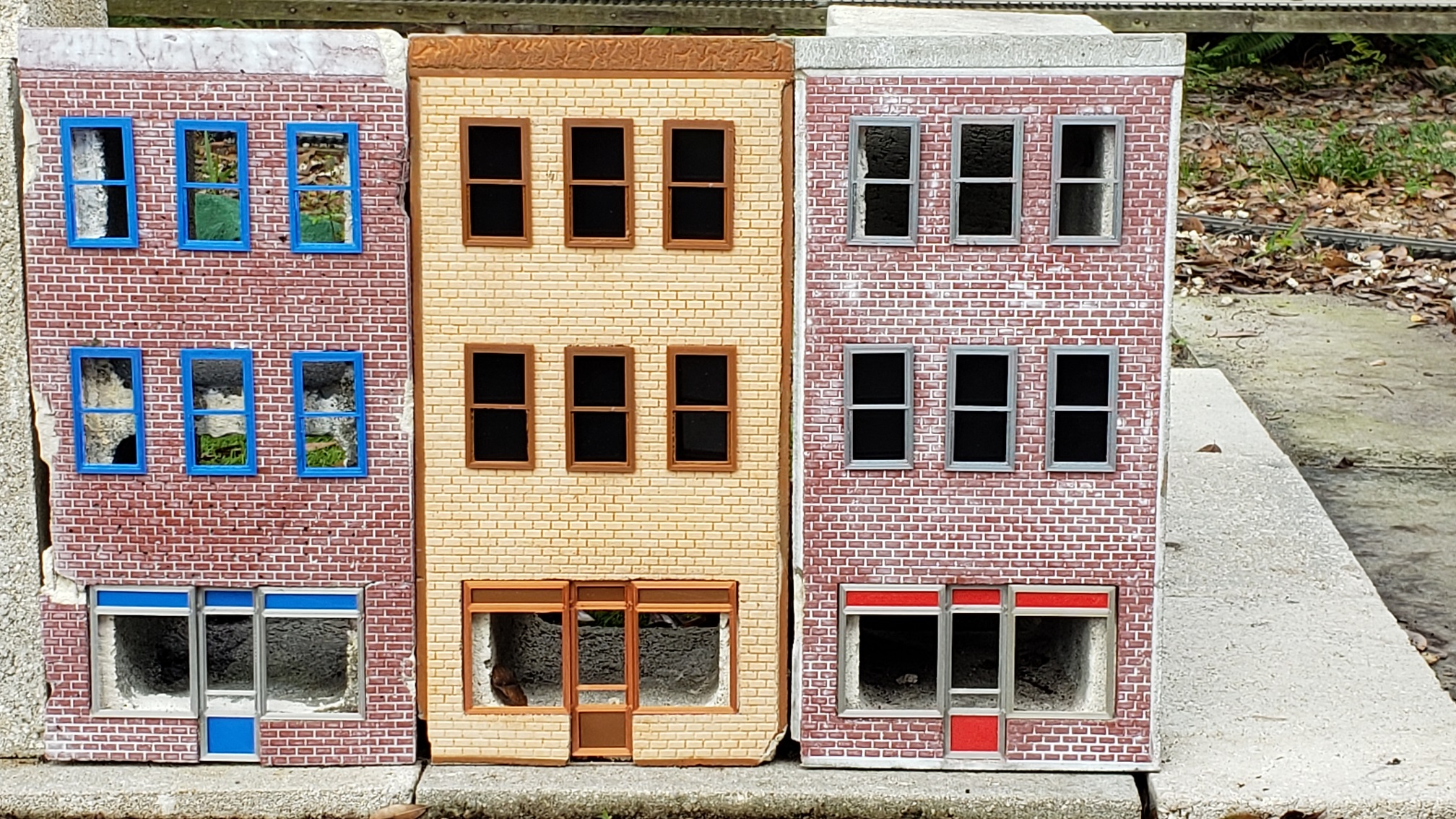
We transformed our downtown marketplace into a ghost town for Halloween. The idea that the empty building faces already made it look like a ghost town played right into it…

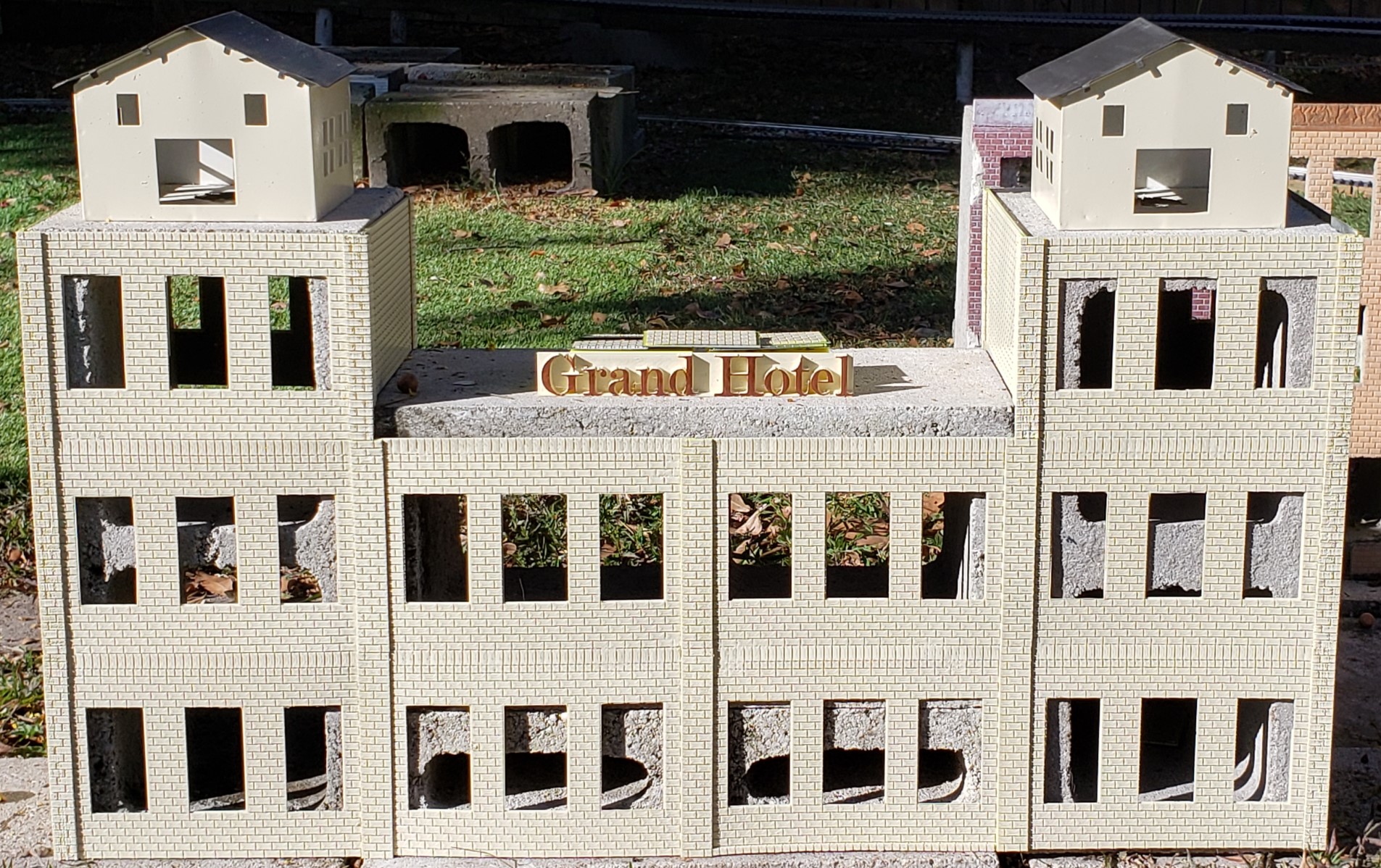
But we needed more than those same tired buildings I cast so many years ago. Something more than three storefront apartment buildings. Something big. Something Grand. Hello Grand Hotel!

But that still wasn’t enough. Those foundation blocks with their corner cutouts have been patiently waiting for some attention too. Hello Corner Drugstore!

All of these additions came together in the few weeks before Halloween. Most of the groundwork began in September, but filing our taxes stole time away from our goals. And we had many goals.

Glow in the dark ghosts. Lightning bolts striking the Grand Hotel sign which would then remain eerily lit. “Uncanny eyes” gazing about in the hotel’s elevator houses atop the towers on either end. Even a drive in theater playing horror movies!

The Result…

Alas, those were not to be, but there’s always next year. We are more than pleased with what we accomplished though! The customized lighting effects stole the show. They were the show!

Eerie “ectoplasmic” colors fading in and out. Bright blues coupled with flashes of lightning give the impression of dramatic and destructive electrical explosions. Surging waves of blood red, as if the building is breathing.

Here’s a look before we even had the Corner Drugstore finished!

The History…

It all started with the desire for better lighting inside our passenger car “fleet”.

All but a handful of these passenger cars are Bachmann, the style with two light bulbs inside and a 9V battery box beneath to power them. They really couldn’t be seen until dark and the battery usually only lasts a few hours until it’s dead anyway. Not real impressive…

I used 5050 LED strips for everything, starting with lighting under our patio train station platform… All 16 feet of it! These were pre canned light strips, complete with remote control and power supply. I even dug in an underground feed right to the corner of the platform dedicated to powering it.

The next step was to fit shorter segments of those strips inside a passenger car. This had a number of drawbacks. First, while small, the Arduino controller still didn’t fit inside the existing battery box. The Lithium battery is slightly larger than that. I designed and 3D printed one large enough to replace the existing battery box.

Fast forward to now. Many iterations of the design later, I switched to using 2812 individually addressable LED strips, for a number of reasons. What’s the difference? The power supply for one. The 2812 strips run on 5V, the 5050 strips require 12V. Not a showstopper, but it does require extra parts to boost the 5V supply I already have to 12V.

The biggest difference between the two types is the ability to address each LED on the strip individually with the 2812 style. While the 5050 version allowed me to mimic the effects of the pre canned units, I wanted to be able to have them individually flicker, even scroll in marquee fashion!

The Effects…

I started with the easy effects, jump, fade, flash, blink. I added the ability to individually address each “pixel”. Then I added the flicker. It can be adjusted to be as slow and subtle as a kerosene lamp to as fast as an arc welder, with a flickering candle flame somewhere in between.

The problem is all the effects are global in nature. That is to say, they affect ALL the LEDs at once. Only the “per pixel” selection allows for changing each pixel’s color independently from one another and the ability to scroll them (marquee).

I spent a good bit of time to marry the two versions together… The issue I have to solve is the all or one addressing, or rather, pixel addressing and grouping. In a nutshell, we have baggage cars (no lighting whatsoever), combination cars (baggage and passenger sections), full passenger cars, and what I’ll call a parlor car (with an additional lit herald on the back railing).

How to handle all these different situations in ONE implementation? The hardware was identical, with 24 LEDs for each. The only exception is an extra 3 LEDs for the herald. The software is as generic as well. Each car has its own configuration that describes its unique situation.

If I haven’t mentioned it before, all these “gadgets” use a web browser interface for control. The embedded Arduino controller has built in WiFi. It operates as an access point that will allow other devices to connect to it as well as connecting to an existing WiFi access point as a client.

All of this allows the Arduino to act as a web server, serving up the control interface web page, available to any device on the network! Smart phone, tablet, laptop, you name it. If it has a web browser, you can control it!

I’ll add a video capture of the interface in action soon…

The old version only accounted for baggage and passenger sections of the combination car. The herald lighting wasn’t even addressed. It’s a step by step approach. First the LED and group addressing. The next is modifying the effects selection for each group and pixel.

In the process, I had to “wedge” the new additions into the existing status reporting mechanism. I pretty much gutted the entire per pixel reporting mechanism and refactored it to better fit into the group addressing scheme. Needless to say, the per pixel addressing functionality was the last to come back online.

Without getting into too much detail, there are two sides of the coin we’re talking about here. The client side and the server side. The client side is the browser client, consisting of HTML web pages, CSS for styling, and javascript for the nuts and bolts programming “smarts” behind the button pushes and handling the web socket interface to the web server.

The web server is the Arduino side, serving up the control interface pages and taking the appropriate actions when commanded. If this is all Greek to you, that’s alright. It’s a lot of programming jargon if you’re not interested.

If you are interested and would like to know more, leave a comment and I’ll be happy to answer any questions you may have. If there’s enough interest, I can add more detailed posts that describe how this all works.

The Ghost Town…

I had to further adapt the passenger lighting controller to become the ghost town controllers, starting with the Grand Hotel. But that’s not the only thing we needed. It would help if we actually had a Grand Hotel! For that, I cobbled together a number of 3D print designs I’d been working on to improve the casting process in the form of custom molds.

After many iterations, I finally managed to match the brick pattern sheets I used to cast the original storefront apartment buildings. In fact, I came up the the positive version before converting it to the negative impression suitable for use as a casting mold.

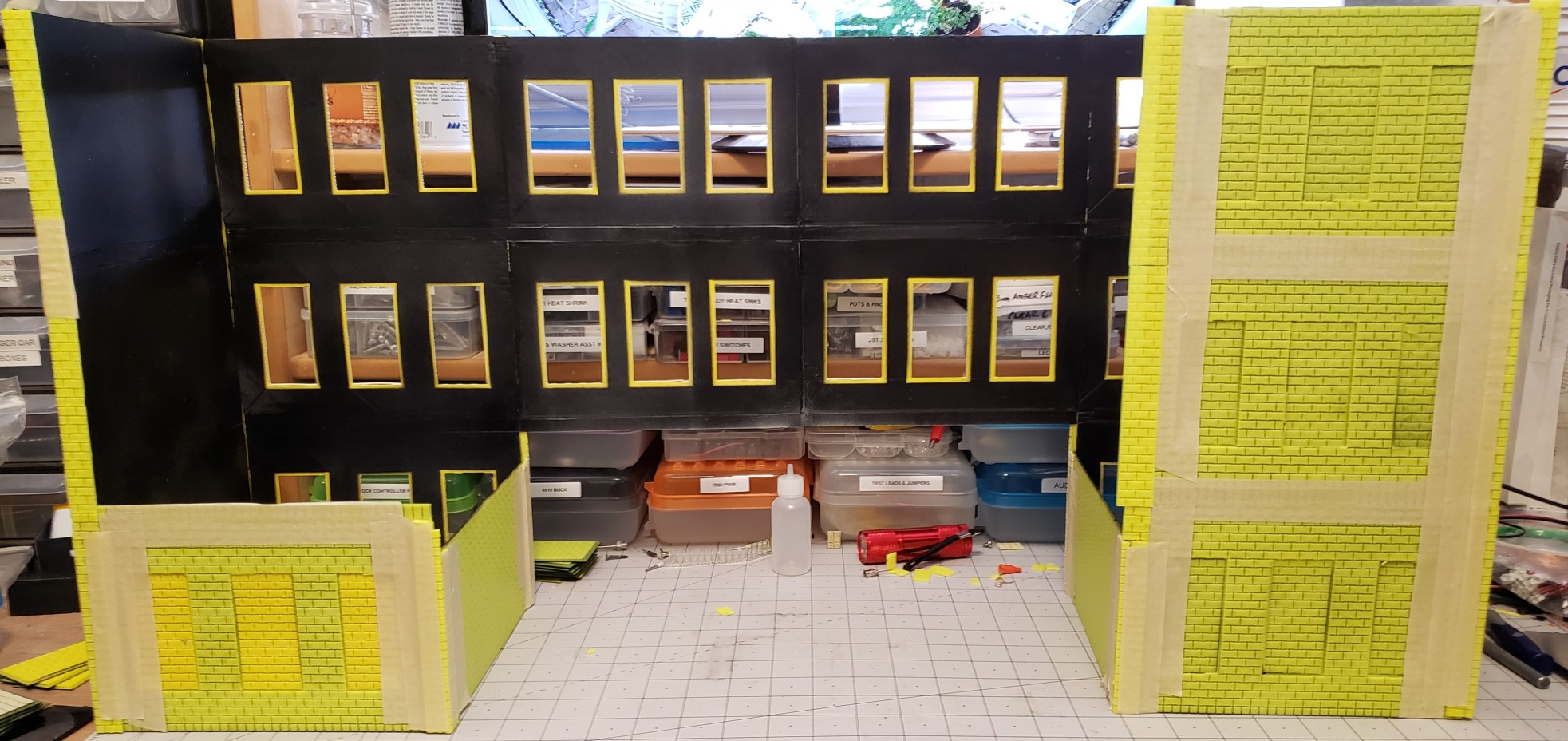
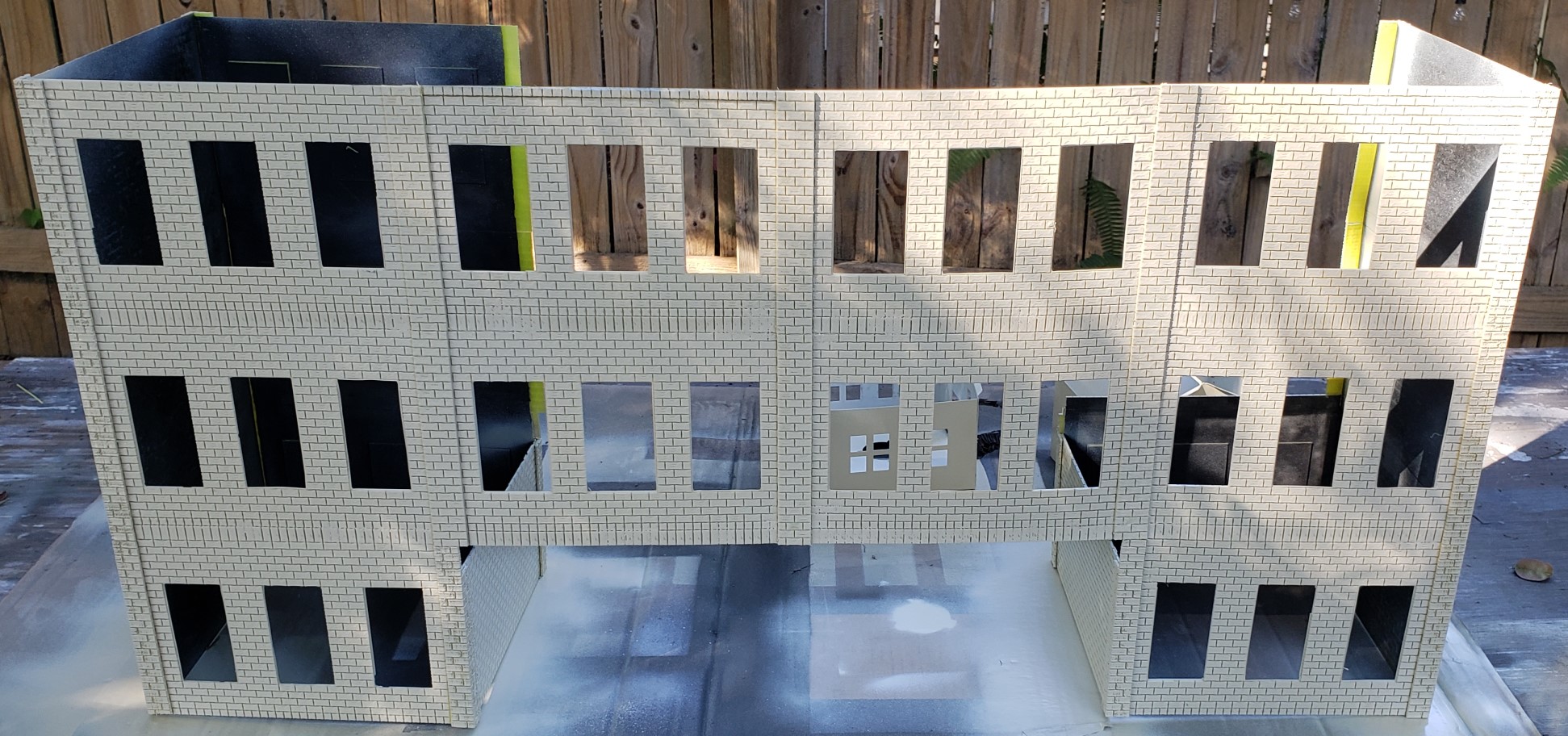
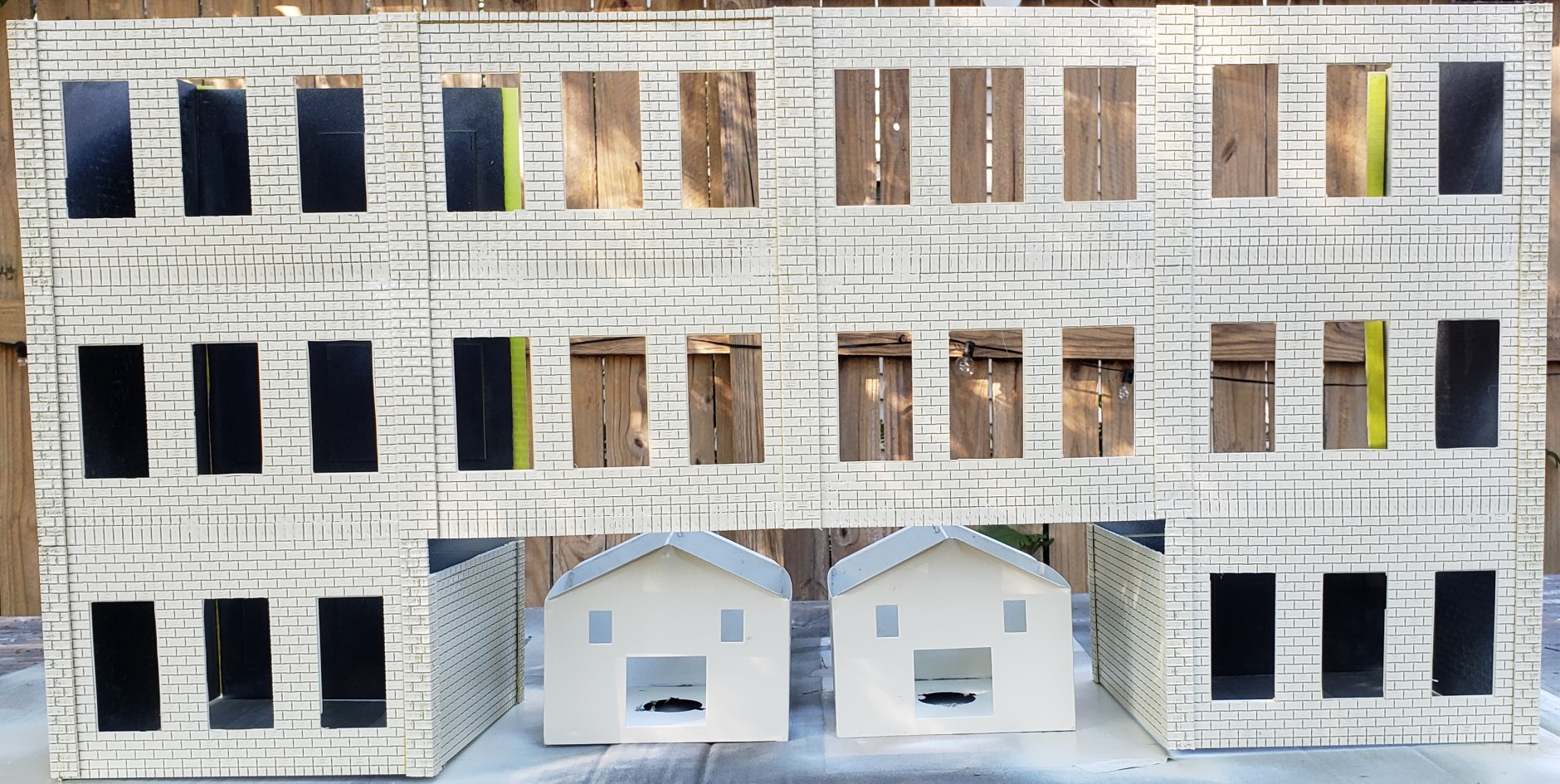
With a few changes here and there, I can print the various pieces of a building, one floor at a time. In essence, I’m converting a concrete block into a building using a 3D printed skin, one 5″ x 8″ section at a time. The sections are then joined together similar to styrene models, using a different liquid cement (chloroform), together with brick strips that mimic columns and headers.

If you’re a model railroader in smaller scales, you’ll recognize the approach is similar to Design Preservation Models modular kits. They supply a set of walls, window, door, and other detail castings, and the assembly instructions. All you need is glue and paint.

The resulting “skin” then slides over the block, after painting of course! It’s obvious the window frames and glazing are missing, but that’s what prompted us to make it a ghost town in the first place! The original buildings had both window frames and glazing in addition to a ground floor store front at first, slowly demolished by continued collisions with the pups.

I start by assembling floor sections together into a single three story wall then comparing it to the block. My first attempt fell short… Literally. Had I butted the brick header strips together with the sections to be joined instead of overlapped on top of them, it would have been just about the correct height.

The Grand Hotel…

Armed with this information, I began to madly 3D print wall after wall. I already had a few walls that I had previously printed, attempting to recreate the existing storefront apartments. My first attempt left too large an opening for the windows. The next attempt matched the window openings very closely, but added an extra brick to the width.

Great for ¼” thick castings… For a 0.072″ plastic brick sheet, not so much. The great thing about thin plastic sheet is how easy it is to cut with a good pair of scissors! Not Kindergarten scissors and construction paper easy, but easy enough to trim half a brick off either end without much bruising…

This is a seat of the pants operation here. It doesn’t need to look perfect and it doesn’t need to last, it only has to resemble a big hotel from a distance at dusk. If you look closely, you’ll see there are no doors anywhere on the ground floor. Kind of like Hotel California, “You can check out any time you want, but you can never leave”, assuming you could get inside in the first place!

In any case, I soon exhaust the entire replacement spool of yellow filament. I screwed up getting the hub to fit inside when I first got it and it’s been hanging there ever since. The fear was a tangle in the line will cause a knot and jam the printer extruder. The result? A failed print at the very least. A flying spaghetti monster if not caught in time.

I was lucky this time though. I was present for most if not all the printing. Each section takes about three to four hours to print, so I continue to update my Arduino code while printing continues in the background behind me. Not only did I exhaust that entire replacement spool, I went through another regular spool as well, plus part of a second!

I had to wait on the second regular spool to get here too! The hotel is complete except for a few sections, so at least the side that shows looks like the Grand Hotel.

The Corner Drugstore…

The Corner Drugstore was meant to be printed from a spool of brick red colored filament I ordered especially for it. There’s something to be said for sticking with the known quality of a brand of filament. Apparently, I chose poorly… I tried three times to get a print just to stick to the bed before I finally gave up and threw it off to the side.

I loaded up my usual brand of filament in the bright red variety and had nothing but perfect prints one after another. This building is different than the others in that the corner entrance wall and doors will be at a 45° angle to the side walls. With barely enough time left to print the side walls themselves, I didn’t take the time to design the entrance and the 45° column pieces.

I did design a different set of window walls though. Two large windows per section for the bottom floor, as if there is restaurant seating, and four small windows for the middle floor sections suggesting a mezzanine. The upper floor sections are the standard three window apartment style windows.

I even added a set of alley side carriage doors with a small office door beside them. It went together quickly, but not quickly enough. I was still adding those finishing touches Halloween night! I ran out of time to cut the aluminum extrusions to size for the LED strip to fit inside.

Not even the original storefront apartment buildings had them, just the Grand Hotel, and even then those were cobbled together and barely fit inside the blocks. I needed something to diffuse the bright spot source of the LEDs. Even with the diffuser covers snapped in the extrusions over the LED strips, they can still be seen and it’s obvious they’re LEDs.

The only “pictures” I have are actual video recordings of it, and even then it’s just the incomplete skin. At least it’s painted brick red and has the lighting effects installed! It was a rush job to say the least. I was lucky to get as much done as I did. Here’s what the end product looked like. Hope you enjoy it as much as we did!

Most of the work remaining on it and the rest of downtown will wait until the new Main Street design is finished. The idea is to pour a thin concrete “sidewalk” that will serve as Main Street and the side streets, including curbs, sidewalks, and a firm, level foundation for all the buildings. But that’s another project for another time…

The Code…

The code has evolved over time, based on the success of previous additions from various projects. It all started with the WiFiTrainController Arduino sketch Nick put together a few years back to control his Lionel trains. Between his inspiration and my renewed immersion into embedded systems control at work, there’s a strong motivation to return to my “gadgetronics” days of the past.

After a number of iterations of modifications, and many failed attempts at getting reliable readings from Hall effect current sensors, I finally stumbled across the resolution to the problem. Unfortunately it meant going in an entirely different direction. That resulted in more iterations and improvements, and some refactoring along the way.

All that work on the block and motor controllers paid solid dividends going forward. The expanded web socket interface was far beyond the original single character command approach. Adding new commands is as easy as adding the command keyword to a map of handlers and pairing it with a new command handler to take the appropriate action on the server side.

This scaled nicely when I began working on the passenger car lighting projects, the direct ancestors of these building lighting effects projects for Halloween. First it was my “Glow In The Day” clocks, 3D printed in glow in the dark filament, then illuminated with UV LEDs to glow in the daytime. Now it’s the downtown ghost town.

Actually, it’s three separate projects, one for the Grand Hotel, one for the original Storefront Apartments, and one for the Corner Drugstore. The code for all three is basically the same except for the number of LEDs controlled and the user interface pages themselves.

In more detail, the projects consist of an Arduino sketch (written in C) and the data files. The NodeMCU 12E controllers are ESP8266 based and contain 4MBytes of flash memory. This can be divided between the two parts, in 1MByte increments.

The program sketch is compiled into an executable binary that is uploaded to the first part of flash memory. The data files are stored using the SPI Flash File System (SPIFFS). It’s a flat file system, but provides hierarchical storage via the file name itself. This is where the web pages, CSS, and javascript files are stored that are served to the web browser.

Here’s a video example of how we select and control the lighting effects we used for the ghost town. As you can see, there’s even enough room in the flash memory for a couple of smaller image files.

The Finish…

I used a dedicated power bank (20,000mAh) each for the Grand Hotel, Storefront Apartments, and Corner Drugstore. Each had its own dedicated Arduino controller as well. I was able to connect to each controller with my phone and the office PC to control them! The only thing I wasn’t able to pull off was the passenger car effects.

I thought I could spend a couple hours and get something whipped in to shape and working, but it was not to be. In fact, it took more than another week to get things the way I wanted them to work. But that’s software. If you wait until it’s perfect you’ll never have anything to ship!

As an experiment, I left the effects running all night long. They were still going in the morning! The power banks were fully charged Halloween night, with somewhere between 25% and 50% of the 20,00omAh charge remaining. I was also quite aggressive with the LED levels for a more dramatic effect. More conservative selections would last even longer.

By comparison, the passenger cars have only a tenth of that power (2,000mAh), and with more subdued lighting levels they are still running in the morning as well. I can get anywhere from 8 to 12 hours from them on a single four hour charge.

Stayed tuned for more updates on the passenger cars and the Barkyard too!


Adding Details To Downtown Building Castings


The Featured Image above shows the results of our efforts so far. Below is what we started with… Three very rough castings obviously covering concrete blocks.

Rough Castings
Rough Castings

I’m designing the downtown market display case view blocks to conceal the edges of the concrete block on the first floor. I don’t really have a specific example of a building to model in mind, just a vague recollection from my childhood of what buildings looked like.

The building itself is based on some of the HO kits I assembled ages ago. These kits all start with the same narrow faced three story building, but add different details, like a funeral parlor or a five and dime. The bottom floor is always different, but the upper floors have similar window frames and clear glazing. Even brick patterned blanks are supplied to close off openings if desired.

I’ve already designed the window frames, experimenting with different glazing. With nothing to conceal the concrete block behind, it was obvious something was needed. First I cut some opaque black ABS to fit behind the frames. It definitely blocks the view! But unfortunately, it also means lighting is out of the question!

Downtown Marketplace Windows

In the Featured Image, the building on the right shows the different between nothing behind and black ABS. The building in the middle show what the translucent green looks like compared to the ABS. None of the building have the display case view block installed yet. See the end of the post for a view of all everything populated.

I’m also trying out the “see through” dark green filament I bought, as a stand in for the soda glass of the day, or perhaps tinted glass on automobiles. Hopefully. It’s a little dark for the window glazing, but looks better than the clear filament, which is anything but clear. Translucent perhaps, but it just looks too white and opaque.

When I had just the black ABS cutouts behind the frames with no glazing it looked better than the translucent “clear”. And now the new translucent green looks better than the ABS view block. I need to experiment with back lighting and see if it still looks as good.

Even my “venetian blind” modification doesn’t look like anything but opaque white! It works only slightly better with the translucent green. Perhaps once it’s backlit it will look like blinds covering the inside of the windows. We shall see…

Downtown Marketplace Window Glazing

Iterations and Alterations

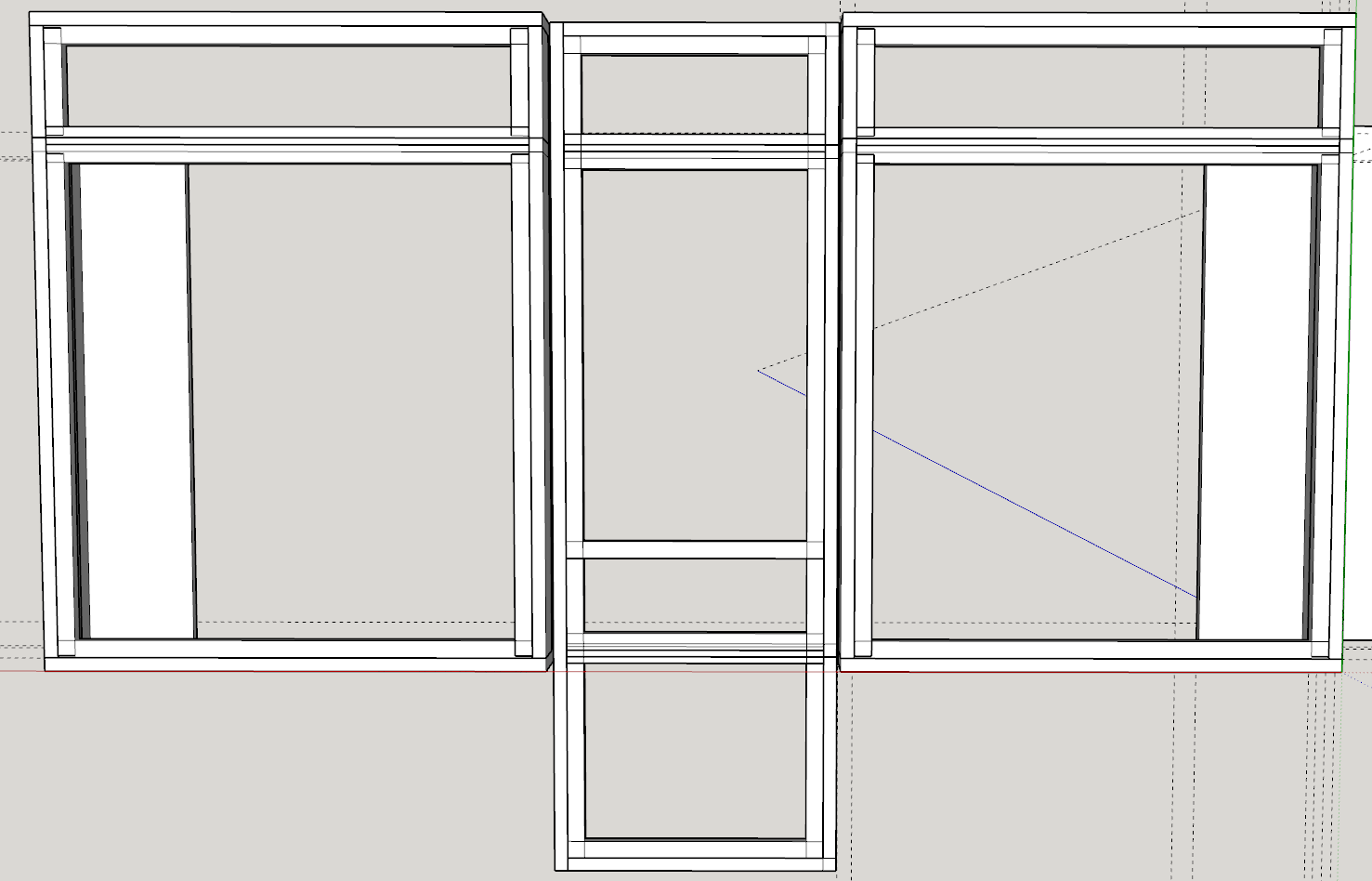
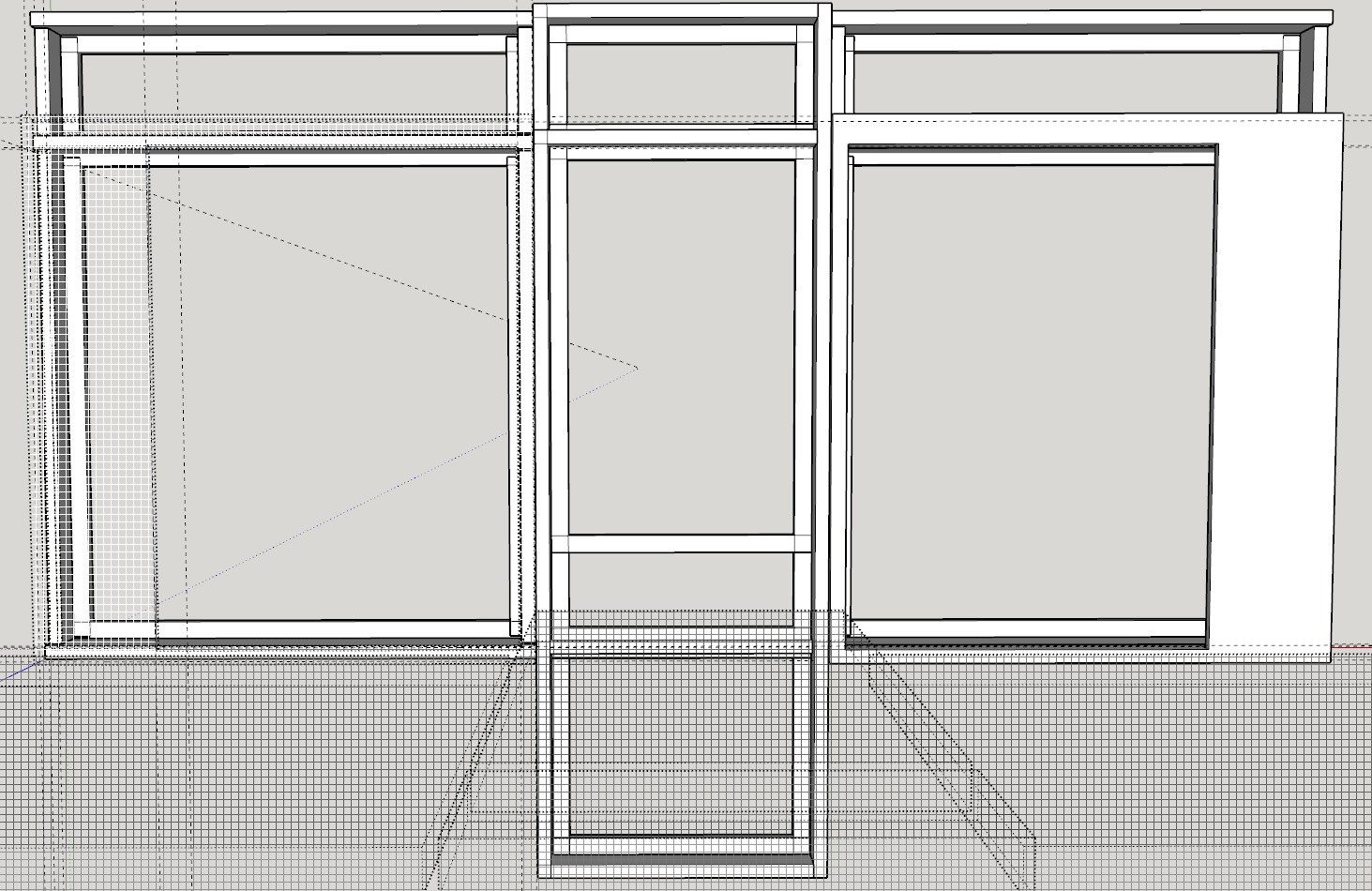
Just as the window frames underwent a number of modifications, so did the design, fitment, and assembly of the display cases. The original casting is meant to have two display cases behind large, transparent windows, one on either side of the entrance which is placed in the middle between the two.

The entrance represents a metal framed door with a transom above, typical of the era. For variety, the transom can be fitted with a more modern air conditioner. For now, I’ll concentrate on getting something there first. Details can be added later.

The entrance will be assembled from the three pieces previously described, due to limitations of 3D printing. Overhangs are a no-no. They can be overcome using supports, but it’s more work to clean up the traces left behind by them. The tradeoff is gluing the pieces together, but how to glue them together? We need something to glue together first…

Printing Storefronts

The beauty of the design’s symmetry is both display windows are identical, allowing both sides to remain a single, interchangeable assembly. Together with the door assembly, they can fill the void of the street level opening meant for them.

I recently purchased an assortment of “metal” filaments for the 3D printer. I’m hoping the silver looks enough like an aluminum frame to pass as metal. Even just the standard silver (gray) filament will look enough like an oxidized galvanized finish, so it’s not really a problem if it doesn’t. It still looks better than nothing!

I already printed window frames using the plain silver gray filament, so I print a set using the silver metal filament first. The showcase frames have a place for colored insets above both the door and windows, as well as the bottom kick panel of the door.

Rather than print the insets in the gray color, I decide to use red to make it “pop”. I refrained from printing more window frames in red for fear it would be overpowering against the brick red of the casting. The gray will work well enough for now.

But the real test will be the copper color! I’m thinking about using it for the cream colored brick building, together with brown inset panels, to really make it “pop”! I can’t wait to try it, but wait I’ll have to.

Assembling The Storefronts

My first prints of everything need revision! The frames don’t fit together the way I want them to without a redesign. Even then, the next version still needed some judicious filing, but that left the fit too loose. Even the insets don’t fit!

I quickly learned I need to leave about 0.010″ clearance between pieces if I want an exact fit, and by exact I mean almost an interference fit. I reprinted the insets and this time they almost “snapped” in place. I say almost because they are just loose enough to find their way back out on their own.

So not only do the frame pieces need to be joined together, the insets will need something to retain them in place as well.

Plastic Welding or Plastic Cement?

Even though we’re talking about adding details to cement blocks, the plastic cement we’re talking about is like styrene model cement, the kind that chemically dissolves the plastic together to create one solid piece once it flashes off.

I’m not sure what glue works on PLA. Acetone works for ABS, and supposedly for PLA too. A quick test says I don’t know what they’re smoking, but it has no effect. Model glue does a little better, but still leaves a lot to be desired. That’s not working. Next. I read good reviews about using a plastic welder, so I decided to buy one and try it.

The ones most recommended double as a child’s “toy”, but I’m not sure what parents would hand their grade schooler a hot melt glue gun these days. That’s basically what it is, except it uses plastic filament for 3D printing instead of glue sticks. And at 210°C (410°F) for PLA, it’s about twice as hot. May as well hand your kid a soldering iron at that point!

When it arrived, my first attempt at plastic welding two parts together worked, but with mixed results. It effectively joins the parts together, but the joint isn’t very strong. And like welding metal, it leaves a visible bead of material at the joint. Let’s just say it doesn’t look like a stack of dimes…

After assembling the first storefront, I am thoroughly discouraged by the results. Even though I was able to keep the ugly weld bead hidden from sight, it doesn’t hold the assembly together long enough to press it into the opening in the casting, quickly snapping apart!

My assumption that it physically heated both parts to welding temperature while adding filler material was not a good one. It basically melts only the filler material. There is no molten “puddle” of material like metal welding.

PLA Cement a.k.a. Dichloromethane

A bit more research finds that dichloromethane is the solvent I’m looking for… a.k.a. chloroform. Great. Now where do I get that? Even after all the “Does this rag smell like chloroform?” jokes, it’s surprising how many products use it as the main ingredient! Methylene chloride was widely used as a paint stripper, now both are banned banned, replaced by a far less effective ingredients.

Just be bopping down to the paint department at the local big box store sounded like a good idea at the time, but they no longer carry methylene chloride, let alone in those gallon tins. Guess I should call myself lucky to still be able to buy acetone by the gallon.

What’s amazing to me is there are still many suppliers online. I went with “WeldOn” products, no affiliation. It’s expensive for just a pint can, but they deliver to my door! There are a number of different “acrylic adhesives” in their lineup.

I tried their #16 first, which worked incredibly well on plexiglass, but is really thick. Too thick to seep into the crevices between the parts via capillary action. It works, but has to be brushed on, wasting a lot of it in the process, kind of like using a firehose to water the flowers.

I ordered their #3 and #4 variations next. They are definitely liquid, thin enough to flow into the tiniest of crevices. The #3 is quick acting and the #4 has a longer working time. Both flow easily into the joints. All three should be used only in a well ventilated area or asphyxiation could result.

Along those lines, this stuff needs to be tightly sealed so it won’t totally evaporate away. Both the #3 and #4 came sealed in heavy duty ziploc bags over the sealed metal lid of the metal can! The first time I used it, I found out the hard way how quickly this stuff evaporates!

Learning the Ropes

The small squeeze bottles with attached hypodermic needle that came with them have a twist-lock “cap” of sorts to protect the tip. More like to protect you from stabbing yourself with it, but even that wasn’t enough to seal it. I had a third of the squeeze bottle worth of #3 left in the bottom when I went to bed. It was all but gone by morning!

From now on, any leftover gets immediate placed back in the can and then sealed in the ziploc. I also found the needle to be prone to clogging with the dissolved plastic after a short amount of use. Squeezing it to blow out the clog either doesn’t work, or if it does, floods the work pieces with solvent.

I found a better way to dissolve the clog was just to hold the squeeze bottle upside down until the solvent itself dissolves the clog. It doesn’t take long and it’s fairly obvious when the clog is gone. Hard to ignore the solvent that starts streaming out again. After the first few uses and it taking forever just to get enough sucked up into the squeeze bottle through that small needle, I decided to find some larger versions.

I now have so many of them, I can’t give them away, but the thought was they would fill quickly and I could use them to quickly transfer the contents into the hypo bottle. They came with an attached silicon cap to cover the larger, blunt tip, but even they don’t seal well enough to leave any leftovers inside for more than a day or so. I’ve gotten in the habit of pulling out a little solvent at a time, using what I need, then returning what’s left to the can when finished.

The Test of Time

So long story short, after a few false starts, we finally managed to get those three buildings looking more like a downtown business than a concrete block. They still need modifications to continue to serve us as downtown marketplace buildings though. The elements were not kind to the PLA plastic, as seen in the picture below.

Faded Glory
Time takes its toll on the PLA plastic exposed to the elements

I should have used some adhesive caulk to hold the windows in place too. Slowly but surely the dogs managed to knock out every single window. It got to the point that every time I went out to work on the Barkyard, I had to pick up a couple more windows, just laying in the street or on the ground. I started a collection of them in the garage so as not to lose them.

Next go round I’ll need to paint the plastic with UV resistant paint, maybe even just a clear top coat, but an opaque color will provide far more protection from the sun than clear coat ever could. At some point I really need to get some display cases put behind there though.

I finally removed the ground floor display cases and stashed them away too. Ann says it looks like a ghost town. So we’re thinking of making more castings, enough to build an entire ghost town downtown for Halloween! I’ll need to accelerate my efforts to add lighting and other “spooky” effects, but it should prove entertaining regardless.