
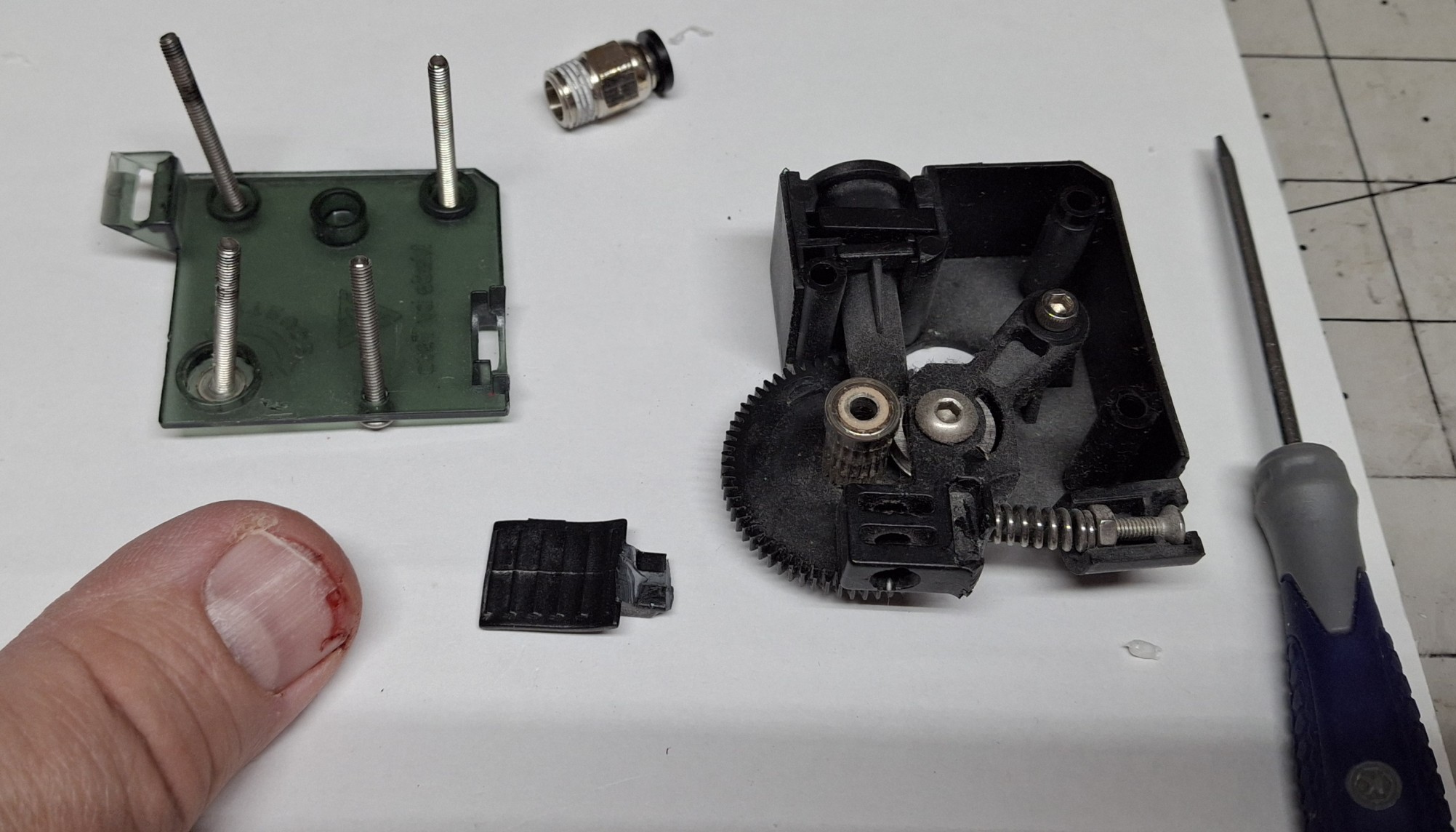
Not again! I was so happy to finally get this thing back up and running only a few months ago and it just failed on me again! Catastrophically this time, taking half my thumbnail with it! The extruder release lever broke, snapped right off, just trying to remove the filament. That sent my thumb on a rapid collision course with the printer frame. Ouch!
Blood everywhere and playing beat the clock to get the filament out before the hot end cools off, now I’m prying what’s left of the lever with a screwdriver to release it and still having to tug the filament harder than I should. I noticed it’s been getter harder and harder to remove the filament over the last week or so and should have known something was wrong.
Had I known it was going to fail I could have ordered a new extruder pre-emptively. Had I known it was going to fail, I could have saved myself some pain too. I guess in some ways I already knew it would fail, eventually, being made of plastic where metal is called for. Plastic gears. Plastic case. Plastic tensioner arm. All plastic!
The only things not plastic are the gear and idler pulley that together push the filament through the extruder. That and the screws that hold everything together. There’s the spring that holds pressure against that release arm the idler mounted on, pinching the filament against the drive gear too. It snapped off right where the spring pushes against it.
Time To Rewind
Let’s rewind a bit. In my previous post, I covered the history of this Tevo Tarantula Pro (TTP) 3D printer and what it took to get it operational and back online. I’ve been using it almost daily ever since then. In fact, I’ve been using both 3D printers nearly every day. There’s a certain satisfaction from having both of them cranking out prints at the same time.
When one or both isn’t printing something, it’s almost like OCD with me, asking myself what can it be printing now? Every post since the one about getting it working again has included prints from both 3D printers. It’s uncanny how quickly that old TTP can print. I thought I couldn’t push it any faster, but I did mistakenly and it kept right up!
The new Sunlu S9+ was advertised as capable of 250mm/sec, but even when I ask it to do half that, the TTP is still faster, even though the print’s been sliced for it using slower speeds. How is that possible? Nick has a theory on that, thinking it’s built in acceleration profiles limiting the overall speed in the new one.
Turns out I was actually sending some pretty tame acceleration limits with the startup G-code. I modified the startup G-code to remove them and modified the printer settings directly with much more aggressive values, but it still seems to obey some magical built in values I haven’t been able to find. Oh well, at least it’s almost as fast as the TTP.
Cranking ‘Em Out
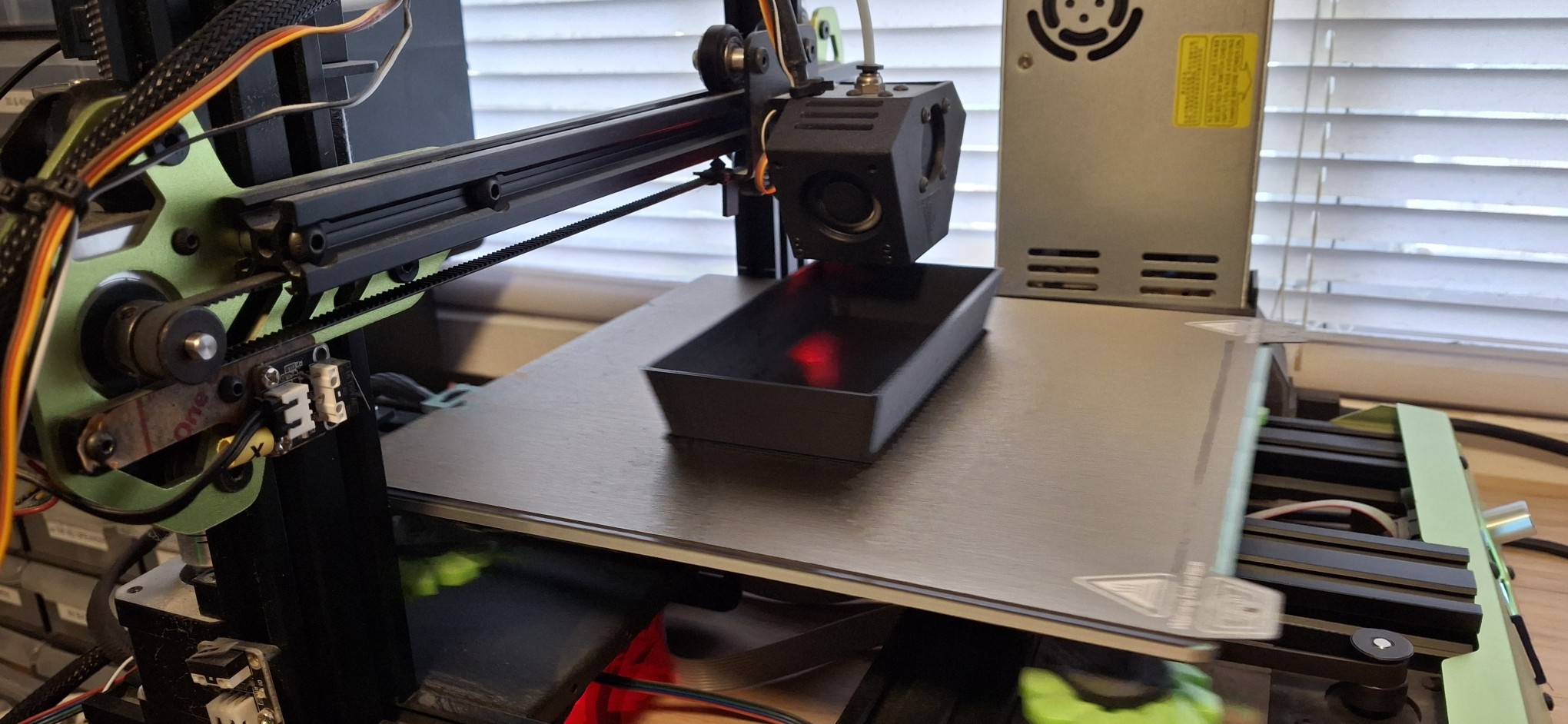
As I said, we’ve been cranking out the prints. Between Death Trap, Death Trap Jr., and the Closet Lighting controller prints, both have been kept busy most of the time since bringing the TTP back online. I used the time between prints to make minor design modifications for each new iteration of each print then kicked off the next revision.
Of course, when it takes 8 – 12 hours to print each piece of a Death Trap it gives me plenty of time to work on other designs, and not just 3D print designs. I’ve also been working on a major refactor of how the menus and meters are handled in my Arduino sketches and libraries. The motivation is to test a new round display as a digital version of an analog meter.
But I’ll save those details for later. When I say later, I mean in a later post, once it’s all working again. To be honest, I was getting overwhelmed by the immensity of the project and had to step back from it for a bit. Not going to list all the priority items I’ve already discussed in recent posts. Let’s just say the Ultimatum of end of August is quickly approaching.
My Saturn V Tribute
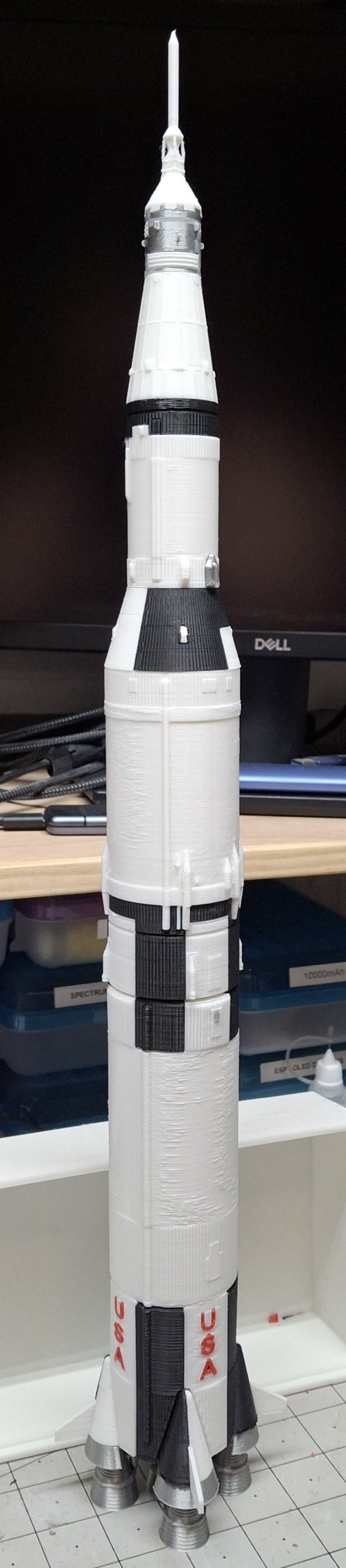
Between the Ultimatum and the constant media circus lately, even preempting the recent 56th anniversary of men first walking on the moon, July 20, 1969, I decided to print my own Saturn V as a tribute. I needed a breather. An escape from all this necessity and media insanity and it seemed like the perfect project.
Most of the parts are either black or white, with some parts in metallic silver, and a little red thrown in for the letters. The new printer is already loaded with white and the TTP with black, so I sliced the parts based on what printer had what color. Once all the black parts were printed, I loaded up a half spool of metallic silver, a.k.a. silk silver.
These were the engines, heat shields, the service module and few other interstage parts. The engines had the most supports I’ve ever printed by far. Probably more material in the supports than in the rocket engines themselves. Those supports had to come off in layers, peeling them off until getting down to the final course that snapped right off.
I should note these STL files are from a third party source and it took some doing to get them sliced for my printers. I generally design parts without the need for support unless absolutely necessary. I probably would have made the engine nozzles separate from the combustion chamber and turbo pumps and stuff so they can be printed flat on the build plate.
Finishing Touches
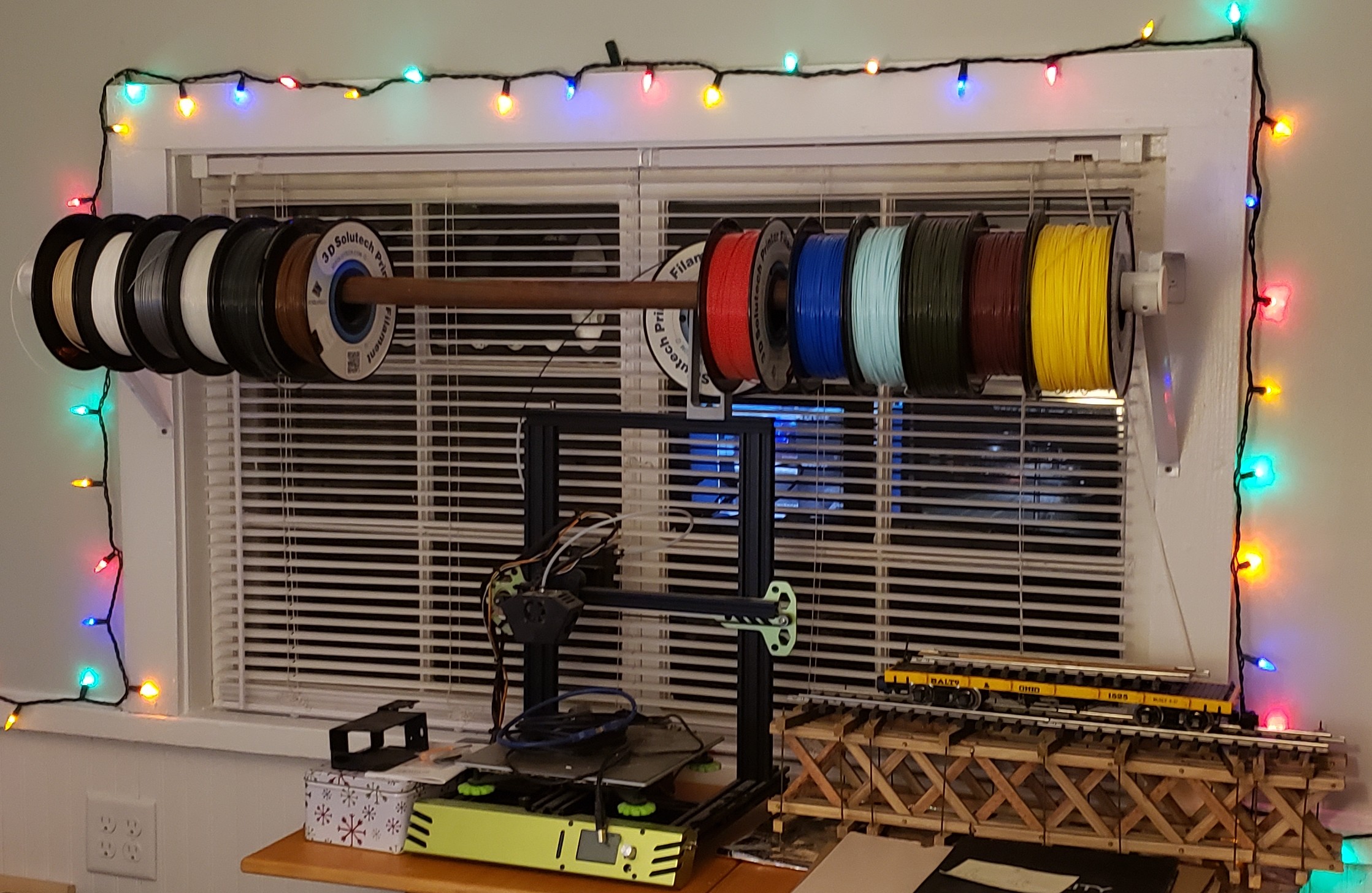
Anyway, I loaded up an old spool of what was left of 3D Solutech red. It was still coated in dust from sitting out in the office on the old closet rod arrangement I had sitting over the printers. The idea was to make it easy to load a different color by just sliding the desired color spool into place and loading it.
That was before I knew about the effects of moisture on the filament and filament driers. I loaded it in the filament drier and let it drive out as much moisture as it could first, before loading it in the TTP. Long story short, I thought I did a pretty good job getting rid of the dust. Not so much.
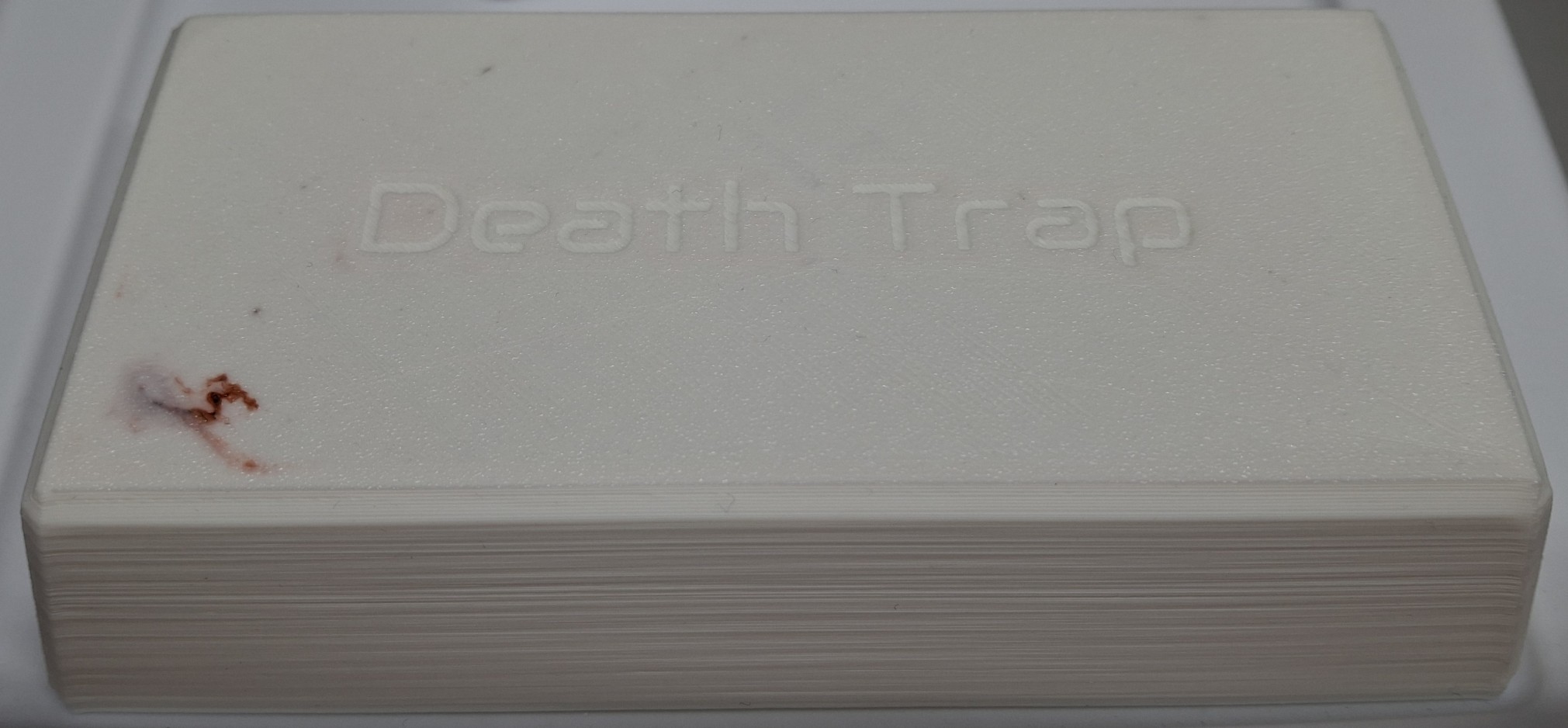
And it wasn’t apparent it was an issue until the symptoms of a clog started to manifest themselves later. The red letters were the least of my worries. Or so I thought at the time. Once they were done printing, I decided to print the base in red too. Think I putting the finishing touches on the Saturn V I literally put the finishing touches on the printer too.
Symptoms Adding Up
I originally printed the Death Trap Jr. in black, but it looks like exposure to the sun is enough to warp the plastic. I decided to print a white one with the filament left on the spool, starting with the lid. My first indication there was trouble brewing should have been how long it took to clear the red out of the hot end and replace it with the white.
It was pink for much longer than I’ve ever had to run the new material through to clear out the old. As it was laying down the first or second layer of the lid, all of a sudden it “burped” out a red “pimple”. That is to say a big glob of red that must have been still stuck in the hot end, now surrounded by a sea of white on the build plate.
That should have been my heads up. Between pulling out the filament getting harder and harder and now this, all the signs of a hot end clog were starting to come together. I thought there was enough filament left on the spool to print the base too, but I was wrong and had to pause the print to load the new Elegoo PLA+ filament.
Trouble Brewing
It was all I could do to pull the remaining filament out. I had ordered four spools of the Elegoo PLA+ in white, and loaded a spool as a test and a comparison to the white Sunlu PLA+ I’d been printing with. The TTP was reloaded with the new white and the print resumed. It seemed to print fine. If anything, it’s a slightly brighter white than the Sunlu.
Then the extruder started making that skipping noise, but given an assist from me in the form of a little extra push on the filament, it seemed to smooth out things for a while as the printing continued. The base finished and I thought nothing of it, preparing to pull the filament back out to store it in the drier until the next print.
That’s when it happened. Right around 9:00 PM Saturday night. I could not get the filament to pull back out. Pushing on the release lever didn’t seem to do anything. Until it snapped off, taking part of my thumbnail with it. So now we’re all caught up after the rewind. So why bother pulling the filament out at all?
After having the filament just randomly snap apart when left out and exposed to the humidity over a period of time, I decided to start removing the filament when the last print for the next few days finished. This allows the flexibility of keeping the spool in the drier or storing it in one of the sealed bags and loading a different spool, and whenever needed.
Where Do We Go From Here?
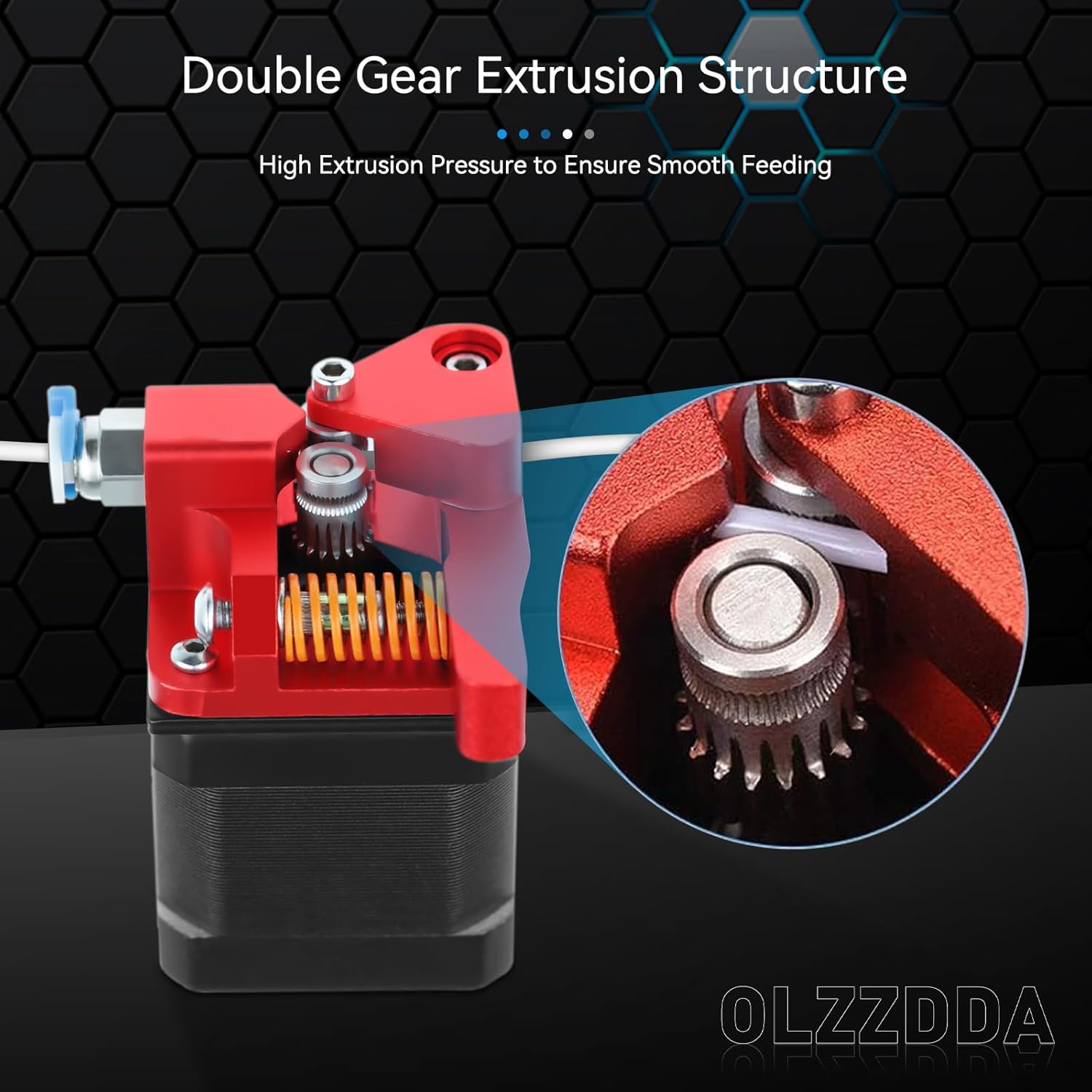
Obviously I need a new extruder. I’m not sure if I can even still source the original, let alone find one that isn’t already on its way out like my old one. Nick recommended a dual drive replacement like the one he got for his printer recently. It’s all metal, with two opposed drive gears rather than one and an idler “pulley”. The frame is all anodized aluminum.
I ordered one from Amazon and it arrived Sunday afternoon. If I have any complaint it would be the total lack of assembly instructions. I had to closely scrutinize the limited number of pictures on Amazon to piece together how things fit and where.
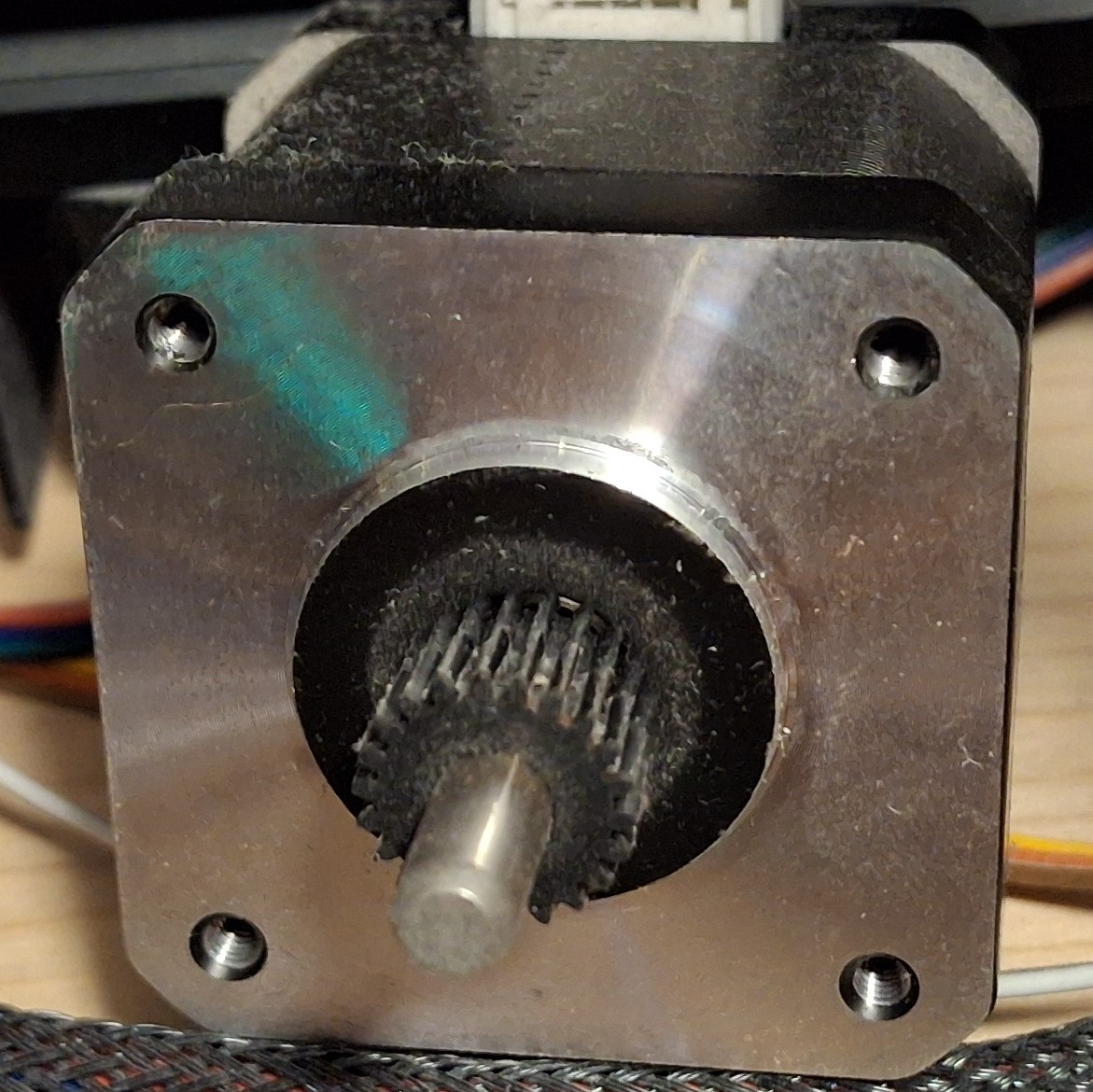
But before all that, I had to remove the plastic gear pressed on the stepper motor shaft. Thankfully there was enough clearance between it and the face of the motor to get a pair of screwdrivers behind it and pry. I only flung it on the floor in spectacular fashion once… When the screwdrivers finally lost their leverage, the adjustable wrench finished the job.
Fitting The New Extruder
Now it’s time to get the new extruder drive gear on the stepper motor shaft and roughly aligned with its companion on the rest of the extruder. Running the set screw down will keep it in place until final adjustment can be made. Now we can fit the new extruder to the stepper motor, separated by the mounting bracket. I only screwed up the orientation twice…
First I managed to get it 90° off, thinking the release arm worked opposite of what it actually does. The next time I somehow managed to get connector on the stepper motor facing away from the cable. Each time it had to come all back apart and the screws totally loosened and moved with it.
After a few choice words, I finally get it all put together and ready to test. Well, once I adjust the drive gear alignment on the motor shaft that is. It’s already a miniscule set screw to begin with, and it’s a good thing the hex wrench is so small and flexible, because trying to get it in the set screw would be impossible without flexing it, even with a ball end.
With that done and out of the way, it’s time to load up the filament and do some testing. And instantly I’m getting that skipping and nothing out the nozzle… So much for the new extruder fixing the problem.
Nick Lends A Hand
Nick was kind enough to take a look at it with me after supper. I had basically shut down the printer and left it off until I was ready to test with the new extruder, not giving the idea of a clog a second thought. Until now.
Nick realizes it’s taking way too much force to push the filament into the hot end. Not much if any plastic is coming out the nozzle. That would explain why the extruder is just skipping. Then he asks if I recalibrated the extrusion rate. I told him I had not. Not being able to extrude makes it difficult to measure how much gets extruded to adjust the rate.
Looking at the old extruder, it’s readily apparent that I need to make at least some adjustment since the old one had a gear reduction and the new one is direct drive, right off the stepper motor shaft. Oopsie. After “guestimating” the reduction ratio, I make a quick divide by four change, from 408 to 102. Still skipping though.
Poked the nozzle. Nothing. Took the nozzle out to see if it could be reseated without having to tear down the hot end again. I probably just made things worse by giving the molten plastic all the room it needed to fill that void, guessing that “overdrive” forced the molten plastic out between the bowden tube and the nozzle in the hot end causing a clog.
A New Hope
After having torn down the hot end twice, and finally getting it fixed only a few months ago, I NEVER want to have to do it again. But it looks like that’s what it’s going to take. That’s it for tonight. I thank Nick for his help, then shut down the printer again and leave it off until I have more time. Do I need yet another new hot end or can just clear the clog?
Tearing down the hot end takes up my entire work cell to lay the printer on its side to be able to get to everything on the printer, short of standing over it while it’s sitting on the shelf and having to turn it to reach behind it. I need that work cell for my work laptop during the day. I can’t leave the printer torn down with parts strewn everywhere. It needs to wait.
Later in the week I was chatting more about it with Nick and something he said about the opening through the hot end being as big as the bowden tube triggered a thought. Will simply pushing the bowden tube through the hot end clear the clog? A quick search of the waste basket tells me I already threw out the old tubing. Damn!
I don’t really want to dig out the new roll of tubing again just to cut a short piece. Then I remember I have an assortment of solid brass rods. Is there a 2mm rod? Bingo! If it’s not 2mm, it’s 5⁄64″, and at least 100mm or 4″ long. If anything’s pushing the clog out, this ought to work, as long as it’s not too big around.
We’ll Do It Live!
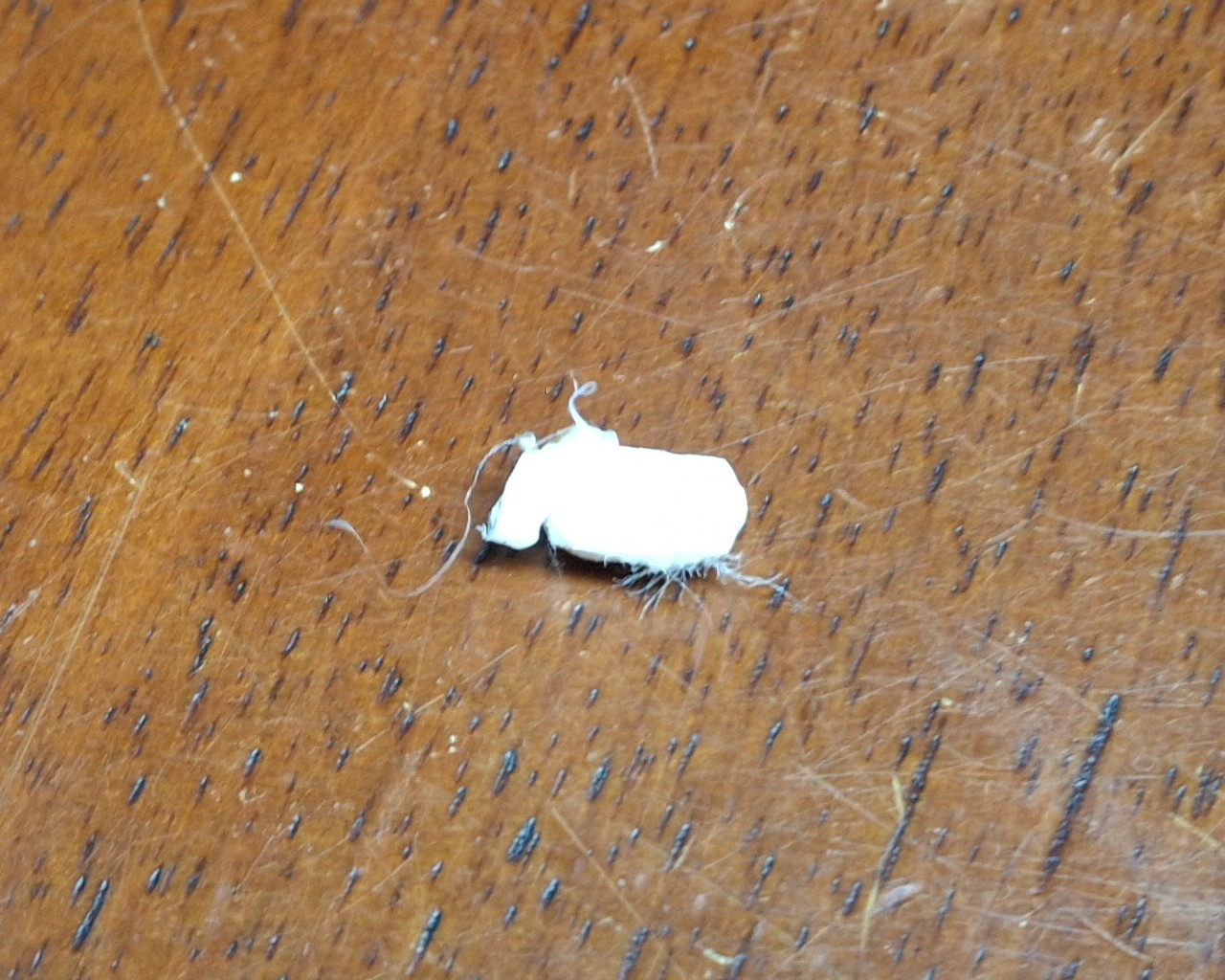
It’s a perfect fit! It quickly and easily frees a 2mm round plug ~6mm long. It pops right out onto the build plate! Nice! Not having to tear down or replace the hot end is even better! I should mention I’m doing this while the hot end is live, at temperature set for 210°C. Otherwise the plastic would be solid as a rock and stuck to the inside of the hot end.
Time to thread the nozzle back in, as fast and as far as I can by hand until it gets too hot to touch. The small adjustable wrench tightens it the rest of the way in. Next is to thread in and tighten the retainer fitting for the bowden tube coming from the extruder. Last step is to push in the bowden tube until it seats against the top of the nozzle.
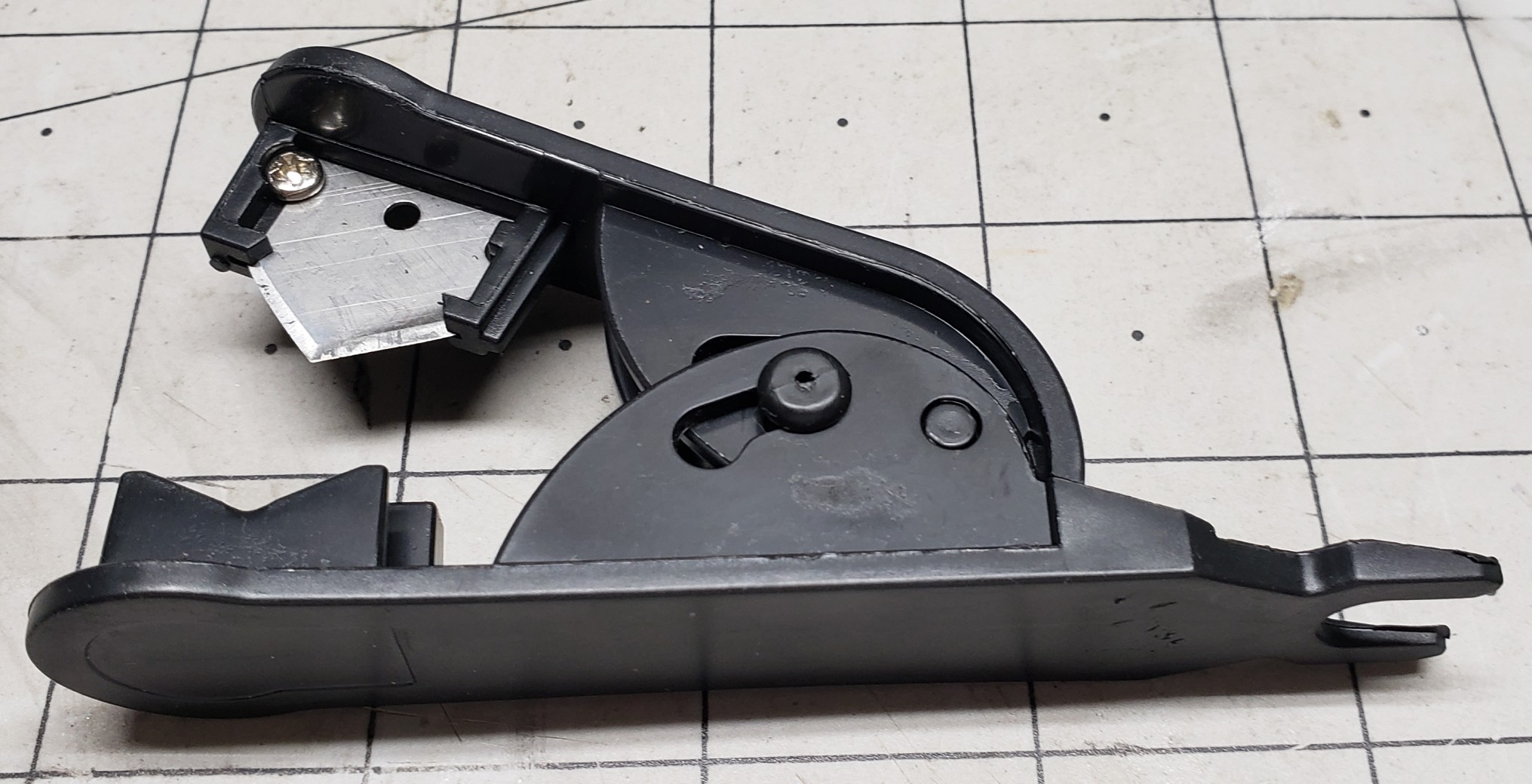
Basically the bowden tube has to fit tight against the top of the nozzle to prevent the molten plastic from oozing out around it and causing a clog in the hot end. To get that tight fit means the end must be cut absolutely straight. There’s even a special cutter tool to do just that. And you’d better believe I used mine!
With everything buttoned up, I load up the black filament, pushing it through the new extruder and all the way down the bowden tube until I feel the resistance of the nozzle. From there I command OctoPrint to extrude 50mm of filament and… Still skipping and very little plastic comes out the nozzle. Again?
We’ll Do It Again!
Let’s do this all over again then. Remove the fitting and bowden tube. Remove the sizzling hot nozzle with the wrench. Push out the clog with the brass rod. Put it all back together again. Same thing! Still skipping and very little plastic coming out the nozzle. What is going on?
Did the hot end somehow manage to clog again? How is that possible? I’m beginning to suspect the bowden tube isn’t fully seated on top the nozzle or the new nozzle is somehow clogged already or both. I try to mark where the bowden tube sits relative to the top of the fitting, but even permanent marker doesn’t stick to teflon tubing.
Let’s do this all over again. Again. This time I switched to another new nozzle, guessing not clearing the clog first just clogged the new nozzle too. This time to ensure the bowden tube was indeed fully inserted and sitting on top the nozzle I inserted it first, before screwing in the fitting and tightening it down. It definitely went in further than before!
It’s Alive! Again!
It’s alive! It’s extruding like it should! Not skipping at all! That must have been the problem, another clogged nozzle and the fitting interfering with the bowden tube and constraining it enough so I wasn’t able to insert it enough to fully seat on top the nozzle. Definitely need to remember to insert the bowden tube then install the fitting next time.
I’m so happy that it’s working again and cannot believe it wasn’t something more serious. Had I known it was going to be a simple fix I wouldn’t have waited all week to try it. But again, until Nick mentioned about the bowden tube passage through the hot end, I wouldn’t have thought to work on it while it was still sitting on the shelf.
Removing a few easy to access parts and pushing out a clog with length a brass rod is certainly easy enough to do just that though. Thankfully I didn’t wait for the weekend to try it. But before I start doing backflips to celebrate, it’s time to actually calibrate the extruder steps and run a test print.
Turns out my guess of 4:1 reduction was off, more like 2⅚, but now when I ask for 100mm of filament to be extruded I can be confident it is. I fire off a test print, crossing my fingers I won’t have to recalibrate the Z offset too. The closet lighting battery cover prints fine, although I may have heard the nozzle lightly grazing the texture of the build plate.
One More Time
I fire off another test print, this time another closet lighting switch box lid since the latching tabs were broken off the old one. Do I need another closet lighting switch box? No. Will it be nice to simply swap out one that needs charged with one that’s already fully charged and ready to go? Yes. Yes it will.
I’m not taking the time to put another one together right now though, but at least I’ll have all the parts I need to put one together when I’m ready to. With both the test prints finished and looking good, I’ll just need to keep an eye on the Z offset, looking for a telltale groove forming in the texture of the PEI sheet.
Desperately trying to find something else to print so as to keep exercising the printer but coming up short. Already have more than enough run in stands of various colors, like black, navy blue, and white.
Speaking of Navy Blue, that’s another 3D Solutech color I can’t seem to match and I’m down to the last few layers on the spool. And it was just as dusty as that red was that I’m pretty sure caused the clog in the printer.
Lessons Learned
I learned a number of things from this one. A number of things that I should avoid or do differently in the future. And I learned a method that will make it easier to remove another clog in the future if it happens again.
The first is even though I think I got all the dust cleaned off from those leftover 3D Solutech spools, they aren’t clean enough to avoid a clog. Maybe I can rinse them off then bake them in the drier to drive out the moisture. I hope it doesn’t totally ruin the filament, but at this point, it’s already ruined unless I can find a better way to clean off the dust.
The next is to insert the bowden tube into the hot end fully to ensure it’s flush against the nozzle before installing the retainer. And this time I learned something new, an easy way to clear a hot end clog without having to tear it all apart. Had I known this before destroying the original hot end the first time I had it apart, I could have avoided having to replace it.
Another thing that I learned before this happened is moisture is the enemy when it comes to 3D printer filament. I learned this the hard way when the exposed filament loaded in the printer would just randomly snap, becoming brittle from the moisture. The problem is the remaining filament is just as brittle and removing it may be difficult or impossible.
So Long Solutech
As an aside, 3D Solutech used to be my go to filament, made in many different colors. A much larger range of colors than most every other manufacturer. For example, Wheat, Skin, Denim Blue, Navy Blue, Merlot Red, etc. Their Merlot Red is a very close match to the maroon color of the AT&SF passenger cars while their Navy Blue a close match to B&O Blue.
Their products are no longer available since they went out of business years ago. Amazon’s available stock lasted for another year or two until it was finally depleted. I still have a large stock, vacuum sealed in the box, but once it’s gone, it’s gone. Like the Navy Blue, all I have left is a few layers on the spool, maybe one or two.
The only alternative is to paint the parts, in this case with B&O Blue, a.k.a. Bando Blue. But even getting matching paint has become more difficult as major manufacturers have left the market, citing low sales volume. So now everyone’s in the same boat as those who modelled a road name with colors no one carried, having to hand mix their own.
Live And Learn
I also have a large stock of already open, dust impregnated spools that used to sit out on a wooden closet rod above the printer, exposed in the office environment, some for years on end. I’m really hoping the idea of rinsing the filament clean is a viable method to reclaim them. We shall see.
I’m faced with the prospect of just throwing them out. For those near empty spools, it’s not so difficult, but the nearly full ones I’d really like to save if at all possible. A dozen spools at $20 or more a spool is a $250 loss. I’ll learn my lesson the hard way it seems.
But it’s more than just the money. It’s the lack of suitable replacement color options. Sunlu has a large selection of colors, but nowhere near as many as Solutech offered. My favorite color to print prototypes with was “Mint”, an Aqua shade, but lighter. Kind of like powder blue but with more of a greenish tinge added.
Fringe Benefits
Oh well. At least now the filament sits in a filament drier meant to drive out the moisture. As a fringe benefit of being totally enclosed within the drier box, it also protects the filament from dust. As I said, the only issue is with the exposed filament if it isn’t removed from the printer after the last print for an extended period of time.
For now I should also learn to just take the win and move forward. After a relatively simple fix, I’m once again blessed with a working printer. Two working printers for that matter. And both are sitting idle, awaiting their next assignment, with exposed filament until then!
I hope you enjoyed this post and the “surprise” ending of a not dead again printer. Hopefully by the next post I’ll have the design for those concrete molds for the switch ladders. We shall see. Stay tuned, more to come.